

HoursTracker has seen more than 1 million downloads from the App Store since its 2009 release. I’ve been using HoursTracker Pro for a couple months now, so report back to you here, with a look at some key features.
Clocking in and out
This is the main job of any time-tracking app (obvs), and it’s executed nicely here.


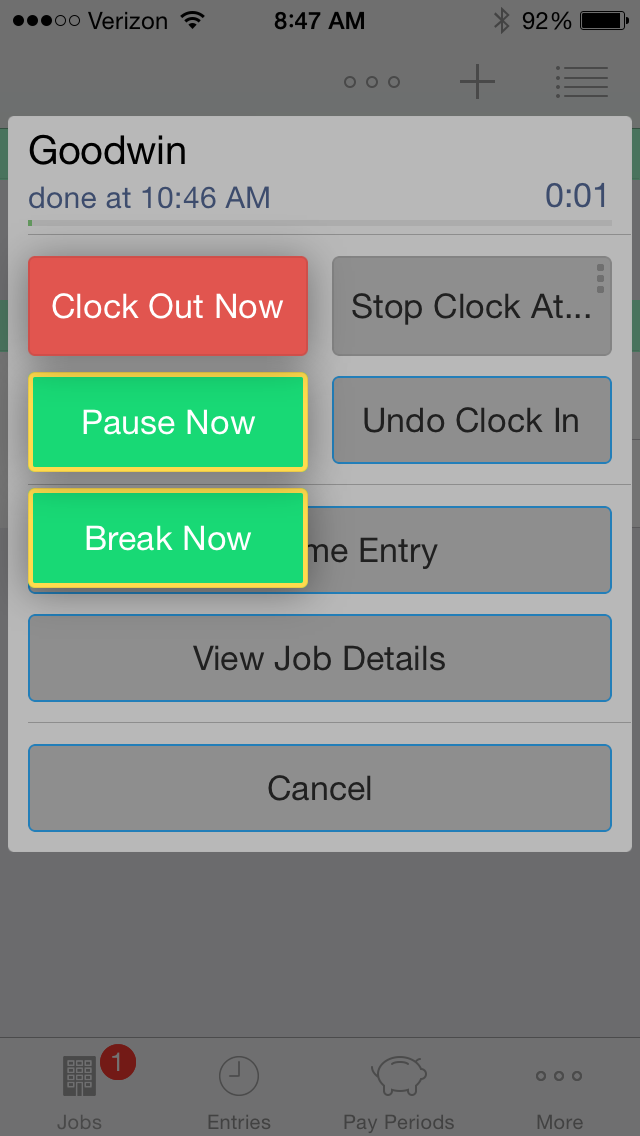
It’s easy to add a break, or just pause the timer. You hold the “Clock Out Now” button for more options to appear:
Tag and filter your work
Tags and filters offer a sophisticated way to manage and pare down the data you see. You can toggle various filters on and off, as desired.
See some of what’s possible here:
Get notifications that you’ve worked a set number of hours
This is particularly cool. You can decide you want to work two hours on a certain job, then the app will track it for you.
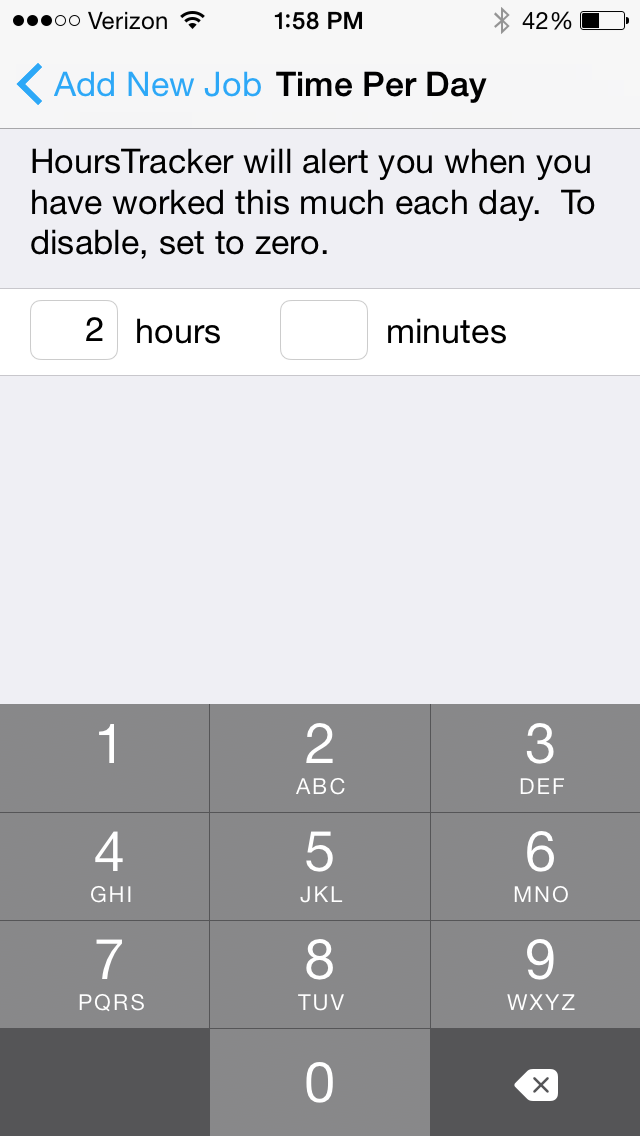
Then it will let you know when two hours is up, even giving you warnings beforehand:


I think this has been my favorite part of the app.
Invoicing?
Although HoursTracker Pro allows you to track work done for specific clients at whatever rates you like, it does not include an invoicing feature. You can export your timesheet data, but the app could be even more of a one-stop shop–especially for consultants–if it were to add automatic invoicing options in a future release.
Export options are really good
Data export options are really good. With just a few taps (and within seconds), you can have an email in your inbox with all your timesheet data as a .csv file that includes duration, break times, notes you entered for a given job, tags, and more.
It’s customizable
HoursTracker is quite customizable–taking notes and using tags and filters make this a sophisticated app. Here’s what the Settings section looks like:

In conclusion
If you want to try before you buy (the Pro app is $9, here,) HoursTracker is free here.
The Pro version is probably more than someone would want to sink into an app, if they were only tracking a job or two. But if…
- you are tracking multiple jobs or projects, and
- you want a way to tag and customize your data, and
- you want to be able to access a clean and robust export
…you’ll want to check out HoursTracker. Spend some time with the free version, and then you can decide whether you want to pay for the full Pro version.
Happy time tracking! If you are a time logger, HoursTracker gives you an aesthetically pleasing environment for recording time, as well as has enough features for you to get it to do just about anything you need.
Thanks to the good people of HoursTracker, for giving me a download of HoursTracker Pro for the review. Check out the app’s iOS page here (Pro) and here (free). See my other AppTastic Tuesday reviews here.

 Words on the Word