Review of Audiosharp AS1130 Earbuds


Earbuds 2
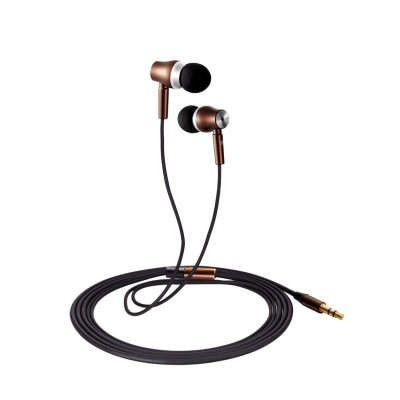
Image via Audiosharp


After I ran a 5K my sweet three-year old picked off one of my earbud covers and left it who-knows-where. So I’ve been in search of a good replacement. Audiosharp’s AS1130 earbuds (currently on sale for $25 at Amazon) have been an exceptional choice for every-day headphones.

Here are the specs from Audiosharp:


  • Perfect design: Solid all-metal construction even down to the plugs, Three size soft silicone ear buds provide a super comfortable, secure fit and One Compact rugged case for safe storage are included.
  • Accurately reproduce clear natural vocals: High intensity listening experience with crisp, clear sound and deep powerful bass, Ultra-fast,accurate speaker design delivers the full details of today’s digital music with extreme clarity and deep bass.
  • Awesome noise reduction: Sealed in-ear design reduces external noise for a better music experience. the voice is still clear over the din of the store so you can enjoy uninterrupted music on the go.
  • High Performance: High Quality Tangle Free Cable.Micro-strand wire and flux tube for clear audio with reduced interference.Innovative, cable design is ultra-flexible and tangle free.
  • Audiosharp Features: Audiosharp is the most professional headset seller, Our products are designed by high-end designers and rigorous professional inspection. All Audiosharp products come with a 1-year warranty.

Most surprising was the packaging in which the earbuds arrived. It’s impressive, if excessive:


Image via Audiosharp


The carrying case is especially cool–and useful! It’s easy to wrap the earbuds up and store them in their protective cover:
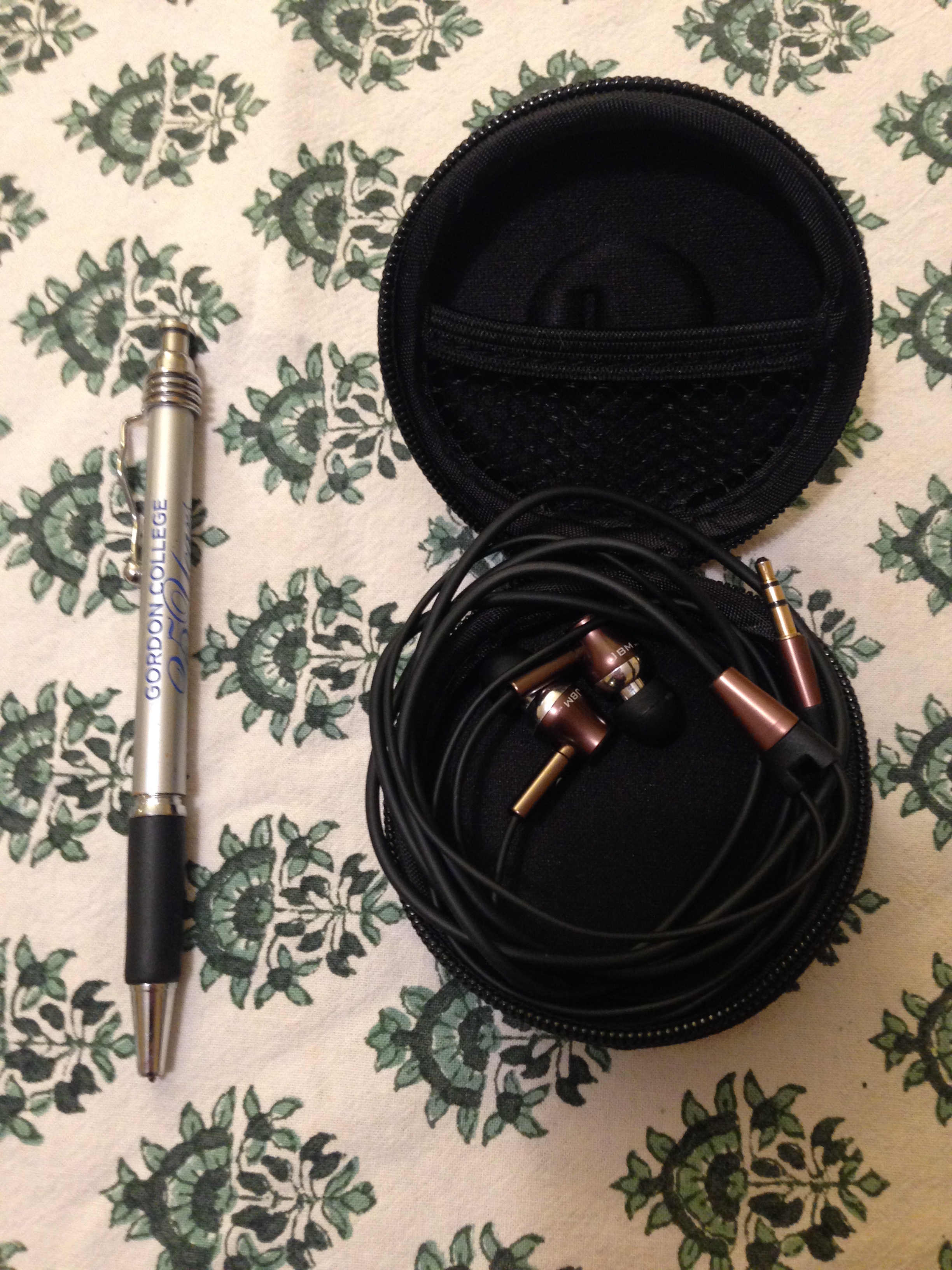
 

Earbuds in case


The construction is high-grade, and these appear to be earbuds that will last a long time. The all-metal design looks cool, too:


Earbuds


Cable


As for the sound, the quality greatly exceeds what I expected for an under-$30 set of earbuds. Bass is fully present (but not overly so), and highs and mids are clear. It’s definitely an upgrade from the standard issue Apple set.

Having the earbuds in really does silence outside noise, too. They’re not noise-cancelling (nor do they claim to be), but noise-reducing, for sure.

They stay in my ears well even when I’ve got them outside on a run–a non-negotiable for me with a set of earbuds, and a feature which seems to be missing in most kinds that I’ve tried.

If you’re looking for greater sound quality than what you get with a $5 pair of earbuds, but for something that won’t break the bank and will last you a long time, Audiosharp’s AS1130 earbuds are an excellent option.


Thanks to Audiosharp for the review sample, given to me for purposes of review but with no expectation as to the content of this post. Find the earbuds here.

Alpha: The NATO Alphabet for Kids (and Their Parents)

image


With Isabelle Arsenault’s Alpha, I finally have a tool to keep the NATO phonetic alphabet in my head. That’s more useful to me than you might think, not least of which is because I really do have to spell both my first and last name quite often when talking to various phone reps. (A… B as in Bravo… R… A… M as in Mike.)

It’s first and foremost a children’s book–though also a good visual aid for learning what is also known as the International Radiotelephony Spelling Alphabet.

The book’s cover is actually a fine way to judge its contents in this case: It is the clever illustration–a paper airplane–for Delta.


image


The next spread, Echo, has a child at school throwing such an airplane at the child sitting in front of him.

Each letter of the alphabet receives a two-page spread: the word at left and an illustration at right. Some illustrations you might have guessed–like the couple dancing the Foxtrot. Others are more subtle and creative–like Hotel, which is the Monopoly hotel piece. Romeo and Juliet share a ghostly motif that ties the two images together, separated they are by some pages (and… uh… other impediments).

The letter under consideration has its own color, so that with even younger children you could focus just on A, B, C, D, and so on. Of course, my eight-year-old can appreciate that this section of his Dangerous Book for Boys now has some visual reminders to help him with his NATO alphabet.

There’s no storyline to follow, of course. But it’s been an interesting (and visually pleasing) read for each of my three kids, from three up to eight years old.

The sewn binding and high-quality paper will find approval with parents who want a book that will withstand a few throws across the room. (From the kids, not the parents.)

Alpha is a smart, nice-looking, and useful take on the classic children’s abecedarian.

Find Alpha at Amazon here, or at Candlewick Press’s page here. See Isabelle Arsenault’s page (with lots of images) here.


Thanks to Candlewick Press for the review copy, given with no expectation as to the content of the review.

T Muraoka’s Biblical Aramaic Reader (2015)

Muraoka Aramaic


Any time you see a T. Muraoka volume that retails at under $30, it’s worth paying attention to.

Peeters has released the short but sure-to-be excellent volume, A Biblical Aramaic Reader: With an Outline Grammar.

Here’s the publisher’s description:

This reader is for anyone very eager to read the story of Daniel in the lions’ den and many other fascinating stories in their original language, Aramaic.

A brief outline of Biblical Aramaic grammar is followed by a verse-by-verse grammatical commentary on the Aramaic chapters in the books of Daniel and Ezra. Both the outline grammar and the grammatical commentary presuppose basic knowledge of the grammar and vocabulary of Biblical Hebrew. Constant references are made in the commentary to relevant sections of the outline grammar. The commentary is written in a user-friendly, not overtly technical language. Some grammatical exercises with keys and paradigms conclude the Reader. Also suitable for self-study.

At just under 100 pages, it looks great. Find it on Amazon here.

Baron Fig’s Confidant Notebook, Reviewed

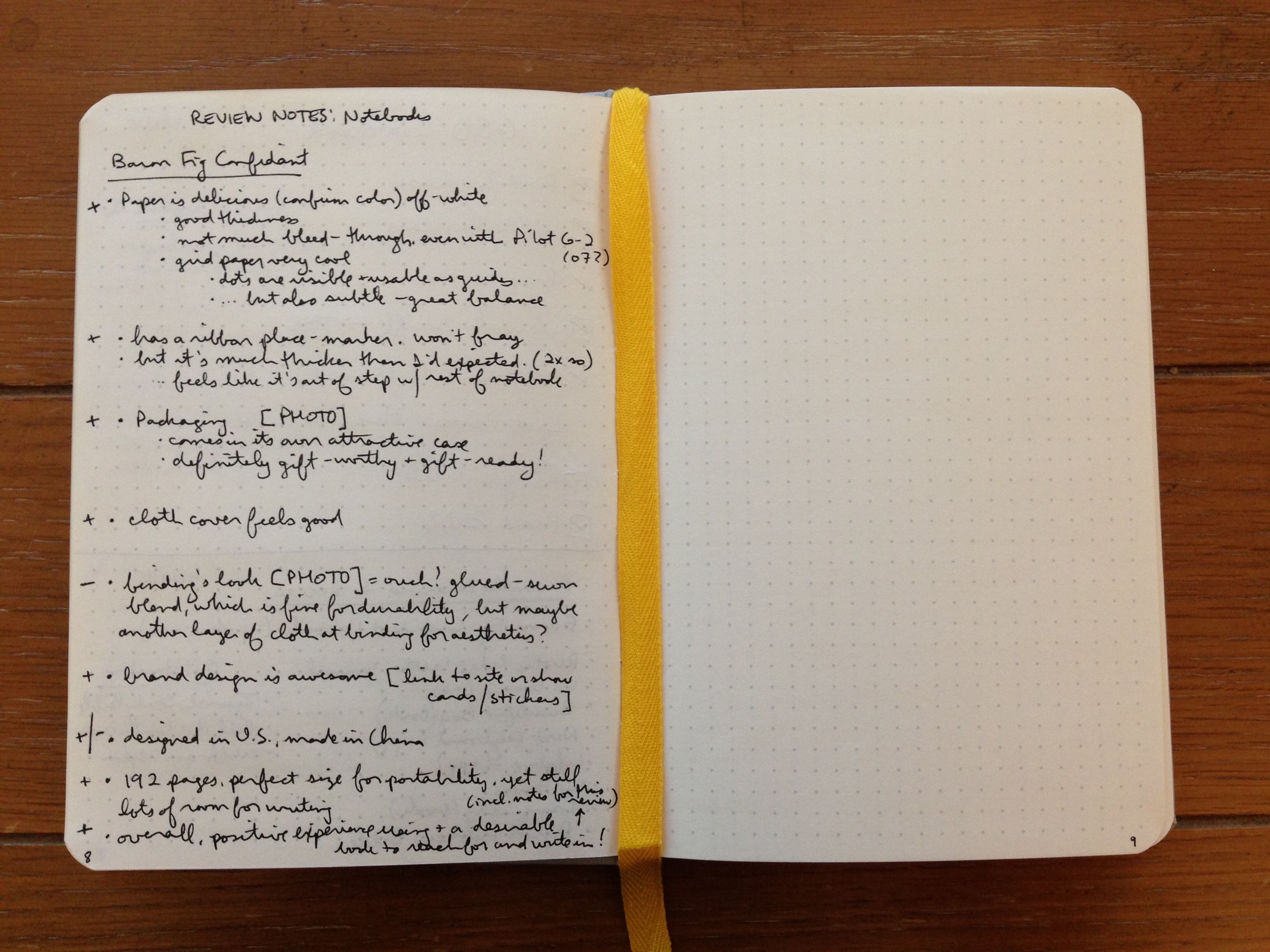
The first thing I noticed about Baron Fig’s Confidant notebook is that the paper is a delicious off-white. The paper’s thickness is perfect: there’s not very much writing bleed-through at all, even when using a Pilot G2 07 gel pen. That’s probably my first desideratum in a notebook, and Baron Fig nails it here.

The Confidant comes with blank paper, ruled paper, or dot grid paper, which is what I reviewed for review. The grey dots are visible and usable as guides for diagramming or sketching or writing… but they’re also subtle enough to stay out of your way. A great balance here.


Confidant Page Up Close


The Confidant lays flat, just as Baron Fig claims, though sometimes a bit of pushing down on the pages is required for them to stay flat. But this will happen naturally as you’re writing or sketching anyway. The binding itself lays flat as you’d hope. As you can see:


Baron Fig Confidant with writing
You guessed it: I started this blog post in my Confidant notebook


The acid-free paper means the book is built to last. And the dimensions just feel perfect to me: 5.4 by 7.7 inches. It’s 192 pages, with 12 pages at the back of the journal which are perforated. In other words, it’s enough space to keep you supplied for a while, but not so much that you’ve got a bulky journal to carry around. The portability is right on.

The cloth cover looks and feels good. The binding is sewn (yes!), which is, of course, one reason it lays flat so well.

I was not as impressed with the aesthetic of the binding: I thought it could have used maybe a thicker piece of cloth to cover up the binding construction that is so easily visible? I might just be missing that the look is intentional, but it didn’t appeal to me.


Binding


But let me step back for a moment. The packaging is top-notch. The notebook comes in its own attractive case, so that it’s gift-ready:


Confidant Gift Box


And as design goes, these folks are impressive. (See their Website here, for example.) Here’s a little clip from the insert that comes inside the box with the journal:


Confidant Design


The Confidant notebook comes with a ribbon for marking your place. I greatly appreciated this. It is about twice the thickness of most other ribbon markers, though, so it felt to me like it was out of step with the rest of the notebook. I have gotten used to this over time.

*******

Overall, the critiques above notwithstanding, I’ve had a positive experience using the Confidant, which gives me a notebook I really do want to reach for and write in! It goes with me in my satchel just about everywhere I go now.

You can learn more about the Confidant here and order it here.

Bonus paragraph: Baron Fig also makes the pocket-sized Apprentice notebook, which I think is an A+ in its class. It fits perfectly into even small pockets and isn’t a nuisance there. I’ve been carrying one of those around, too, so I don’t have to whip out a device every time I want to write down an action item I’ve committed to. The 3.5″ by 5″ little guy comes in a three-pack. More info on the Apprentice notebook is here; you can order here.


Many thanks to the awesome people at Baron Fig for the notebooks for review! Check them out here.

Children’s Book Review: The Little Snowplow

The Little Snowplow


We need the little snowplow in our neighborhood. Last winter we saw more than 100 inches of snow pile up. The kids loved it, and we parents sort of did, but it made getting around a challenge. And it got old fast.

Enter the little snowplow:

On the Mighty Mountain Road Crew, the trucks came in one size: BIG.

That is, until a new snowplow joined the crew.

“You’re such a little snowplow,” the big trucks said.
“Leave the heavy lifting to us.”
And off they roared.

My five-year-old was enraptured at this point. And what young child wouldn’t identify with the little guy in the story? Each night he does his “reps” (raising and lowering his plow ten times). He pulls blocks of concrete. “Just in case.” Had he been training for 2015 in Massachusetts, he would have been oh-so-glad for all the hours he put in.

Then a blizzard hits–more than the little snowplow can handle, and the plow driver has to call for backup. In the end, against the odds, the little snowplow turns out to be a real hero, with his place secured among the Mighty Mountain Road Crew.

Most grown-ups will see the story coming–the motifs are familiar ones. One thinks of the setting and improbability of Katy and the Big Snow, with echoes of The Little Engine That Could, and a scene reminiscent of Little Blue Truck. The story ends with the little snowplow ready to bed down, though the “He could hardly wait for sleep” ending felt a little less satisfying than expected.

Still, The Little Snowplow is engaging. It’s an important idea that one can succeed even though small or dismissed by others. The message of the book is a good one, and the story moves along nicely. My three kids are all fans of the book.

The Little Snowplow is Lora Koehler’s first children’s picture book. Jake Parker illustrates the story. And the illustrations are great. They’re colorful, clear, and absorbing. They really make the book. There are enough of them, too, that a non-reader can easily enough make his or her way through the story. (See a few more illustrations here.)

I don’t even want to think about winter coming soon, but I’m sure we’ll continue to reach for this book when the snow comes–and we are reading it now, even with potential blizzards months away.

Find The Little Snowplow at Amazon here, or at Candlewick Press’s page here.


Thanks to Candlewick Press for the review copy, given with no expectation as to the content of the review.

Review of WaterField’s External Keyboard Slip Case

Logitech makes an amazingly good external keyboard, the K811, which I reviewed here. At the time I noted:

It would be nice if the keyboard came with a carrying case or simple sleeve, though–you’ll have to figure that one out on your own.

And, boy, did I figure it out! Turns out a San Francisco manufacturer named WaterField makes just such a product: the Keyboard Slip Case. Here’s their description:

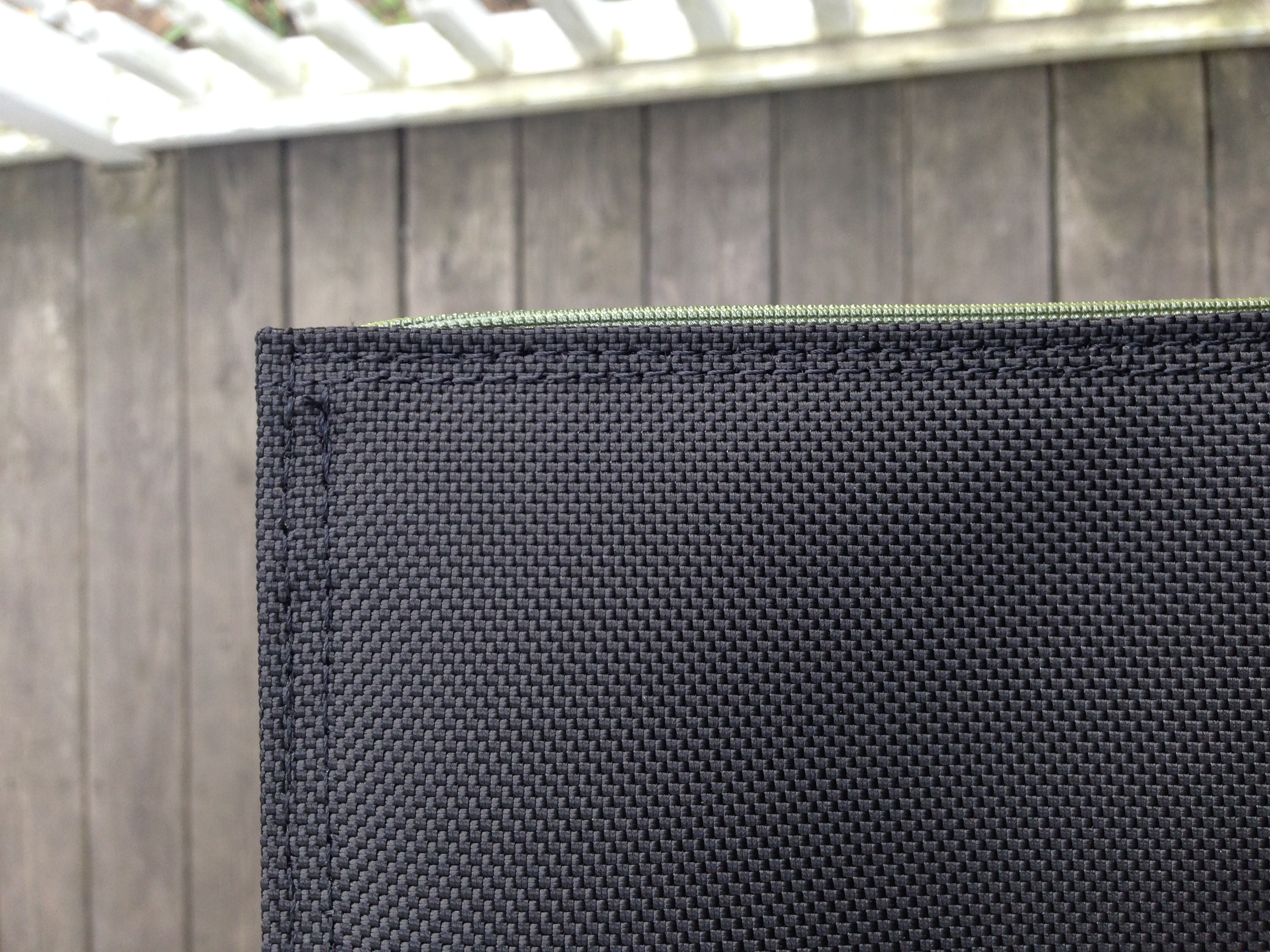
Thin is in. The Keyboard Slip Case offers gentle protection in a slim ballistic nylon case with a lightly padded liner. A piping trimmed edge lets you choose to add a splash of bold color, or to stay under the radar with subdued tones. Pack it up and off you go.

I can at last not worry about whether my keyboard keys will pop off inside my messenger bag, and my neighbors and friends can now avoid the unseemly sight of my walking around with an external keyboard in my hand. (I mean, not literally just walking around with it. But going from point A to point B.)

The dimensions are 12″ x 6″ and 3 ounces, perfect for the Apple wireless keyboard and my Logitech model.

To remind you, here’s what the K811 looks like:


Image via Logitech
Image via Logitech


And now, in its case:


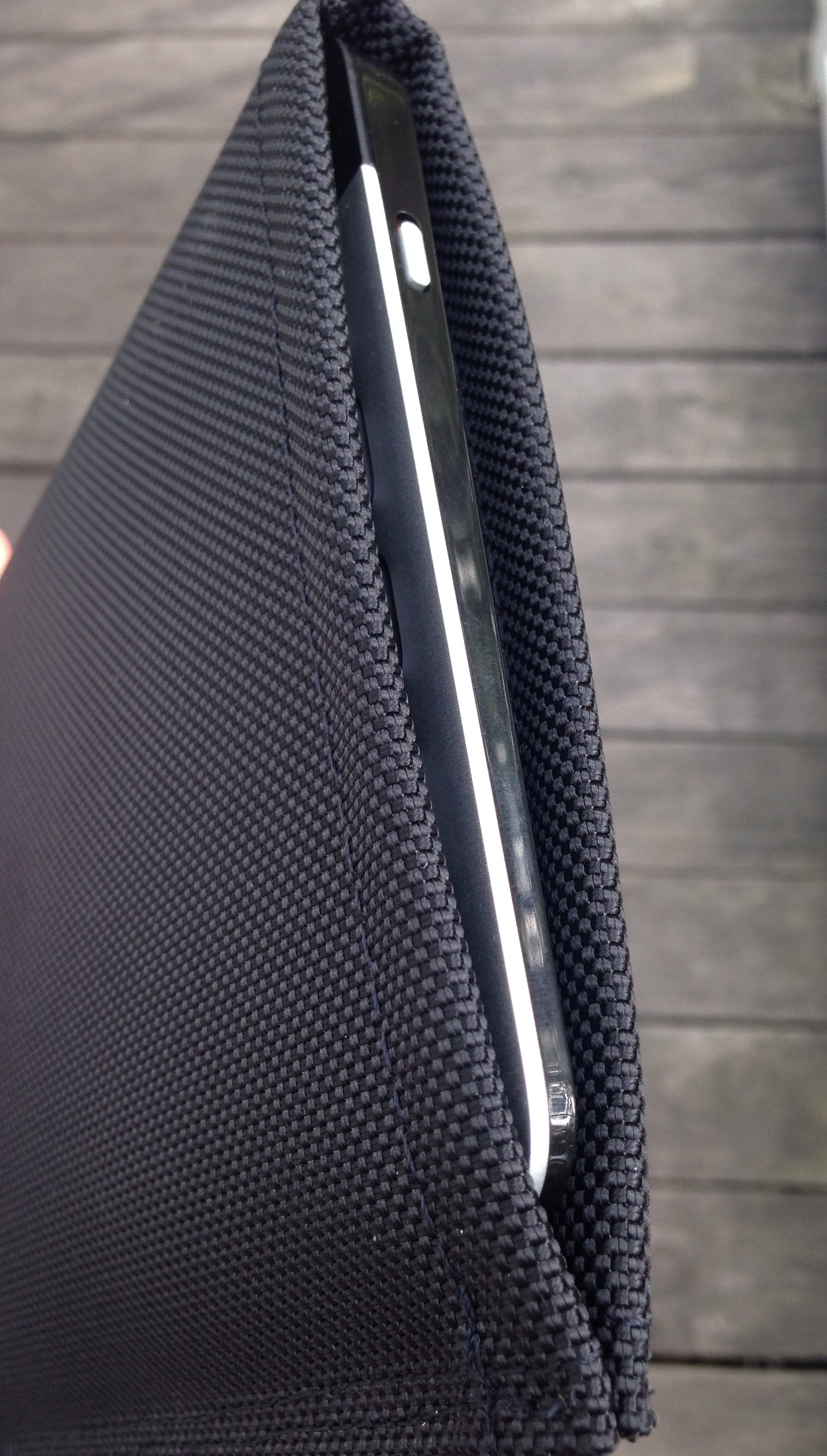
Keyboard in Sleeve


Pretty awesome, yeah? I know–I’m too excited about a piece of gear, but I use my K811 a lot, and am glad to protect it well.

The inside is protective yet soft:


Soft Inside


It’s made in San Francisco, so you’re buying a made-in-the-U.S.A. product with WaterField.

There’s even a nice little piece of trim that gives it a slight pop:


Trim


Here it is next to an iPad:


With iPad Air 2


The slip case is well constructed, and looks like it perfectly blends being lightweight with protecting your keyboard.

The keyboard fits snugly, so the lack of a closure is no loss. I’d initially wondered about this, but it’s not a problem. And it’s still easy to slide the keyboard in and out. (But if you’re worried, you can get this model.)

My only critique is that the nylon exterior is a little slippery. When carrying around an iPad and notebook and keyboard-in-its-case today, I felt the iPad slip against the keyboard case. So be aware of that so you don’t drop something!

Otherwise, the K811 has found its perfect match. Or as I put it in a six-word review on WaterField’s site:

Just what my external keyboard needed.

WaterField makes a lot of other really cool-looking gear, which you can learn more about here. Find the Keyboard Slip Case here.


Thanks to WaterField for the product review sample, given to me for purposes of review, but with no expectations or influence on the review’s content.

iA Writer 3, Just Released for iOS and OS X

iA Writer


iA Writer is a popular plain-text, Markdown writing app. Perhaps its most salient feature is its simplicity, which it achieves without sacrificing quality. I may be making you fine readers read too many writing and productivity app reviews, so for this one, I’ll just send you the relevant links so you can check out more.

Here‘s iA’s write-up of the app, with lots of details and links. Here it is in the Mac Store, and here it is in the iOS App Store. (They even have an Android version!)

Children’s Book Note: Almost an Animal Alphabet

Almost an Animal Alphabet


Our family has read a lot of alphabet books in our day–now I’m working on letters with Kid #3 (!). We read through Almost an Animal Alphabet the other day, which she sincerely enjoyed. (The Yeti is my favorite–and, I think, what makes it only almost an all-animal alphabet.)

The illustrations are creative and fun, and the book is both educational (as you’d hope) and funny. Check it out via POW! Books here, or here on Amazon.

WriteRight: Synonyms (and More) for iOS

You can almost make the iPad your only computing device if you’re a writer. You can certainly make it your primary one, especially if you’ve got a good external keyboard. The multi-tasking option of the upcoming iOS 9 will be another step forward for those who wish to go the iPad-only route.

That said, the built-in operating system does not have a way to fetch synonyms for you. You can tap on a word and select “Define,” but there’s no synonym option.

That’s where WriteRight comes in:

Alt text

What I Like About WriteRight


It’s a plain-text, Markdown-enabled writing app. On the one hand, the App Store has a lot of these. On the other hand, it has some unique features. For instance, I click on the gear icon in the extended keyboard, and I see little gear icons above a couple words. Tapping one of those gives me phrase substitution suggestions:


phrase substitution


The extended keyboard is succinct–just one screen on an iPad in landscape mode. But if you tap on an asterisk, for example, you get multiple Markdown options:


Markdown options


There’s a handy find-and-replace feature, too, something lacking (or not easily accessible) in other similar apps:


Find and replace


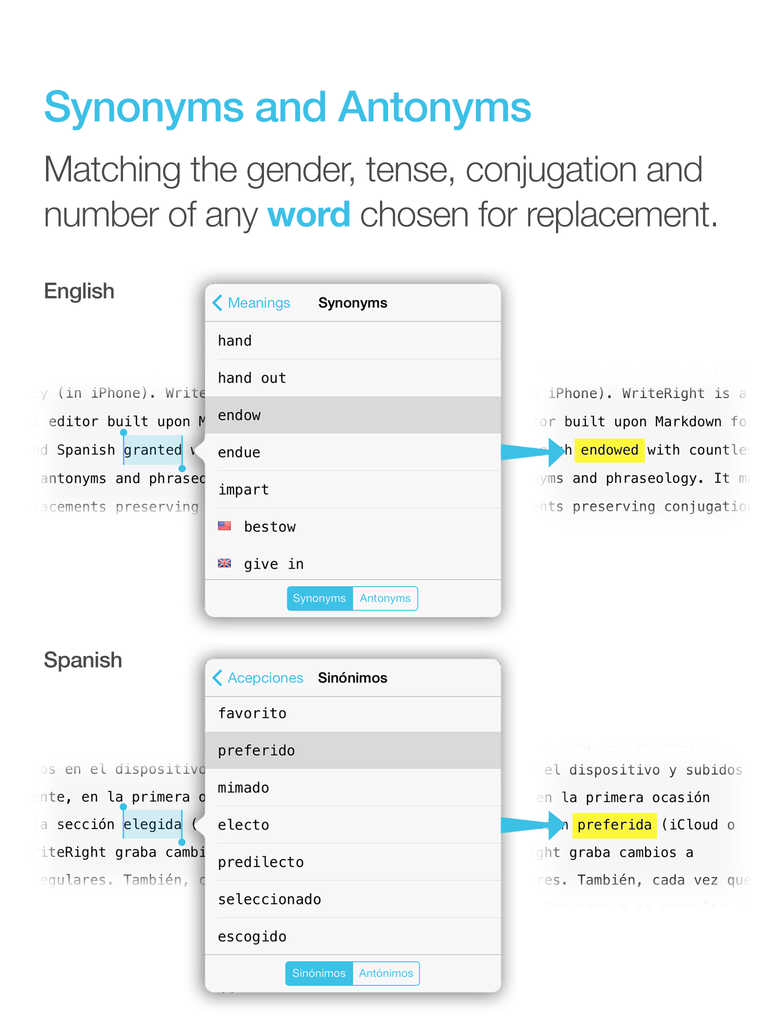
And, of course, the synonym/antonym feature is a boon to writers. It’s available in both English and Spanish.


Synonyms


Integration with iCloud and Dropbox is implemented well. And because you’re dealing with Markdown, you can easily work on the same document via Dropbox in WriteRight and many other writing apps. I could finish a document, for example, on Ulysses on my computer, if I wanted to.

The real-time word count (and character count, for that matter) is easy to see and helps with any writing targets you may have.

The app in general feels well-designed. It’s got some nice touches that the regular user will enjoy discovering along the way–like the option to swipe left and right for undo/redo, and a number of other minor features that enhance the writing experience.


What I Find Lacking


Between Drafts and Editorial and 1Writer, I’ve become used to inline Markdown previews, which WriteRight does not have. It’s not a huge loss, but you do have to be comfortable reading Markdown, or else going back and forth a lot between the Edit and Preview windows, if you want to see what your finished text will look like. The multiple Preview options are nice, but inline Markdown preview in a future revision would be handy. If this is a deal-breaker for you, you might struggle to use WriteRight.

I happen to like the Menlo font, but I sometimes like to write using other fonts–WriteRight doesn’t give you the option to change what font you use in the Edit window, i.e., where you do your writing. You can change font size but not style.


That said–even if I’m not jumping to switch to using WriteRight as a primary writing app, its unique features and Cloud-sync capability mean that it has its place as a nice pre-publishing app, to use after I’ve written all my text and before I export and print (or save, or send on to someone). At $2.99, the synonym/antonym and find-and-replace features make it a useful tool in the writer’s tool belt.

Find the app (for iPad and iPhone) in the App Store here.


Thanks to the makers of WriteRight for the free download for the purposes of review.