Outside the Bible (JPS): 3,000+ Pages in Accordance

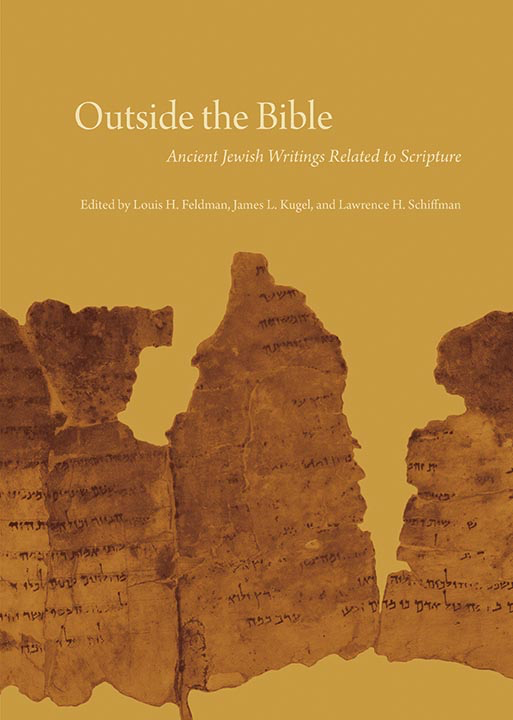
Outside the Bible

I’ve made no secret of my love of Jewish Publication Society’s works. The JPS Torah Commentaries have greatly enhanced my reading of the first five books of the Bible. I have particularly appreciated the seamless blend of critical scholarship and devotional posture that series offers.

In 2013 JPS published a massive, three-volume set, Outside the Bible: Ancient Jewish Writings Related to Scripture. The print edition has 3,302 pages. Accordance is the only Bible software program to have made the electronic edition available; it releases today.

Outside the Bible (hereafter referred to as OTB) covers an impressive array of Jewish extrabiblical texts from the 6th century B.C. to the 2nd century A.D. The texts in OTB are ones that were “for various reasons, taken off the official Jewish bookshelf.”


************


The editors of Outside the Bible are Louis H. Feldman, James L. Kugel, and Lawrence H. Schiffman. The skilled lineup of contributors includes: Harold W. Attridge, David E. Aune, John J. Collins, David A. deSilva, Michael V. Fox, Emanuel Tov, Benjamin G. Wright III, and many others.

Broadly speaking, the editors and contributors treat writings from the following groupings:

  • The Septuagint
  • The Apocrypha and Pseudepigrapha
  • Philo
  • Josephus
  • Dead Sea Scrolls

OTB begins with some of the best, most succinct introductory material you can find on each corpus. Emanuel Tov, for example, gets right to the heart (using few words) of the potentially vexing concept of LXX translation technique:

When trying to analyze the Hebrew and Aramaic words, the translators could not resort to tools such as dictionaries or other sources of lexical information; they had to rely on their living knowledge of these languages and on exegetic traditions relating to words and contexts. … By the same token, the identification of difficult words was often guided by the context. Such a procedure frequently was little more than guesswork, especially in the case of rare and unique Hebrew words.

Practically speaking the reader finds explanatory comments like this one (from 1 Samuel 2) throughout OTB:

*there is none holy besides you Cf. the MT: “There is no rock like our God.” As elsewhere in the LXX, the translator avoids the description of God as a “rock,” possibly because he did not like the comparison of God to a stone, and instead stresses his holiness as in the first part of the verse.

When it comes to the texts themselves, here is how OTB is organized:

Each text in Outside the Bible is preceded by a brief introduction that gives a summary of its contents, a history of its composition and transmission, its significance for Jewish (and sometimes Christian) history and biblical interpretation, and a guide to reading that highlights specific issues for understanding the text. A short list of additional readings points the interested reader to more detailed or focused treatments of the text.

You can see the Table of Contents here, via Accordance Mobile:


OTB iPad TOC


Included in OTB is an entire commentary on 1 Maccabees and 2 Maccabees, among other texts. Here is David A. deSilva, offering the reader of OTB guidance for working through 4 Maccabees:

The author gives two important cues concerning how to read his work. First, he asks us to read it as an essay that offers both argumentation and exemplary evidence for the proposition that the religiously trained mind can gain the upper hand over all the contrary forces within us and outside us that drag us away from doing what we know to be best before God. Second, he invites us to join him in admiring the outstanding achievements of nine Jewish martyrs, whose courageous and praiseworthy example rivals that of the heroes of any other culture or tradition and can encourage us to hold fast to virtue in our lesser contests.

I could multiply examples of how OTB strikes an excellent balance of brevity and substance. One could open the pages of OTB, having never heard of the Damascus Document–or any of more than 150 other texts–and walk away with a solid understanding of that writing’s legal and theological teachings.

OTB has a nice focus not only on the extrabiblical texts as such; it also addresses their import for biblical interpretation. Further, the editors and contributors are careful to point out how these non-canonical texts function as windows into the culture and beliefs of Judaism in the Second Temple period.

And the interplay OTB highlights between Judaism and Christianity is fascinating:

Philo’s writings had practically no influence on Judaism as it developed after the destruction of the Temple in 70 CE and the disastrous Jewish revolt in Egypt in 115–117 CE. … On the other hand his writings were warmly embraced by early Christian thinkers, who saw in him a kindred spirit. They were attracted to his use of the Greek Bible and the allegorical method, as well as to doctrines such as the transcendence of God, the creation of the cosmos, the Logos, and providence.

Anyone wanting to further chase down what OTB has to say about Christianity can perform a search to instantaneously pull up all the instances of “Christian,” “Christianity,” or even, “Christ.” (The search to use is simply Christ* in the English Content search field in Accordance.)

…which leads to why Outside the Bible is a resource especially suited for the Accordance format.


************


One obvious reason a person would want to consider the Accordance module (and not just the print edition) is the portability factor. JPS books tend to be bound beautifully and constructed well, so there’s nothing to complain about in their aesthetics. But you can’t really take 3,300 pages of awesomeness to the library, coffee shop, or office with you, at least not easily. Keeping OTB on a laptop, iPad, and/or iPhone is appealing.

Another benefit to OTB on Accordance is the extensive system of tagging and hyperlinking the developers have used. For one, you can adjust the search field to search OTB in all of the following ways:
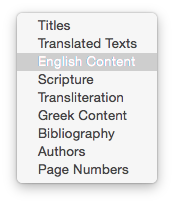
 

Search Fields


For another, where there is commentary on the texts, the Accordance module allows you to view it simply by hovering over a hyperlink. Causing my mouse to rest on an asterisk shown in the text of the Prayer of Manasseh calls up the corresponding commentary in the Instant Details at the bottom of the screen:


Prayer of Manasseh
(click to enlarge image)


Hyperlinked content is, of course, just a tap away on the iPad:
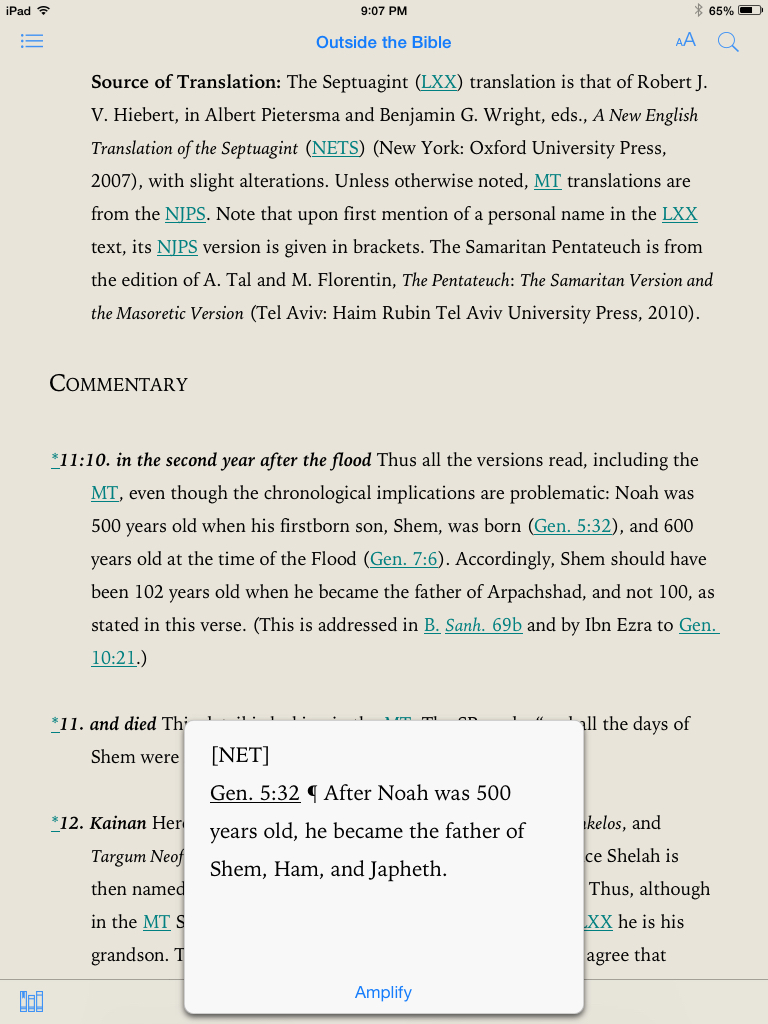
 

FN on iPad


You can search just certain sections of OTB for a given word. You can highlight, take notes, and even share text via the share sheets in iOS–maybe you want to send some selected wording to Evernote or Drafts as part of your research. Just a few taps get me from 11QMelch (Melchizedek) into Drafts, a primary hub for my iOS research:

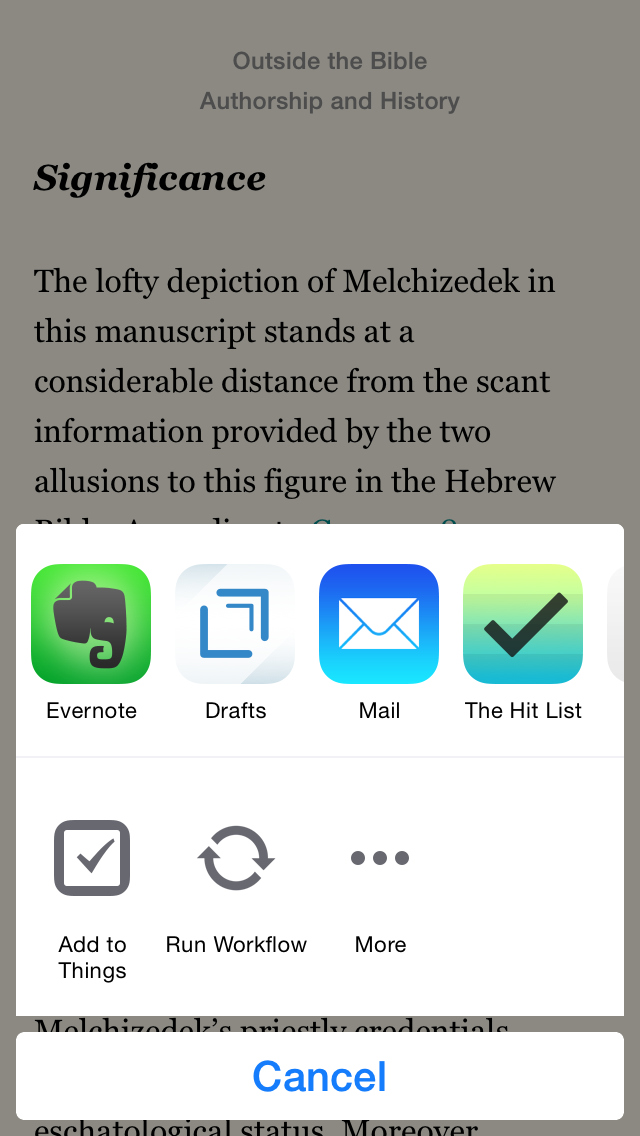
 

OTB Share 1


OTB Share 2


OTB Share 3


Using the share sheet, one could email information to oneself or others, or even share on social media. (And what says “rewritten Bible” better than Facebook and Twitter, amirite?)


************


Treat yourself to a perusal of the Table of Contents and some material on Jubilees (which interacts with Genesis) by following this link to a PDF excerpt. And, by all means, do go check out this majestic resource in Accordance here. Students, professors, and pastors… Jews, Christians, and agnostics–all who can access Outside the Bible are indebted to its editors and contributors for a thorough and engaging resource.


Thanks to Accordance for the review copy of Outside the Bible in Accordance 11. See my other Accordance posts (there are many) gathered here.

Kaplan’s 2015 MCAT Prep Live Online Course: Initial Impressions

This blog’s wide range of coverage from Septuagint studies to parenting updates, from musings about the good life (and good music) to app reviews… is nothing compared to the amount of content my wife has to learn for her MCAT exam.

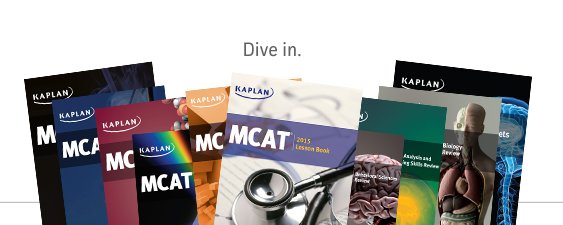
To help her prepare, she’s taking an MCAT prep course through Kaplan Test Prep. Here are some of the books I’ve seen her working through regularly the last months:


Kaplan MCAT prep course books
(Image via Kaplan)


More specifically, she’s doing the Live Online MCAT Prep course:

Enjoy the structure, support, and convenience of learning from an engaging, score-qualified MCAT instructor in an online classroom environment. Off-camera instructors are also available during every class to answer your private questions in real-time. Plus. you’ll get additional live instruction from our highest-rated MCAT experts via The MCAT Channel.

As she draws near the testing date, I think it’s the full-length practice tests that have been most useful–a dozen are included. You receive your score right away, with a chance to work through missed questions. There’s plenty of good science content, of course, and the test-taking tips and strategies offer an extra boost in preparation.

The course includes many hours of live, interactive, and pre-recorded video instruction. I’ve also seen my wife take advantage of the MCAT Channel, which is live instruction above and beyond the regular weekly course time. Eric Chiu, Executive Director of Pre-Medical Programs at Kaplan, puts it this way:

And we’re the only company that offers the MCAT Channel. It makes available live instruction, six days a week: Monday through Thursday evenings, and Saturday and Sunday afternoons, as well as weekday summer afternoons. Students can log in to the channel if they need more help. This allows students to pinpoint where they need content review. We place our most expert (10 best, top-rated by others) instructors here. The MCAT Channel allows students to get questions answered in real time.

(Read more of part 1 of my interview with Eric here.)

Here are some more initial impressions from the course, courtesy of the course-taker herself:

  • It’s well-structured and well-staffed
  • It’s flexible, but to take advantage of the offering, it requires a significant investment of time–for the class, the homework, and the reading
  • The staff are encouraging and available–they want to be in touch to help
  • The online course has been technically smooth, even though we have an old computer (2008! going strong… sort of)
  • The program and videos have all streamed smoothly
  • There’s helpful information about applying for med school and AAMC updates
  • Instructors are knowledgeable
  • The course includes very helpful online resources with instructions and encouragement to use them


We’ll write more about individual components of the course later on, as well. Learn more about the Live Online MCAT Prep course here.


Many thanks to Kaplan for giving us access to the Live Online MCAT Prep course for the purposes of offering an unbiased review. More to follow.

MacSparky’s OmniFocus Video Field Guide

OmniFocus


Last week I finished watching every minute of David Sparks’s OmniFocus Video Field Guide.


OF In Action


The video is of professional quality. You don’t even really think about this as you watch, which is a good thing. It is just David Sparks, his OmniFocus (Mac and iOS, excellent explanations, and you.

Sparks covers all of the basics, and then some. You get in-depth tutorials on how to use Due Dates (sparingly!) or Defer Dates, navigating your way through Projects, what Contexts are and how to use them, keeping your Inbox clear, integrating OF with other workflows like email and TextExpander, and much more. From Capture to Review, the Field Guide has it covered.

There are two nice touches that I especially appreciated:

  1. Sparks is funny. You see him working on a project called Flat Earth Manifesto in the video. But he avoids the pitfall that some tech writers get into, which is being overly cute or annoyingly glib. He uses humor perfectly.
  2.  

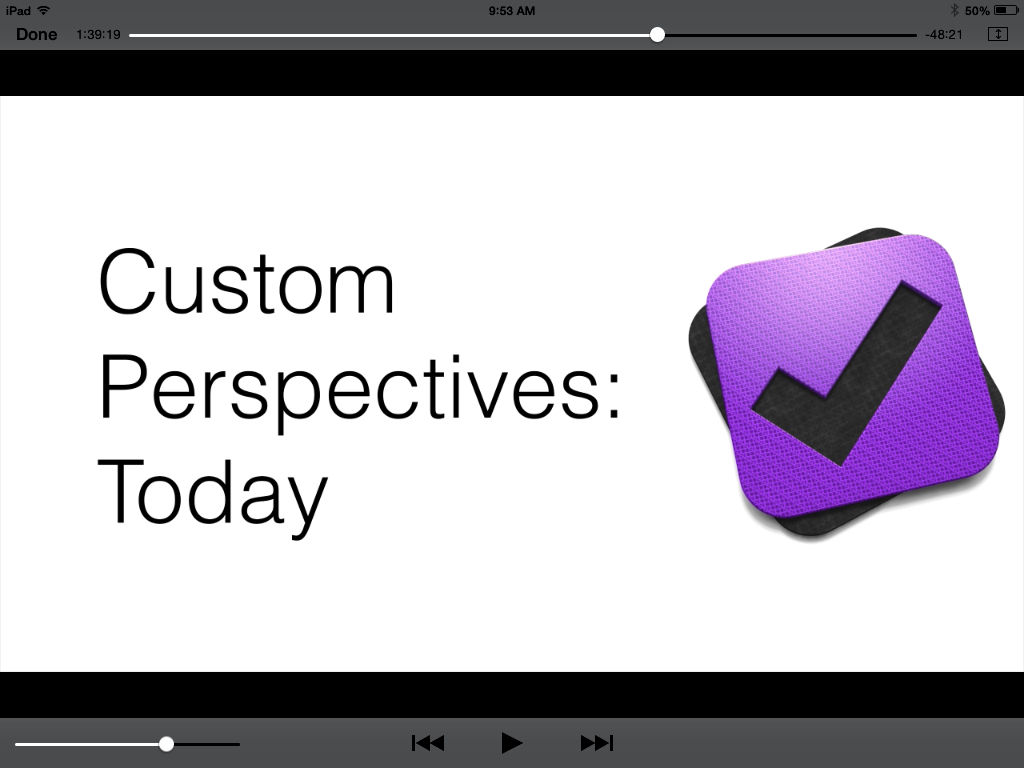
    Custom Perspectives
     

  3. He shows you some of his unique Custom Perspectives in OF. This alone may be worth the price of the field guide. I have already copied his settings that he shows to set up my own Perspectives like his. Even though I have been using the app for a good while now, and consider myself fairly proficient with it, my productivity with OmniFocus has definitely increased since adding these Perspectives.

 
Chapter Titles
 

As you can see in the above shot, you can navigate by chapter, and scroll through all of them to see a sort of Table of Contents of the whole Field Guide.

Here is a short clip so you can get a feel for the approach and content.

Learning OmniFocus is an investment of time. Some people will balk at spending money to learn how to use the software they already spent good money on. But for $10, with well over two hours of top-notch content, the serious OmniFocus user should get to this field guide as soon as possible. Easily 5/5 stars.

Find it here.


Thanks to MacSparky/David Sparks, for giving me a download of the Field Guide for this review.

Streaks: Tracking Habits

Icon-1024-Rounded


A new breed of task management app seems to be proliferating in the App Store as of late: the habit tracker.

The idea behind a habit-building app is not just to help you cross things off your list, but to actually build the kinds of repetitive practices you’d like to be a part of your everyday life.

Streaks is one such app, and perhaps the one with the most aesthetically pleasing presentation.


What I Like About Streaks


The first thing to appreciate about Streaks is its layout:


home base

 
You can change colors from the default orange to 11 other options:

 
Colors and settings

 
As you complete (or miss) habits, the app makes it easy to access statistics from the main screen with just a tap. Check this out:

 
Some stats
 
More stats
 

The reminders are customizable, so they can be as obtrusive or unobtrusive as you want them to be, depending on what you need to get your habits in place:

 
Alt text
 
Checking off habits is satisfying. You just hold down the circle till it fills in:
 
Alt text
 
If you missed a day, Streaks knows it:
 
Alt text
 
There are a ton of habit icons from which to choose, and they look better than any I’ve seen in other comparable apps (some of which are just icon-less lists):
 
icons
 
more icons
 
yet more icons
 
Setting up habits is quite easy:
 
running habit
 

What I Found Lacking


Probably the biggest miss in the app is that there is no way to adjust a habit you forgot to check off more than one day ago. If you missed marking a habit yesterday, you’re all set, but you can’t check off habits you completed two days ago but didn’t note. I lost some streaks this way (at least within the app) when I was on vacation last month. I was completing habits, but not on my phone as often as usual; there’s no way to adjust to get your statistics to reflect such a reality.

I would love for future updates to Streaks to include some sort of sound when you fill in a habit circle. This is just personal preference, though.

Streaks maxes out at six habits that you can be tracking at a time. The developers have a reason for this–it’s hard to maintain more habits than that on a regular basis, but the limitation does not allow for as great user control as some other apps do.

One other lack: you can’t make a habit to do something, say, three times a week, without also having to specify the days. So I can have “Exercise” three times a week, but only if I assign days (Monday, Wednesday, and Friday)–I couldn’t set it up for any three days.


Final Words and Where to Get the App

 
Limitations notwithstanding, Streaks is easily one of the three best habit-tracking apps for iOS. It’s clearly designed with the user experience in mind, which makes charting habits through this app fun. As long as you can stay on top of tracking your practices each day, Streaks is a worthy aid in helping establish regular life patterns.

Find Streaks in the App Store here.
 

Thanks to the good folks at Streaks app for the review copy of Streaks, given to me for this review but with no expectation as to its content.

Review of SHARKK® 15W Bluetooth Wireless Speaker


I’ve been jamming to some sweet tunes with SHARKK’s 15W Bluetooh Wireless Speaker recently. I’ve used it around the house for some organizing projects, as well as took it on a trip with me.

Here are the full specs from SHARKK:

◦ Rock the House with this Powerful 15 Watt Bluetooth Speaker with 2200Ah Lithium Battery which supports up to 10 consecutive hours of playing time.

◦ Subwoofer + high-performance amplifier combine for incredible volume and high quality sound.

◦ Can also be used to charge your phone or other rechargeable USB devices with its built in Power Bank.

◦ Supports AUX, Bluetooth 4.0, and NFC with Siri/S Voice Functionality. Make and receive phone calls with the built-in Mic.

◦ Includes Charger, Carrying Pouch, and a 3.5mm audio cable.

Here is what it looks like out of the box (images via SHARKK):


Sharkk Speaker: What’s Awesome

Battery percentage indicator


You can see the battery level right next to the phone battery percentage—it’s always visible from the device from which you are streaming music. There’s no real battery life indicator on the speaker itself, so being able to see it from your device is neat.


Sound decent for cost


The sound is good for the cost. Not stellar, but solid. The bass is noticeable, if not wholly sufficient, and the highs and the mids come out, though perhaps not as crisply as one might want for a speaker at $80. Still, the sound is decent.


It remembers your device


Once you connect a device to the speaker via Bluetooth, the SHARKK speaker remembers it, so you don’t have to keep setting it up each time. I really appreciated this.


Totally portable


The speaker fits on a towel rack in the shower room. It’s easy to hold in one hand and move around the house to follow you from room to room. Highly portable and light enough to carry around, if you want.


What’s Not Awesome

The speaker died one night


One night, for no reason that I can discern, the speaker died. I charged it overnight. It still didn’t work. I charged it a second night. Still nothing. Then on the third day (I don’t mean this to be a religious parallel), it sprang back to life and has been working fine since.

Support was responsive throughout the issue, but I never could figure out why the speaker stopped responding like that.


No remote control


Lacking is a remote way to control the speaker. You cannot do it via remote control or from your phone. I know it’s not a huge deal to get out of your chair to turn it on or off, but a speaker in this price range should support remote control.


Play/pause button flashes


The play/pause button flashes blue when the speaker is on. I noticed this one night in the middle of the night from across the room, when I had forgotten to turn the speaker off. A minor nuisance, and certainly not a deal-breaker. But an auto-off feature would be nice.


Cloth carrying case


The speaker comes with a cloth carrying case, which is handy, but doesn’t do much to protect the speaker. On a recent trip where I wanted to take the speaker (it is very portable), I just packed the speaker up in its original box, which was a much better solution.


+ and – buttons


It’s awesome that you can play and pause your iTunes or even Spotify app from the speaker itself. One tricky thing, though, is that the “+” button fast forwards the track. Only holding the button turns the volume up (the expected result from a button like that). So, too, with the “-” button. It turns the volume down, but only if you hold it. Otherwise it rewinds the track. I found this less than intuitive, and still think it’s an odd design decision, but I got used to it over time (mostly). It is nice to be able to change tracks from the speaker itself.


Concluding Evaluation

I can recommend the speaker, but only with the reservations above. I’m not sure it would be my first choice for a sub-$100 speaker, but it does have some nice features that make it an attractive option worth considering.

Find the speaker here (SHARKK) or here (Amazon).


Thanks to SHARKK for the review sample, given to me for purposes of review but with no expectation as to the content of this post.

Cultured Code’s Things Cloud Gets Even Cloud-er

Things Cloud 2

First things first–who is even doing design for Cultured Code’s app Things? Because that design team is the best in the biz. The two images in this post show as much.

Yesterday Cultured Code announced a significant improvement to how Things syncs data across devices. Once again, they’re ahead of the pack in this regard. From their blog announcement:

Shortly after Things Cloud launched, we released a feature called Local Push. It makes sync instantaneous as long as Things is open on your devices (and they’re on the same local network). But of course the app is often closed on your mobile device—so it won’t receive the push, and won’t be in sync until you manually launch the app later.

Today’s new version of Things Cloud solves this problem by sending your devices a push from the cloud (regardless of what network they’re connected to). This means that most of the time you’re in sync even before you launch the app.

And then they give you this sweet visual representation:


Things Push Sync


… which is quite nicely explained in full at their blog. Read the whole thing here.

And be on the lookout for Things 3. I’ll do my best to cover it here once it releases.

Review of Belkin’s MIXIT↑™ Metallic AUX Cable

Belkin cable

It was probably about my fourth time unsuccessfully digging through the same bag of old cables before I got in touch with Belkin for the one I really needed: an auxiliary 3.5 mm cable to plug my phone into the back of some speakers.

The look of the cable is unremarkable, but the only person I’ve ever met who cared about aesthetics in cables this small was the guy at Radio Shack who tried to convince my old college roommate and me that we were idiots for buying a pink aux cable when we could spend a dollar more for a black one. (We rocked the pink.)

I’ve been making good use of this Belkin AUX cable, especially while in the kitchen. It’s durable and does exactly what it should.

Here are the summary features, from Belkin:

  • Auxiliary cable connects any two devices with 3.5mm port
  • Sleek cable with metallic finish
  • Available in five colors to match your device
  • Designed to withstand heavy use
  • 4-foot length ideal for use everywhere

It works at home, it works in the car, and it coils up nicely for transport. I’ve never had the audio cut out or give feedback while listening via the cable.

At four feet long, it’s all the length you need–not too much, not too little.

Given its durability, the $20 asking price is fair, though some buyers may want to seek out more budget-conscious options–even if they are pink.

But I expect to make use of this (stylish gold) cable for many more hours of audio.

Find it here (Belkin) or here (Amazon).


Thanks to Belkin for the review sample, so I could write this review. Receiving the cable for review purposes did not influence the content or nature of this write-up.

NIGTC Romans: A Look Inside

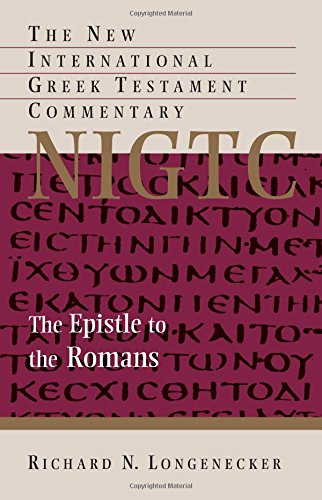
romans nigtc

Does the Church need another commentary on Romans?

Time will tell. But Richard N. Longenecker’s Romans volume in the NIGTC series is about to be released.

Today Eerdmans announced a sneak peek PDF with Table of Contents and Preface, which you can find here.

I like Longenecker’s turn of phrase when he says Romans “has been, in very large measure, the heartland of Christian thought, life, and proclamation.”

He also notes:

Indeed, 2 Pet 3:16 bears eloquent testimony to the church’s mingled attitudes of (1) deep respect for Paul’s letters generally (and Romans in particular), yet also (2) real difficulties in trying to understand them, and (3) a realization of possibilities for serious misinterpretation, when it says of Paul’s letters that they “contain some things that are hard to understand, which ignorant and unstable people distort, as they do the other Scriptures, to their own destruction.” In fact, despite all its appearances of being straightforward and clear, no other NT writing presents greater difficulties with respect to “style,” “stance,” and “audience” (to recall Erasmus’s three categories of difficulty) than does Romans.

You can pre-order the book on Amazon here.

Advances in the Study of Greek: New Book. It’s Awesome.

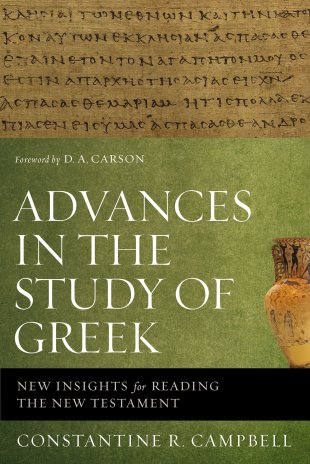
Advances in the Study of Greek


Now that I’ve spent considerable time with Advances in the Study of Greek (book announcement here), I’m reporting back to say: It’s awesome.

I have a review submitted for an upcoming issue of Bible Study Magazine.

Two observations that didn’t fit into that review, with one that did:

  1. Campbell’s writing is good. Compelling, clear, cogent, coherent, etc.
  2. He has a further reading section after each chapter, and his footnotes point to even more related literature that I already want to check out.
  3. I didn’t expect there to be as many practical, exegetical examples as there were, but this made me more engaged with the book, and helped me see more explicitly how its contents could better inform my sermon preparation.

Advances in the Study of Greek is available now. Check out the book here.

Interview: Kaplan’s Executive Director of Pre-Medical Programs (1 of 2)

It’s not the first time Words on the Word has covered science and medicine (Organic Chemistry, anyone?). I have my wife to thank for the additional focus of the blog.

She’s taking an MCAT prep course through Kaplan Test Prep. You’ll hear more from her later about the course itself. I had the privilege not long ago of interviewing Eric Chiu, Kaplan’s Executive Director of Pre-Medical Programs.

Below is the first half of the interview. The second half will go into more detail as to the specific MCAT offerings available through Kaplan.


What level of importance does the MCAT have in the medical school admissions process?

If has a great deal of importance. However, the med school admissions process is holistic. Schools are looking to profile students to find the best candidates: not just ones who are well-qualified to enter their programs, but students who are going to be successful academically in their programs, as well as in residency and on the USMLE (United States Medical Licensing Examination).

One reason why MCAT scores and GPA are important is that those two quantitative factors best predict performance in med school and board exams.

Eric Chiu, Executive Director of Pre-Medical Programs at Kaplan

Last summer Kaplan administered a survey of 78 med school admissions offices, both MD and osteopathic programs. 40% of them named the MCAT as the largest application killer–the largest percentage of any response to that question. About 80% of them supported changes to the new test. And 68% thought the changes would better prepare students for med school.

The new test just launched–April 17–18. This is first application cycle where schools will be looking at both new and old MCAT scores. The reality is that this will be an interesting year in terms of admissions and how med schools look at new scores in particular.

The scoring field is completely different–there is new content knowledge, but also a different set of test skills. And there’s no conversion table from old to new scores. They are entirely different tests.

Schools will not have the same type of longitudinal mapping of new MCAT scores to school performance (i.e., USMLE scores, performance in third year of med school) for a few more years.

But there is a lot of confidence that the new test–and the preceding research that informed building it–takes into account an understanding of what skills would set students up for success. There’s been a concerted effort to make sure the new exam is an even better predictor of academic performance in med school. And it addresses more holistic things like behavioral sciences, which helps take into account issues of patient care and the movement for health care reform.


How much, on average, do the most successful test takers prepare? How many hours per week (and for how many months) do they study for the MCAT in a targeted way?

About 300 to 350 hours, all told, go into preparation. For students who are able to pace their prep and especially for Kaplan students in our course, we encourage them to start two to four months out from test date. Kaplan has courses scheduled that allow students to spread their preparation out for 10–14 or even 16 weeks.

We encourage students to begin studying even before their course begins. As soon as a student enrolls in a Kaplan MCAT course, they’ll get their books and online access, so they can start prepping months before their first scheduled class session. Therefore, we also encourage students to consider enrolling in their Kaplan course a month or two before the class sessions begin. Students can access courses in the online center and through the MCAT Channel. We recommend that they start attending live instruction via the MCAT Channel, especially for content review, even before they begin their course in earnest.


The books that come with the prep course (image via Kaplan)


What makes Kaplan unique when compared to other MCAT prep courses?

We’re really excited about it, with the new exam and opportunity for reinvention. Unlike a lot of other companies, we did not think only of adding a few extra hours of content for the new course. We really used the test change as an opportunity to rethink and reinvent our entire approach to MCAT prep.

Our course is fundamentally based on two principles:

1. Not every student needs the same content review in their MCAT prep. All students need strategy and skills development for the exam, so in that sense we put our students through a similar path. But there’s a wide gap and wide range in terms of what students bring to MCAT preparation. Recognizing that, we allow students to find their most direct path to preparedness for the MCAT, rather than offering a one-size-fits-all approach. Our course offers the most content review available (via the MCAT Channel) on a schedule that makes sense for our students. They can invest time in the content areas that need the most help.

2. The course is designed to allow students to work as efficiently and flexibly as possible. Pre-med students are exceptionally busy. They are very active, have great aspiration, are hard workers, and can focus on lots of things at once. But they are still strung out on all the things they have to do to be better prepared for the application process and to build themselves into the types of people who will be great doctors some day. They are working at balancing school, life, work, research, volunteerism, clinical experience, and MCAT preparation.

Very few students can commit to MCAT preparation full-time. We allow our students to flexibly fit our course into their schedule.

And we’re the only company that offers the MCAT Channel. It makes available live instruction, six days a week: Monday through Thursday evenings, and Saturday and Sunday afternoons, as well as weekday summer afternoons. Students can log in to the channel if they need more help. This allows students to pinpoint where they need content review. We place our most expert (10 best, top-rated by others) instructors here. The MCAT Channel allows students to get questions answered in real time.

The Live Online courses also have additional instructors in the room, offering public chat answers and one-on-one interaction. This is really about designing flexible instruction to allow students to choose the right avenues for them, and then to fit it into their schedule as flexibly as possible.

Sessions are also available as recordings. This is all above and beyond the regularly scheduled course times. We make sure students get all the strategy they need for the 12 in-class sessions.

Kaplan has also built up a library of over 100 science review videos. These are short, concept-specific videos (7–15 minutes each), with the production value and expertise that Kaplan can bring. There is even interactivity with the videos–instructors actually pause several times during the video to do a concept check, which prompts students to interact with the material.


In the next part of the interview: which Kaplan course to consider, how Kaplan has adapted to the new MCAT, and strategies for studying.


Here’s Mr Chiu’s bio from Kaplan:

Eric Chiu is the executive director of pre-medical programs for Kaplan Test Prep, managing the company’s MCAT business, including marketing, program development, and delivery. A veteran Kaplan instructor, Eric has over a decade of experience teaching MCAT, LSAT, GRE, and GMAT preparatory courses and has presented to tens of thousands of students on topics related to test preparation and the admissions process. Eric has also overseen the development of Kaplan’s MCAT 2015 program, a revolutionary new approach to MCAT preparation, including the launch of a comprehensive Science Review video library and live, elective programming via the MCAT Channel. Eric holds a BS in Electrical Engineering from the University of Maryland, College Park.

Thanks to Mr. Chiu for the interview! And many thanks to Kaplan for giving us access to the Live Online MCAT Prep course for the purposes of offering an unbiased review. More to follow.