An Amazing Way to Index Your (Paper) Notebook

Baron Fig Confidant with writing


As far as I can tell, there are three ways to organize your catch-all notebook you carry around with you:

  1. Realize that you’re taking notes chronologically anyway, so just flip through by dated entry and hope you find what you are looking for.
  2. Number your pages (or get a notebook with numbered pages) and then keep the first three pages clear for your running Table of Contents.
  3. Use a tagging system, like you would in Evernote.

Yeah, I know. The last one didn’t seem possible to me either. But then I read this. (You’re welcome.)

Cool, Cool Castletown Play Mat

You may know of PlaSmart from such toys as the PlasmaCar (a.k.a., COOL COOL CAR!). Turns out they make a host of other toys, too. In this post, my kids and I assess the Castletown Play Mat.

The mat measures 78″ by 46″, which is generally big enough for three kids to play on but not so huge that it dominates your living room.


Action shot
Action shot


The mat can withstand cars, trucks, LEGOs, and probably even Teenage Mutant Ninja Turtles. It’s highly durable. And its “coated EVA foam” means that when Ms. Three-Year-Old spills milk on it or Daddy spills coffee on it or Mommy spills wine on it (just kidding, honey), it will wipe up easily. Come to think of it… maybe I should just leave the mat on the carpet all the time to act as a stain guard!

It rolls up pretty easily, too, so you can store it in a corner of the room or throw it in the car on the way to a playdate, if you’re so inclined.

Here’s a closer look at the pattern:


Castletown Smart Mat


As you can see, the pattern repeats but seamlessly links together–a fact that was not lost on my children, each of which had their own farm to focus on as they shared the mat.

Especially if you roll the mat up when you’re done and store it somewhere, bringing it out generally gets my kids’ attention, even though they are not babies anymore. I could see this mat being perfect for a one- or two-year-old, but even my eight-year-old enjoys flying his dragons over the castles and farms and breathing fire on them.

The roads are the perfect size for whatever plastic or metallic cars you’ve already got at home. DUPLOs and Playmobil also work well with the mat–really, any toy you have can find a nice home here.

The first few times we used it, it was hard to get it to lay flat without curling up a bit, but that phenomenon has gone away with additional play and use.

You can find the play mat (with some other design options) here. PlaSmart has lots of other toys, too. They are on Facebook and the Twitter.


Thanks to the good folks at PlaSmart for the review sample, provided for review but with no expectation as to the content of this post.

Review of Audiosharp AS1130 Earbuds


Earbuds 2
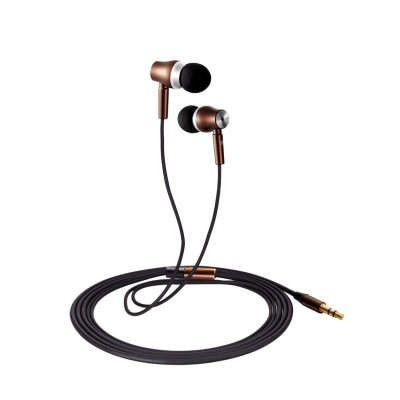
Image via Audiosharp


After I ran a 5K my sweet three-year old picked off one of my earbud covers and left it who-knows-where. So I’ve been in search of a good replacement. Audiosharp’s AS1130 earbuds (currently on sale for $25 at Amazon) have been an exceptional choice for every-day headphones.

Here are the specs from Audiosharp:


  • Perfect design: Solid all-metal construction even down to the plugs, Three size soft silicone ear buds provide a super comfortable, secure fit and One Compact rugged case for safe storage are included.
  • Accurately reproduce clear natural vocals: High intensity listening experience with crisp, clear sound and deep powerful bass, Ultra-fast,accurate speaker design delivers the full details of today’s digital music with extreme clarity and deep bass.
  • Awesome noise reduction: Sealed in-ear design reduces external noise for a better music experience. the voice is still clear over the din of the store so you can enjoy uninterrupted music on the go.
  • High Performance: High Quality Tangle Free Cable.Micro-strand wire and flux tube for clear audio with reduced interference.Innovative, cable design is ultra-flexible and tangle free.
  • Audiosharp Features: Audiosharp is the most professional headset seller, Our products are designed by high-end designers and rigorous professional inspection. All Audiosharp products come with a 1-year warranty.

Most surprising was the packaging in which the earbuds arrived. It’s impressive, if excessive:


Image via Audiosharp


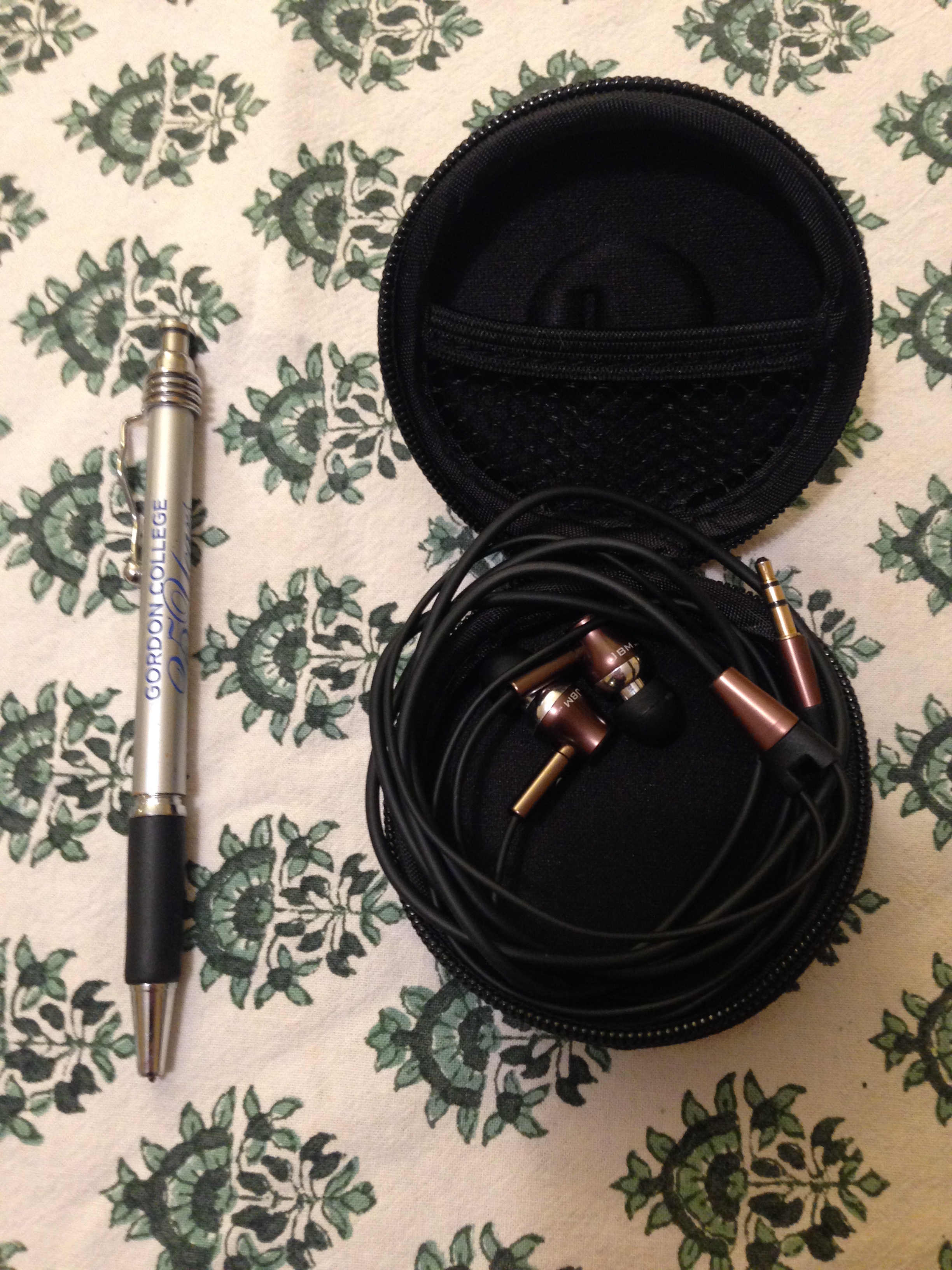
The carrying case is especially cool–and useful! It’s easy to wrap the earbuds up and store them in their protective cover:


Earbuds in case


The construction is high-grade, and these appear to be earbuds that will last a long time. The all-metal design looks cool, too:


Earbuds


Cable


As for the sound, the quality greatly exceeds what I expected for an under-$30 set of earbuds. Bass is fully present (but not overly so), and highs and mids are clear. It’s definitely an upgrade from the standard issue Apple set.

Having the earbuds in really does silence outside noise, too. They’re not noise-cancelling (nor do they claim to be), but noise-reducing, for sure.

They stay in my ears well even when I’ve got them outside on a run–a non-negotiable for me with a set of earbuds, and a feature which seems to be missing in most kinds that I’ve tried.

If you’re looking for greater sound quality than what you get with a $5 pair of earbuds, but for something that won’t break the bank and will last you a long time, Audiosharp’s AS1130 earbuds are an excellent option.


Thanks to Audiosharp for the review sample, given to me for purposes of review but with no expectation as to the content of this post. Find the earbuds here.

Baron Fig’s Confidant Notebook, Reviewed

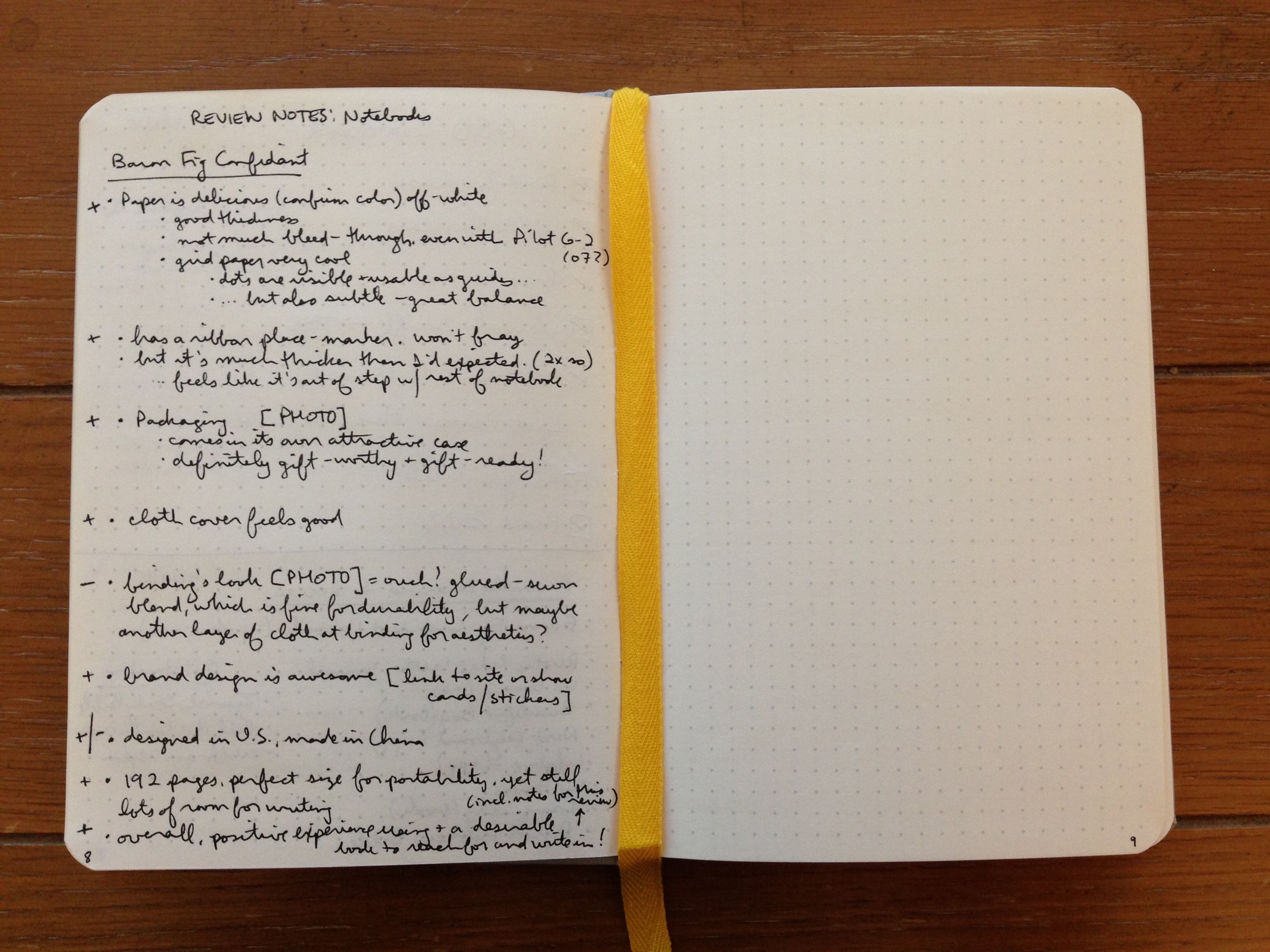
The first thing I noticed about Baron Fig’s Confidant notebook is that the paper is a delicious off-white. The paper’s thickness is perfect: there’s not very much writing bleed-through at all, even when using a Pilot G2 07 gel pen. That’s probably my first desideratum in a notebook, and Baron Fig nails it here.

The Confidant comes with blank paper, ruled paper, or dot grid paper, which is what I reviewed for review. The grey dots are visible and usable as guides for diagramming or sketching or writing… but they’re also subtle enough to stay out of your way. A great balance here.


Confidant Page Up Close


The Confidant lays flat, just as Baron Fig claims, though sometimes a bit of pushing down on the pages is required for them to stay flat. But this will happen naturally as you’re writing or sketching anyway. The binding itself lays flat as you’d hope. As you can see:


Baron Fig Confidant with writing
You guessed it: I started this blog post in my Confidant notebook


The acid-free paper means the book is built to last. And the dimensions just feel perfect to me: 5.4 by 7.7 inches. It’s 192 pages, with 12 pages at the back of the journal which are perforated. In other words, it’s enough space to keep you supplied for a while, but not so much that you’ve got a bulky journal to carry around. The portability is right on.

The cloth cover looks and feels good. The binding is sewn (yes!), which is, of course, one reason it lays flat so well.

I was not as impressed with the aesthetic of the binding: I thought it could have used maybe a thicker piece of cloth to cover up the binding construction that is so easily visible? I might just be missing that the look is intentional, but it didn’t appeal to me.


Binding


But let me step back for a moment. The packaging is top-notch. The notebook comes in its own attractive case, so that it’s gift-ready:


Confidant Gift Box


And as design goes, these folks are impressive. (See their Website here, for example.) Here’s a little clip from the insert that comes inside the box with the journal:


Confidant Design


The Confidant notebook comes with a ribbon for marking your place. I greatly appreciated this. It is about twice the thickness of most other ribbon markers, though, so it felt to me like it was out of step with the rest of the notebook. I have gotten used to this over time.

*******

Overall, the critiques above notwithstanding, I’ve had a positive experience using the Confidant, which gives me a notebook I really do want to reach for and write in! It goes with me in my satchel just about everywhere I go now.

You can learn more about the Confidant here and order it here.

Bonus paragraph: Baron Fig also makes the pocket-sized Apprentice notebook, which I think is an A+ in its class. It fits perfectly into even small pockets and isn’t a nuisance there. I’ve been carrying one of those around, too, so I don’t have to whip out a device every time I want to write down an action item I’ve committed to. The 3.5″ by 5″ little guy comes in a three-pack. More info on the Apprentice notebook is here; you can order here.


Many thanks to the awesome people at Baron Fig for the notebooks for review! Check them out here.

Review of WaterField’s External Keyboard Slip Case

Logitech makes an amazingly good external keyboard, the K811, which I reviewed here. At the time I noted:

It would be nice if the keyboard came with a carrying case or simple sleeve, though–you’ll have to figure that one out on your own.

And, boy, did I figure it out! Turns out a San Francisco manufacturer named WaterField makes just such a product: the Keyboard Slip Case. Here’s their description:

Thin is in. The Keyboard Slip Case offers gentle protection in a slim ballistic nylon case with a lightly padded liner. A piping trimmed edge lets you choose to add a splash of bold color, or to stay under the radar with subdued tones. Pack it up and off you go.

I can at last not worry about whether my keyboard keys will pop off inside my messenger bag, and my neighbors and friends can now avoid the unseemly sight of my walking around with an external keyboard in my hand. (I mean, not literally just walking around with it. But going from point A to point B.)

The dimensions are 12″ x 6″ and 3 ounces, perfect for the Apple wireless keyboard and my Logitech model.

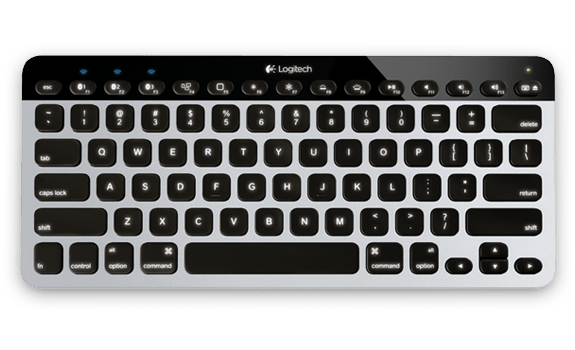
To remind you, here’s what the K811 looks like:


Image via Logitech
Image via Logitech


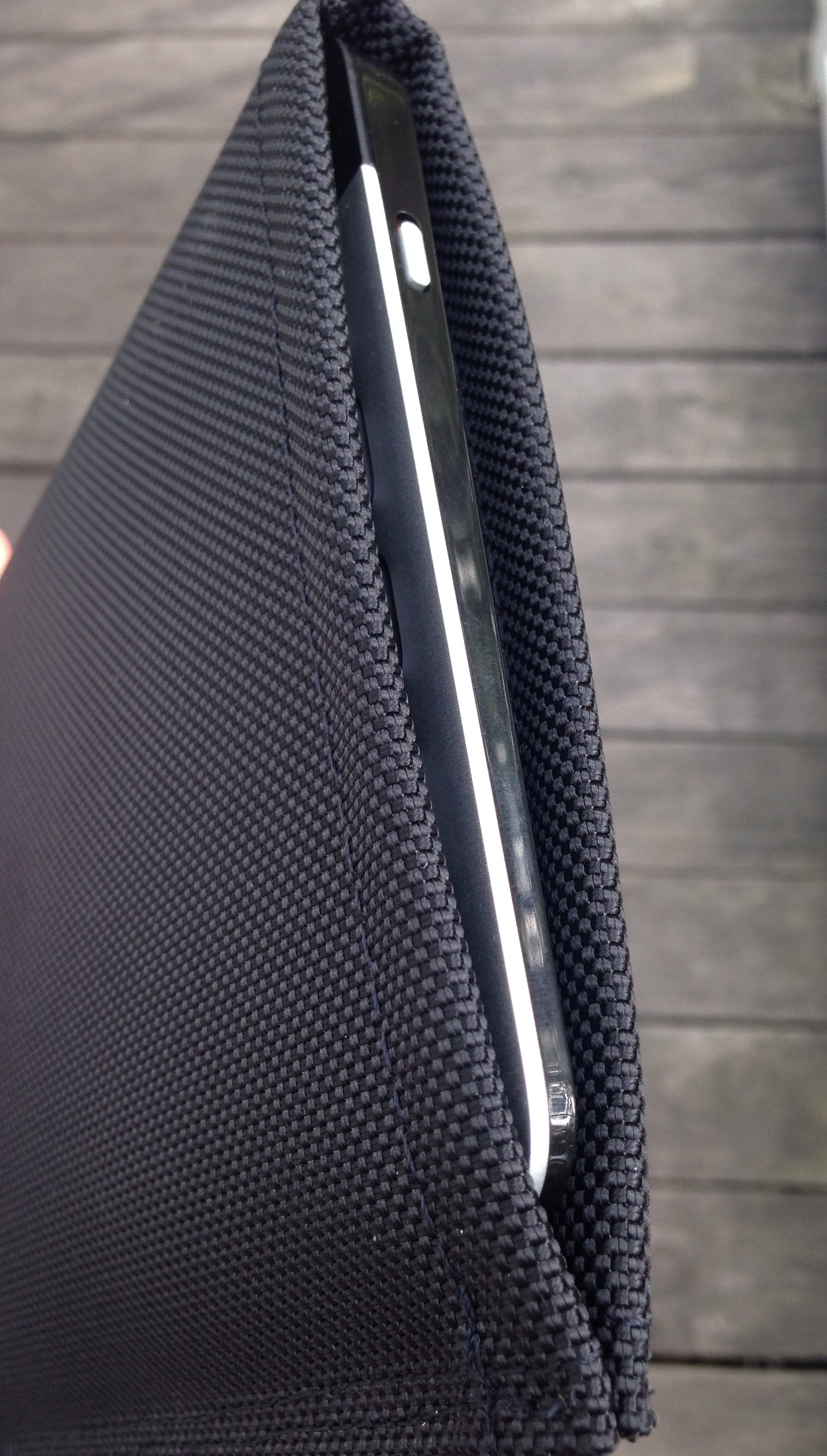
And now, in its case:


Keyboard in Sleeve


Pretty awesome, yeah? I know–I’m too excited about a piece of gear, but I use my K811 a lot, and am glad to protect it well.

The inside is protective yet soft:


Soft Inside


It’s made in San Francisco, so you’re buying a made-in-the-U.S.A. product with WaterField.

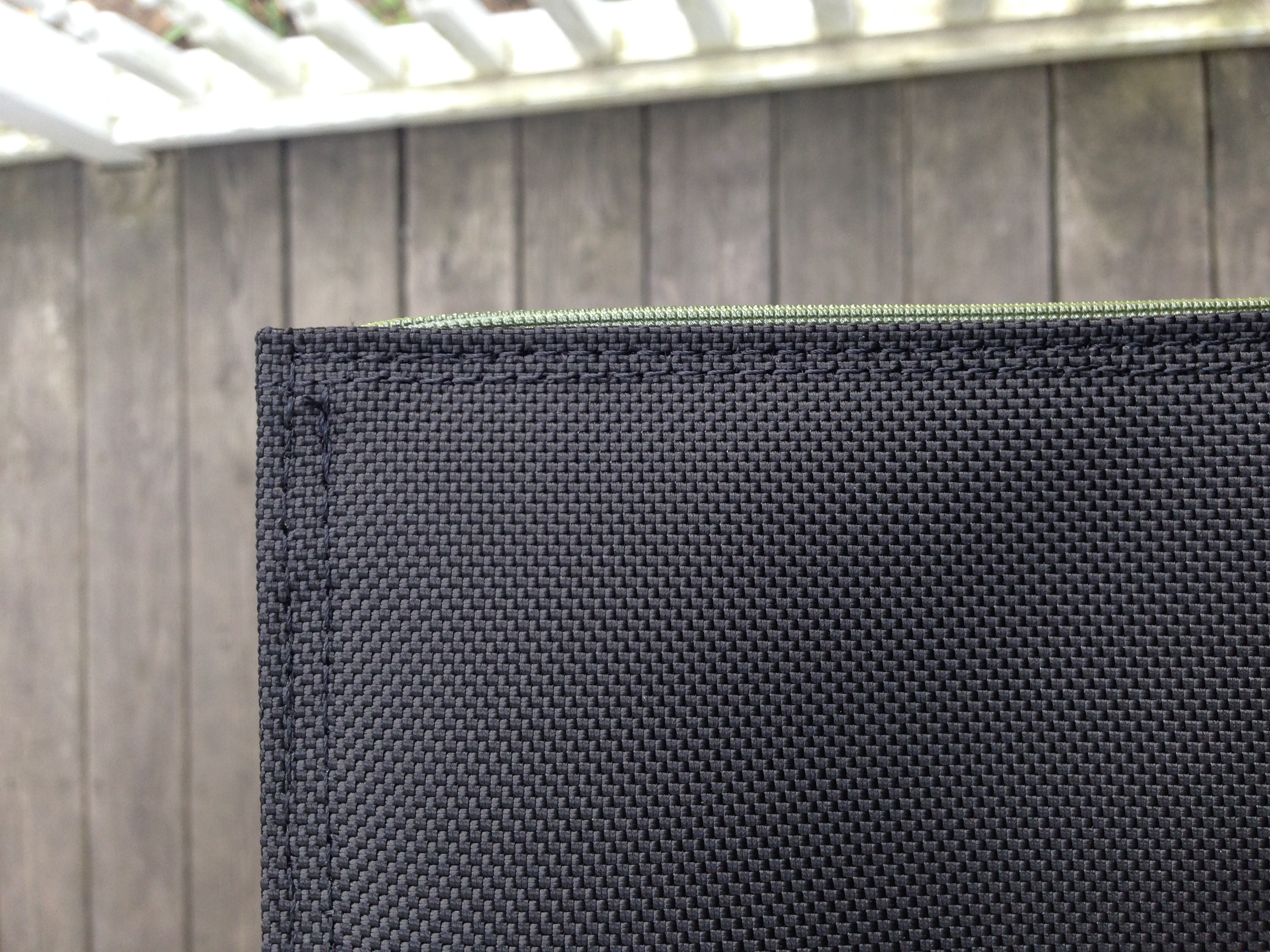
There’s even a nice little piece of trim that gives it a slight pop:


Trim


Here it is next to an iPad:


With iPad Air 2


The slip case is well constructed, and looks like it perfectly blends being lightweight with protecting your keyboard.

The keyboard fits snugly, so the lack of a closure is no loss. I’d initially wondered about this, but it’s not a problem. And it’s still easy to slide the keyboard in and out. (But if you’re worried, you can get this model.)

My only critique is that the nylon exterior is a little slippery. When carrying around an iPad and notebook and keyboard-in-its-case today, I felt the iPad slip against the keyboard case. So be aware of that so you don’t drop something!

Otherwise, the K811 has found its perfect match. Or as I put it in a six-word review on WaterField’s site:

Just what my external keyboard needed.

WaterField makes a lot of other really cool-looking gear, which you can learn more about here. Find the Keyboard Slip Case here.


Thanks to WaterField for the product review sample, given to me for purposes of review, but with no expectations or influence on the review’s content.

Review of SHARKK® 15W Bluetooth Wireless Speaker


I’ve been jamming to some sweet tunes with SHARKK’s 15W Bluetooh Wireless Speaker recently. I’ve used it around the house for some organizing projects, as well as took it on a trip with me.

Here are the full specs from SHARKK:

◦ Rock the House with this Powerful 15 Watt Bluetooth Speaker with 2200Ah Lithium Battery which supports up to 10 consecutive hours of playing time.

◦ Subwoofer + high-performance amplifier combine for incredible volume and high quality sound.

◦ Can also be used to charge your phone or other rechargeable USB devices with its built in Power Bank.

◦ Supports AUX, Bluetooth 4.0, and NFC with Siri/S Voice Functionality. Make and receive phone calls with the built-in Mic.

◦ Includes Charger, Carrying Pouch, and a 3.5mm audio cable.

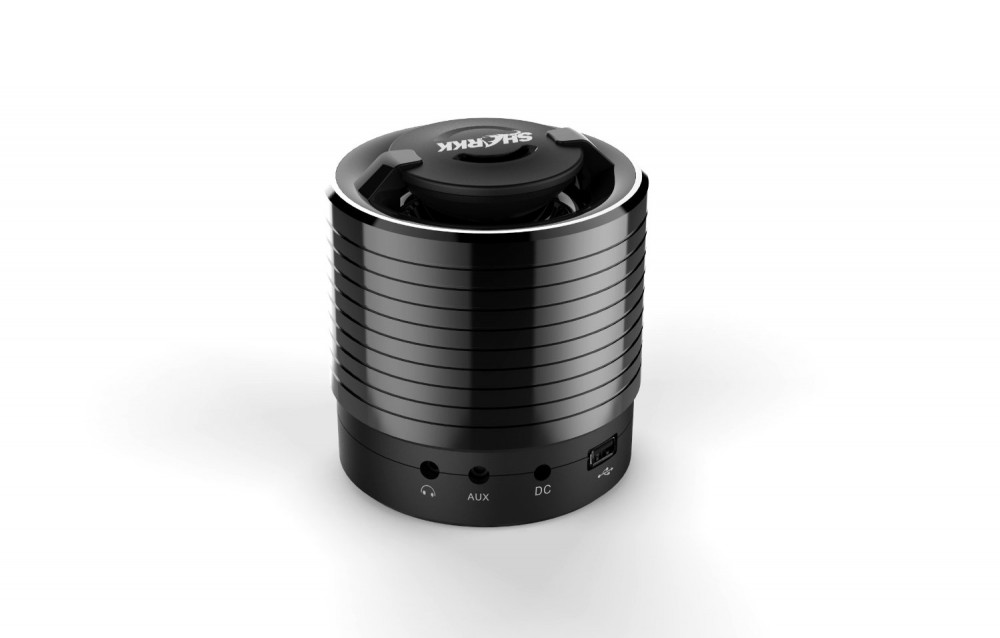
Here is what it looks like out of the box (images via SHARKK):
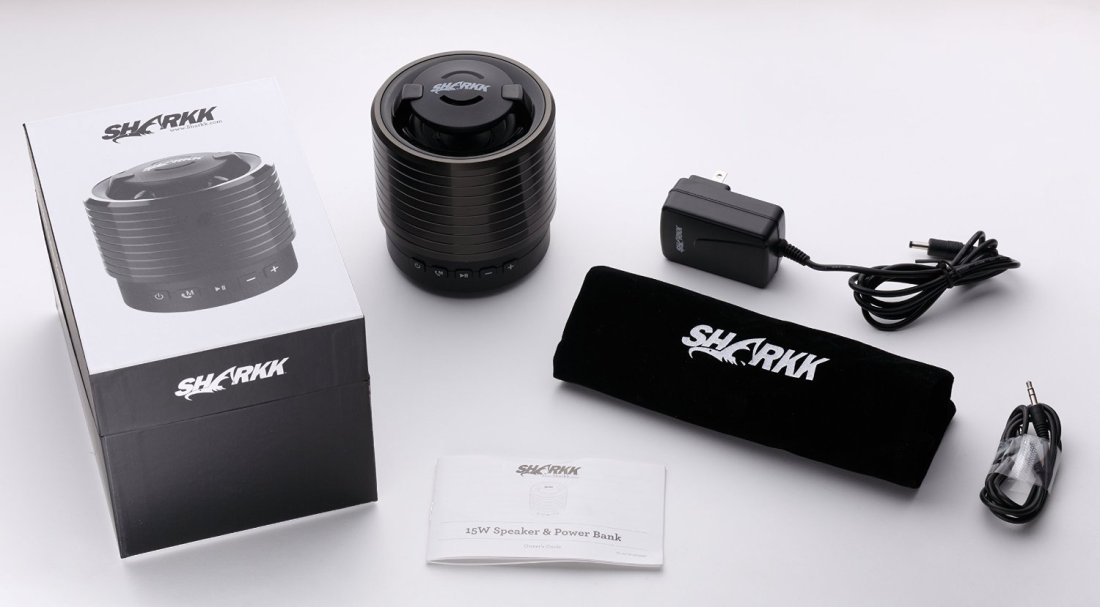


Sharkk Speaker: What’s Awesome

Battery percentage indicator


You can see the battery level right next to the phone battery percentage—it’s always visible from the device from which you are streaming music. There’s no real battery life indicator on the speaker itself, so being able to see it from your device is neat.


Sound decent for cost


The sound is good for the cost. Not stellar, but solid. The bass is noticeable, if not wholly sufficient, and the highs and the mids come out, though perhaps not as crisply as one might want for a speaker at $80. Still, the sound is decent.


It remembers your device


Once you connect a device to the speaker via Bluetooth, the SHARKK speaker remembers it, so you don’t have to keep setting it up each time. I really appreciated this.


Totally portable


The speaker fits on a towel rack in the shower room. It’s easy to hold in one hand and move around the house to follow you from room to room. Highly portable and light enough to carry around, if you want.


What’s Not Awesome

The speaker died one night


One night, for no reason that I can discern, the speaker died. I charged it overnight. It still didn’t work. I charged it a second night. Still nothing. Then on the third day (I don’t mean this to be a religious parallel), it sprang back to life and has been working fine since.

Support was responsive throughout the issue, but I never could figure out why the speaker stopped responding like that.


No remote control


Lacking is a remote way to control the speaker. You cannot do it via remote control or from your phone. I know it’s not a huge deal to get out of your chair to turn it on or off, but a speaker in this price range should support remote control.


Play/pause button flashes


The play/pause button flashes blue when the speaker is on. I noticed this one night in the middle of the night from across the room, when I had forgotten to turn the speaker off. A minor nuisance, and certainly not a deal-breaker. But an auto-off feature would be nice.


Cloth carrying case


The speaker comes with a cloth carrying case, which is handy, but doesn’t do much to protect the speaker. On a recent trip where I wanted to take the speaker (it is very portable), I just packed the speaker up in its original box, which was a much better solution.


+ and – buttons


It’s awesome that you can play and pause your iTunes or even Spotify app from the speaker itself. One tricky thing, though, is that the “+” button fast forwards the track. Only holding the button turns the volume up (the expected result from a button like that). So, too, with the “-” button. It turns the volume down, but only if you hold it. Otherwise it rewinds the track. I found this less than intuitive, and still think it’s an odd design decision, but I got used to it over time (mostly). It is nice to be able to change tracks from the speaker itself.


Concluding Evaluation

I can recommend the speaker, but only with the reservations above. I’m not sure it would be my first choice for a sub-$100 speaker, but it does have some nice features that make it an attractive option worth considering.

Find the speaker here (SHARKK) or here (Amazon).


Thanks to SHARKK for the review sample, given to me for purposes of review but with no expectation as to the content of this post.

Review of Belkin’s MIXIT↑™ Metallic AUX Cable

Belkin cable

It was probably about my fourth time unsuccessfully digging through the same bag of old cables before I got in touch with Belkin for the one I really needed: an auxiliary 3.5 mm cable to plug my phone into the back of some speakers.

The look of the cable is unremarkable, but the only person I’ve ever met who cared about aesthetics in cables this small was the guy at Radio Shack who tried to convince my old college roommate and me that we were idiots for buying a pink aux cable when we could spend a dollar more for a black one. (We rocked the pink.)

I’ve been making good use of this Belkin AUX cable, especially while in the kitchen. It’s durable and does exactly what it should.

Here are the summary features, from Belkin:

  • Auxiliary cable connects any two devices with 3.5mm port
  • Sleek cable with metallic finish
  • Available in five colors to match your device
  • Designed to withstand heavy use
  • 4-foot length ideal for use everywhere

It works at home, it works in the car, and it coils up nicely for transport. I’ve never had the audio cut out or give feedback while listening via the cable.

At four feet long, it’s all the length you need–not too much, not too little.

Given its durability, the $20 asking price is fair, though some buyers may want to seek out more budget-conscious options–even if they are pink.

But I expect to make use of this (stylish gold) cable for many more hours of audio.

Find it here (Belkin) or here (Amazon).


Thanks to Belkin for the review sample, so I could write this review. Receiving the cable for review purposes did not influence the content or nature of this write-up.

Review of Logitech Bluetooth Easy-Switch Keyboard K811

Images in this post via Logitech
Image via Logitech


There is a proliferation of external keyboards for iPads and iPhones. Logitech’s Bluetooth Easy-Switch Keyboard K811 is by far the best.

Here is a short video of the keyboard in action:


This is no foldable, plastic, tag-along keyboard. It looks and feels like something native to an aluminum-body Mac Laptop.

This is what’s great about the keyboard:

  • It’s backlit. You can use it in the dark and make out all of the keys easily.
  • It’s got three keyboard shortcuts for toggling between three Apple devices at a time. So once you’ve paired it with, say, a computer, an iPhone, and an iPad, you can switch between any device the keyboard is paired with… with just one press of a button. You don’t have to pair, un-pair, re-pair, etc.


Logitech K810 Image 2


  • That backlit keyboard? It’s smart. The keyboard has sensors that allow it to adjust the illumination level based on the light in the room. Amazing. (You can also manually adjust the keyboard brightness via its F5 and F6 keys.)
  • The battery life is long. It’s rechargeable via an (included) USB cable. And there’s an on/off switch, of course, so you don’t drain the battery between uses.
  • There’s no lag. The Bluetooth connection is fast, so there’s really no lag between the time you type and see a character on the screen, regardless of the device you’re using.
  • It is a full keyboard. Nothing is missing–the command key, volume up/down keys, the escape key… all here.
  • It’s got “hand proximity detection.” From the product page: “A motion sensor detects your hands as they approach the keyboard and turns the backlight on/off to help you save power when you are not typing.” From what I can tell, this feature also helps to preserve and prolong the battery life.
  • Setup couldn’t have been any simpler. I probably could have figured it out without the manual, but the manual succinctly and clearly explained how to pair with devices.
  • Having easy access to up/down and left-right arrow keys for iPad and iPhone is really cool.

And here is what I really like about the keyboard:

  • If feels better than any other keyboard (portable or otherwise) I’ve typed on. Very smooth, and just the right amount of resistance on the keys.
  • You can use keyboard shortcuts with iPad as easily as you would on a desktop computer. The app Drafts and this Logitech keyboard make for a great combo. I started this blog post in Drafts, for example, and then with a single key stroke had sent the draft to Evernote for backup and future work across devices.
  • This is a little thing, but there is a keyboard key (on the actual keyboard) that lets you toggle your iPad on-screen keyboard on and off. Unlike other external keyboards, you can even have your native iPad on-screen keyboard up at the same time as using this physical one.

As for drawbacks? Nothing significant, that’s for sure. It’s not foldable, so of course it’s less portable than other external keyboards, but that is the (small) price one pays for its durability and full-size feel. I don’t mind that it can’t be folded up. It would be nice if the keyboard came with a carrying case or simple sleeve, though–you’ll have to figure that one out on your own.

The keyboard isn’t inexpensive, but it’s the best external keyboard on the market, easily. Find out more at the product page here, or via Amazon here.


Thanks to Logitech for the product review sample, given to me for purposes of review, but with no expectations or influence on the review’s content.

Apple Music Launches Today

Apple Music
Image via MacRumors/Apple


Apple Music launches today, and you can jump right in with a free, three-month trial. Individual user subscriptions will be $9.99/month thereafter.

The big question will be: How does it compare to similar subscription-based, streaming services like Spotify? MacRumors has a nice round-up of some early reviews here. From that article:

Everyone will be able to test out Apple Music for themselves soon enough, with the official launch of the updated music app in just a few hours at 9 AM Pacific. Those interested should remember to first download the new iOS 8.4 update an hour before in preparation for the streaming music service’s debut.

Get all the details at Apple’s page here.