Streaks: Tracking Habits

Icon-1024-Rounded


A new breed of task management app seems to be proliferating in the App Store as of late: the habit tracker.

The idea behind a habit-building app is not just to help you cross things off your list, but to actually build the kinds of repetitive practices you’d like to be a part of your everyday life.

Streaks is one such app, and perhaps the one with the most aesthetically pleasing presentation.


What I Like About Streaks


The first thing to appreciate about Streaks is its layout:


home base

 
You can change colors from the default orange to 11 other options:

 
Colors and settings

 
As you complete (or miss) habits, the app makes it easy to access statistics from the main screen with just a tap. Check this out:

 
Some stats
 
More stats
 

The reminders are customizable, so they can be as obtrusive or unobtrusive as you want them to be, depending on what you need to get your habits in place:

 
Alt text
 
Checking off habits is satisfying. You just hold down the circle till it fills in:
 
Alt text
 
If you missed a day, Streaks knows it:
 
Alt text
 
There are a ton of habit icons from which to choose, and they look better than any I’ve seen in other comparable apps (some of which are just icon-less lists):
 
icons
 
more icons
 
yet more icons
 
Setting up habits is quite easy:
 
running habit
 

What I Found Lacking


Probably the biggest miss in the app is that there is no way to adjust a habit you forgot to check off more than one day ago. If you missed marking a habit yesterday, you’re all set, but you can’t check off habits you completed two days ago but didn’t note. I lost some streaks this way (at least within the app) when I was on vacation last month. I was completing habits, but not on my phone as often as usual; there’s no way to adjust to get your statistics to reflect such a reality.

I would love for future updates to Streaks to include some sort of sound when you fill in a habit circle. This is just personal preference, though.

Streaks maxes out at six habits that you can be tracking at a time. The developers have a reason for this–it’s hard to maintain more habits than that on a regular basis, but the limitation does not allow for as great user control as some other apps do.

One other lack: you can’t make a habit to do something, say, three times a week, without also having to specify the days. So I can have “Exercise” three times a week, but only if I assign days (Monday, Wednesday, and Friday)–I couldn’t set it up for any three days.


Final Words and Where to Get the App

 
Limitations notwithstanding, Streaks is easily one of the three best habit-tracking apps for iOS. It’s clearly designed with the user experience in mind, which makes charting habits through this app fun. As long as you can stay on top of tracking your practices each day, Streaks is a worthy aid in helping establish regular life patterns.

Find Streaks in the App Store here.
 

Thanks to the good folks at Streaks app for the review copy of Streaks, given to me for this review but with no expectation as to its content.

Two Resources (One Paid, One Free) for Getting On Top of Stuff

It’s Friday, so hopefully you’re winding down a bit and thinking about how to relax rather than how to be more productive–so file this away for Monday (or read it now if you work weekends).

Here are two resources–one paid and one free–to help stay on top of email and tasks.


1. Dispatch App


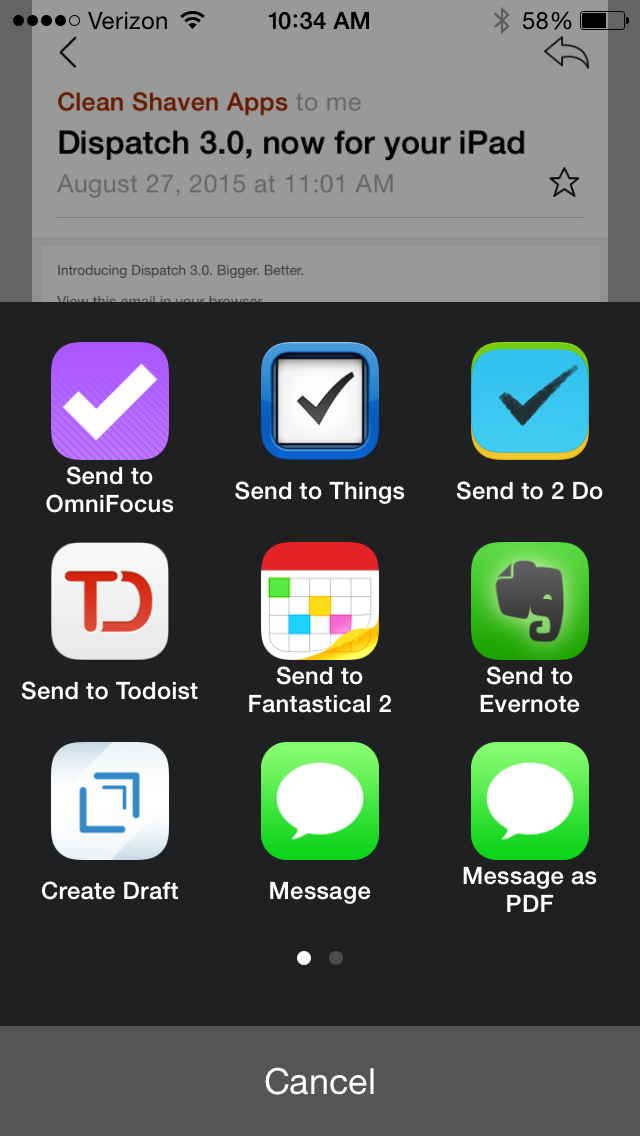
I’ve never understood the logic of apps that allow you to “snooze” email. Handle it once and move on, I think. Emails are often calendar appointments or tasks in disguise, and our Inboxes are no place to be keeping tasks. Inbox Zero is elusive (though see here), so an app that helps you get your Inbox messages into tasks quickly is appreciated. This is the goal of Dispatch app, newly available on iPad. Check it out here.


2. Free Podcasts from GTD


You might also check out free podcasts from David Allen‘s Getting Things Done:

Our GTD podcasts are here to support you at every stage of your GTD practice. You will hear interviews with people from all walks of life about their journey with GTD, from beginners to those who have been at it for years. The podcasts include personal and professional stories, as well as practical tips about GTD systems for desktop and mobile, using apps and paper. Start listening now and you’ll be well on your way to stress-free productivity.

Find the podcast page here.

Two Soul-Piercing Gems from David Allen (Getting Things Done 2.0)

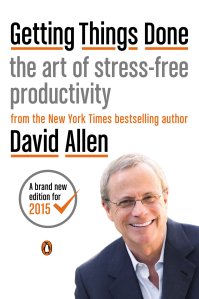
GTD 2The wedding of productivity literature and thoughtful anthropology (let alone spirituality) seems to be woefully uncommon, but David Allen strikes me as a spiritually attuned writer. That’s why I think it’s no stretch to call some of his insights into personal productivity “soul-piercing.” Or, at least, one can better provide oneself good soul care when implementing Allen’s GTD (Getting Things Done) principles.

Readers of this blog know of my new-found use of OmniFocus, which is really just one possible tool (out of several) that helps one practice Getting Things Done.

Here are two total gems from Allen’s new, re-tooled GTD 2.0:

What you do with your time, what you do with information, and what you do with your body and your focus relative to your priorities–those are the real options to which you must allocate your limited resources. The substantive issue is how to make appropriate choices about what to do at any point in time. The real work is to manage our actions.

He says this as a reaction to talk of “managing time” or even “managing priorities.” Allen says you can’t manage time (“you don’t manage five minutes and wind up with six”) and don’t manage priorities (rather, “you have them”). That seems at first like semantics, but his point is:

Things rarely get stuck because of lack of time. They get stuck because what “doing” would look like, and where it happens, hasn’t been decided.

So the focus becomes managing our actions. And this is still relative to our priorities.

Phew. Love it. (Also, guilty as charged.)

Here’s the second gem:

Getting things done requires two basic components: defining (1) what “done” means (outcome) and (2) what “doing” looks like (action). And these are far from self-evident for most people about most things that have their attention.

I’m (actually, finally) reading Getting Things Done cover to cover. It’s already a breath of fresh air. Find it here.