Though Accordance for iOS currently offers the ability to just have two panes open at a time, I have found a good workaround that simulates the effect of having three texts or tools readily available at once.
This image is from an iPhone, in landscape mode. (Click or open in a new tab to enlarge.)
Reading Obadiah
The left pane is the Hebrew text of Obadiah. For my second pane (on the right) I select a tool (commentary) of some sort that has hyperlinked individual verses, which I can then tap (“19,” above) to have a popover English translation show up.
I’ve been making my way through Obadiah in Hebrew like this, for a forthcoming review (6/9/14 UPDATE: now posted here). This way I can read the Hebrew, have a commentary open, and easily get an English translation, all from the same screen.
I was checking to see what Fortress Press books Logos was offering, when I saw–to my very pleasant surprise–that they are offering Walter Brueggemann’s Spirituality of the Psalms for free. You can get it by clicking the image above.
I’ll be preaching through some Psalms this summer, so will be glad to have this short volume at hand. I’ll also be reviewing it from a print edition from Fortress, so keep an eye out for that in the coming months, too.
Here are, in no particular order, the top 10 tasks for which I use Logos Bible Software. Most of these uses are for preaching and teaching preparation, or for when I’m preparing to lead a Bible study. This post is a visual tour, so if you want to see any image in more detail, you can click to enlarge it or open it in a new tab or window.
10. To look up a word in a dictionary.
Here’s a word l00k-up in the Anchor Yale Bible Dictionary, which I can do from an already-open text, or as a stand-alone, searchable dictionary. Here I move from the article on Jesus I was reading to an article on “Tax Collector”:
Looking Up a Word in Anchor Bible Dictionary
9. To annotate commentaries.
Here you can see both highlights (which sync seamlessly across devices) and a notes icon from where I have recorded my own reactions:
Commentary Reading on Logos on a PC
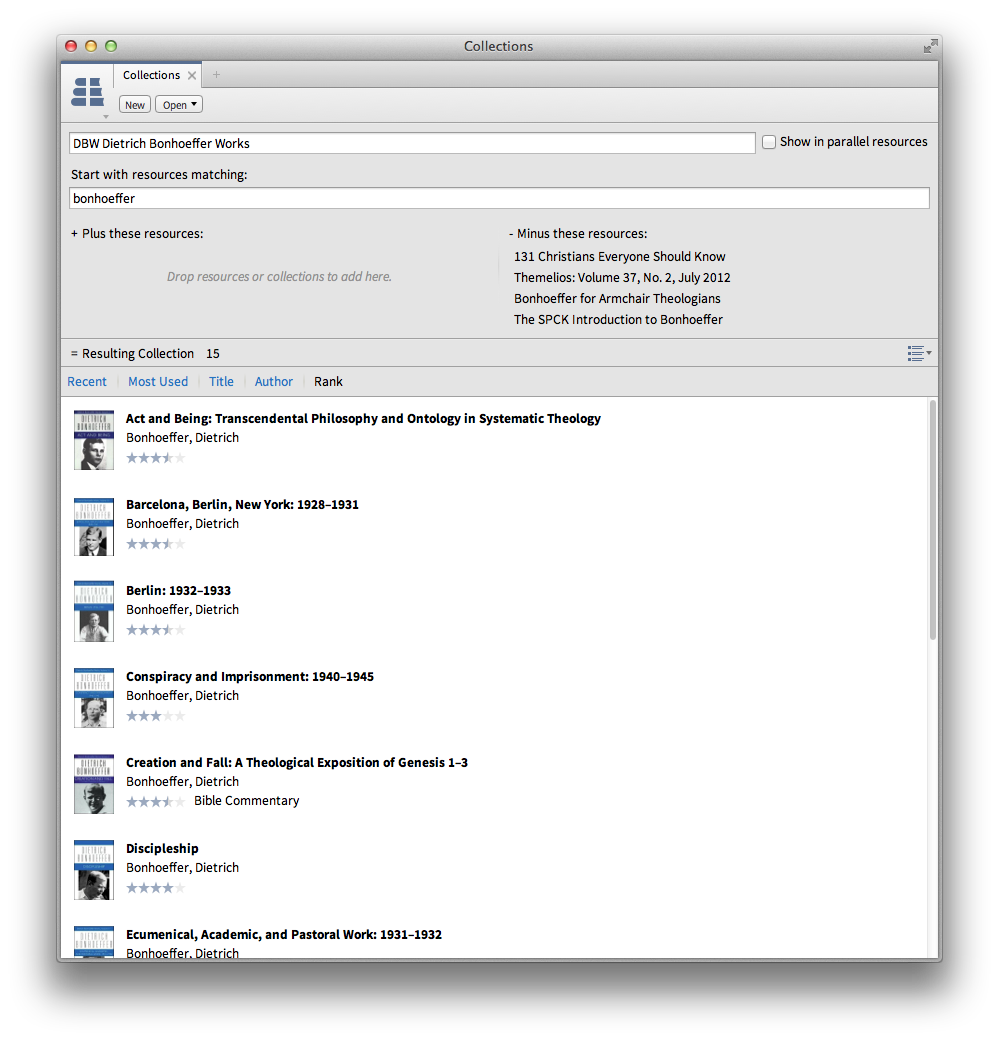
8. To create (and then search) my own defined collection of resources.
7. To navigate through a book via Table of Contents sidebar.
As at left here:
Sidebar Table of Contents
6. As a portable library.
Here’s the searchable library view in Logos in iOS, where one can access almost all of one’s library. In iOS you can access all of your resources with an Internet connection without having to download them. You can also download them, so that you don’t have to use data or a wireless connection. I like the flexibility that offers.
iOS Logos Library
5. For keyword searching a commentary.
This is particularly useful when I want to know not just what a commentary says about a passage, but how it traces a theme throughout the book.
Keyword Searching NIGTC Matthew for “Kingdom”
4. Via Logos’s Biblia.com, for quick reference to my Logos library from anywhere with Web access.
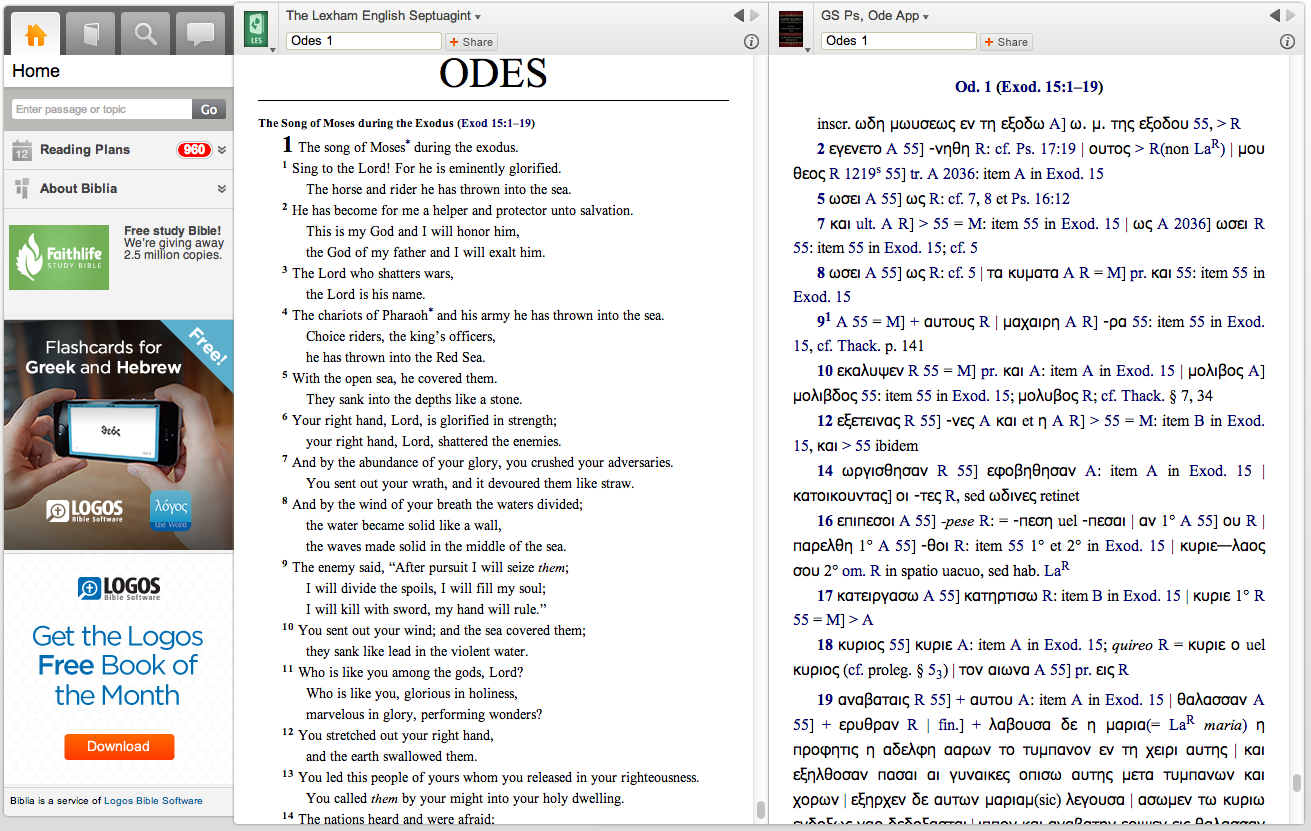
Here I am looking at the Odes in Greek and English translation:
Reading the Septuagint at Biblia.com
3. For pulling up at once all I have in my library on a given passage.
Logos’s Passage Guide is available on whatever device you have Logos in; here it is in iOS. Using a split screen, I can read one commentary (and highlight it), as well as see other hyperlinked options to explore:
Passage Guide in Logos iOS
2. For touching footnotes to pull them up.
This I can do in iOS:
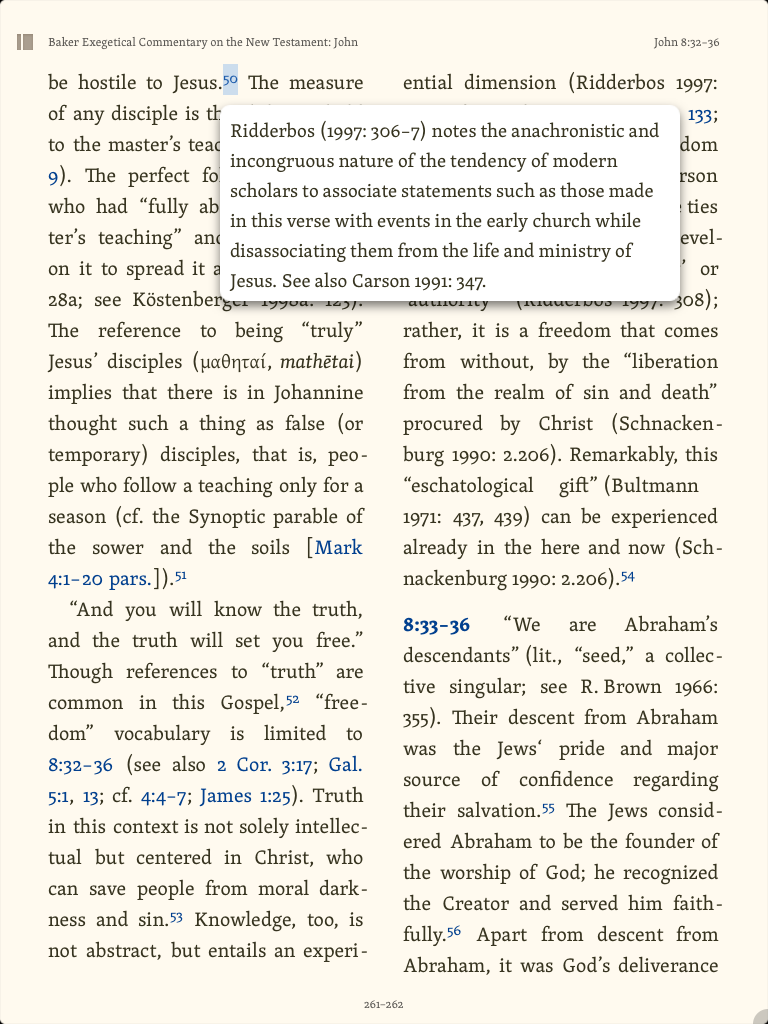
Tapping a Hyperlinked Footnote Brings It Up
1. For reading through a book of the Bible, with help.
Here is a layout I used often for when I read with a group of folks through Greek Isaiah in a Year. I could compare multiple Greek texts, a Hebrew text, English translations, lexicons, notes, and more:
Multi-Text and Multi-Resource Layout
The major advantages in Logos are its connections of resources to each other, system of hyperlinks, and ability to sync (notes, highlights, and where you left off reading) across devices. Not only that, but even compared to Amazon Kindle and iBooks, they have the most extensive store/library of resources for biblical studies that I know of. There’s a lot more you can do in Logos than what I’ve highlighted above. You can find all my Logos reviews gathered here.
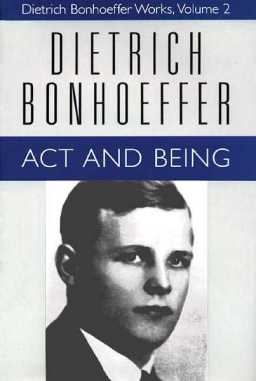
For just a few more days, Dietrich Bonhoeffer Works (DBW) (16 volumes) are $100 in Olive Tree Bible software. I have not seen DBW in Olive Tree, but have reviewed the app here. Their iOS and desktop apps are free, so if you like Bonhoeffer and have the cash, this is probably the best price for his complete works in English that one will ever find.
(Except for checking the books out from your local theological library, which is even cheaper!)
UPDATE: It would appear this sale has ended, a couple days before the date Olive Tree had given me via FB. Despite the miscommunication, the folks at Olive Tree have let me know the set may go on sale again in the future. To your library!
For an exegesis course in seminary, I was assigned R.T. France’s Mark in the New International Greek Testament Commentary (NIGTC) series. The assignment was to read the entire commentary that semester, and I read every one of its 700+ pages. It was that good.
Like the rest of the NIGTC series, France’s volume focuses first on the Greek text, including textual variants where they arise. France is a careful interpreter and keeps the other synoptic gospels in view throughout the commentary. This is not, however, to the exclusion of a keen awareness of and sensitivity to the literary context of Mark as its own book. Even as he unpacks the lexical range of a Greek word, he keeps the larger contour of Mark in view.
As I mentioned in another France review, despite the technical nature of Mark, France moved me deeply with his interaction with the text. He helped me to know and love Jesus more deeply, using the Greek text of Mark as a means to that end. You can find France’s commentary on Amazon (affiliate link) here. It’s in Logos here, where it is well-produced and thoroughly hyperlinked.
For as much as I’ve reviewed Logos Bible Software, I’ve barely mentioned Biblia.com. It’s a Web-based way of accessing Logos resources you own. This is especially helpful for those times when I just need to pull up a commentary (like France’s) but don’t want to wait for Logos to open, load, or index. It looks like this (click on image to enlarge):
I haven’t found a way to make the ads at lower left disappear. Nor is Biblia intended to be as full-bodied as Logos (note that it’s in Beta). Since you can access it through any Web browser, it’s fairly universally accessible. Only real downside I’ve experienced: unlike Logos on iOS, Mac, and PC, you can’t highlight or take notes in any resources. But for reading texts–two at a time, as shown above–it’s pretty handy.
You can see above how I’m reading France’s Mark on the right, with a Bible open on the left. Regarding the way that Mark introduces John the Baptist at Mark 1:9, France writes:
(ἐν ἐκείναις ταῖς ἡμέραις has an equally formal, ‘biblical’ ring; Mark stands in the tradition of the great chroniclers of the acts of God in the OT.) It introduces a new phase in the story and, in this case, a new actor in the drama.
This is one of many examples of France’s using Greek to help the reader better understand what Mark is up to in his Gospel. His command of Greek and obvious love for God make this the first commentary to reach for when reading, teaching, or preaching on Mark.
Thanks to Logos for the review copy of the NIGTC series. See also my post about NIGTC Matthew in Logos here.
They’re offering a host of 20 modules at $20 each in a 24-hour-sale that has been going on today. There were a couple of things that had been on my wish list for a while that I picked up this morning. Tomorrow (Friday, March 21) will introduce 20 more modules at the same price.
This month Bonhoeffer for Armchair Theologians is free in Logos Bible Software. You can find it here.
Here is part of the product description from Logos:
This volume in the ever-popular W. J. K. Armchair series turns its sights on contemporary theologian Dietrich Bonhoeffer (1906–1945). Born in Breslau, Germany, Bonhoeffer led quite an intriguing life. This book, with dozens of illustrations by artist Ron Hill, highlights Bonhoeffer’s background and theological education; his time at Union Seminary in New York City; his involvement in the resistance movement against Adolf Hitler; and his participation in the plot to assassinate Hitler.
The below is adapted from my full-length review of the print edition of NIGTC Matthew. Here I reproduce some of the content of that post, but with an eye toward the commentary’s presentation and use in Logos Bible Software.
Readers of this blog (and those with whom I worship on Sunday!) will know I’ve been preaching through Matthew this year. I have made profitable use of John Nolland’s commentary almost every week in my preparation.
This is what Nolland says about his commentary:
My central concern in this commentary is with the story Matthew has to tell and how he tells it. Though the reader will recognise that I have been influenced by some scholarly methods more than by others, my work is committedly eclectic.
Nolland comments on Matthew using redaction criticism, grammatical analysis, rhetorical criticism, and more. Though the NIGTC series does not seek to be devotional, per se, and though Nolland’s Matthew is not an application commentary, the author is consistently sensitive to the broader context of Matthew and his aims. (Nolland says he cares about “a close reading of the inner logic of the unfolding text.”)
Nolland’s Introduction to Matthew
The introduction includes the following sections (the bullet points below are all the author’s words):
authorship of the Gospel
the sources for the Gospel
the prehistory of the sources
the date and provenance of the Gospel
the kind of document the Gospel intends to be
the state of the Greek text of the Gospel
aspects of the author’s narrative technique
the Gospel’s use of the OT and of other Jewish tradition
and the theology of the Gospel of Matthew.
Here’s what it looks like in Logos on a PC. You can hide or show the table of contents at the left, and many of its sections have expand/collapse triangles (click or open in a new tab to enlarge the image below):
Introduction to Matthew
Any highlights or notes I add (which you can see above) automatically sync with any other devices that run the Logos app.
Like R.T. France, Nolland would rather elaborate on certain points in the body of the commentary itself, which makes the introduction accordingly shorter. I experienced this as a relief, because (a) I could get into the commentary proper more quickly and (b) when primarily coming to the commentary with a specific passage in mind, I found quite a bit of substance in the commentary proper, without having to go back to the introduction. Getting to a given passage via Logos is almost instantaneous.
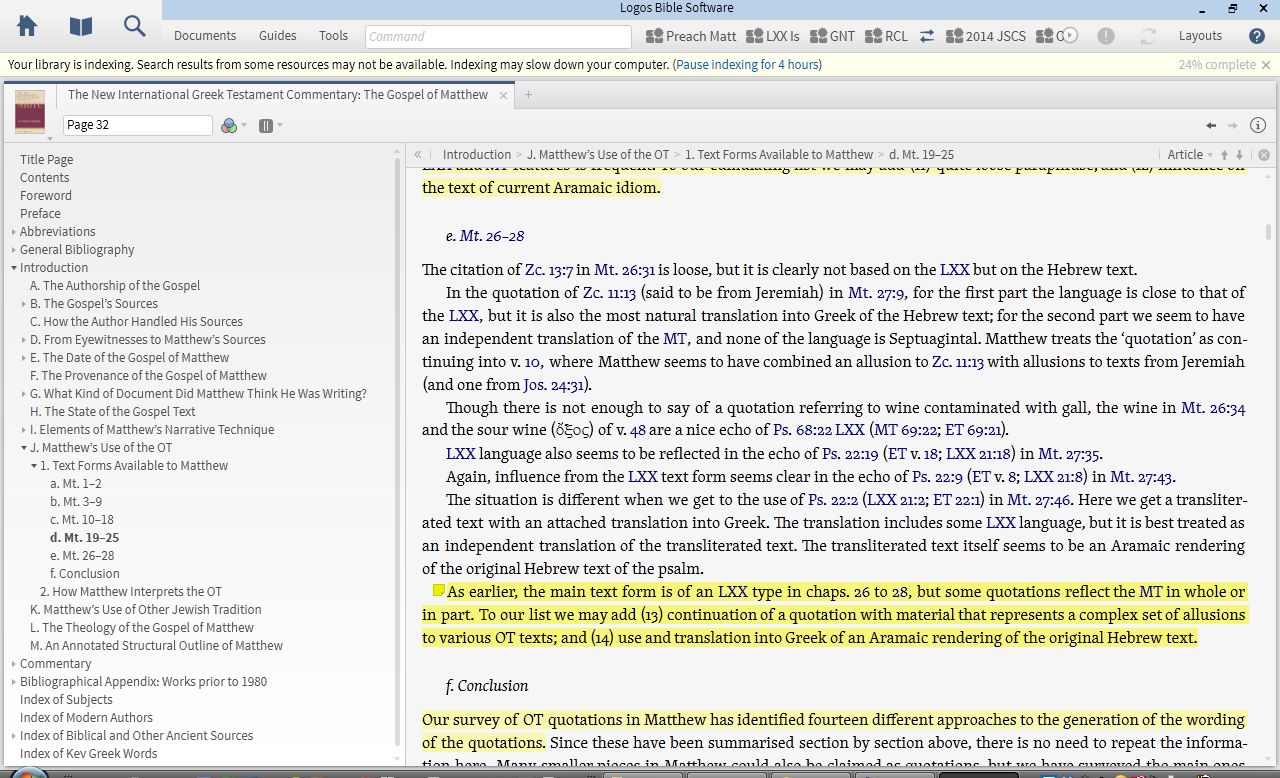
Nolland on Matthew’s Use of the OT
There is more of note in the introduction, but “Matthew’s Use of the OT” is probably the most exceptional section (pictured above). It details both (a) what text forms Matthew might have had and (b) how he used them. Nolland lists 14 (!)“different approaches to the generation of the wording of the quotations.” And yet, amid the detail, he can conclude:
Though some of Matthew’s text forms come to him straight from the Gospel tradition, the overall impression is of a man who freshly scrutinises, at least on many occasions, the OT texts to which he appeals, and is able to do so in Greek, Hebrew (not always the Hebrew of the preserved MT), and occasionally in Aramaic. When it suits him to do so, he produces translations that reflect influence along more than one track of tradition.
Nolland then identifies eight different ways in which Matthew uses the OT. This section of the commentary alone is worth half the price of the commentary. A nearly 20-page “Annotated Structural Outline of Matthew” at the end of the introduction is quite impressive (and maybe even worth the other half of the price of the commentary).
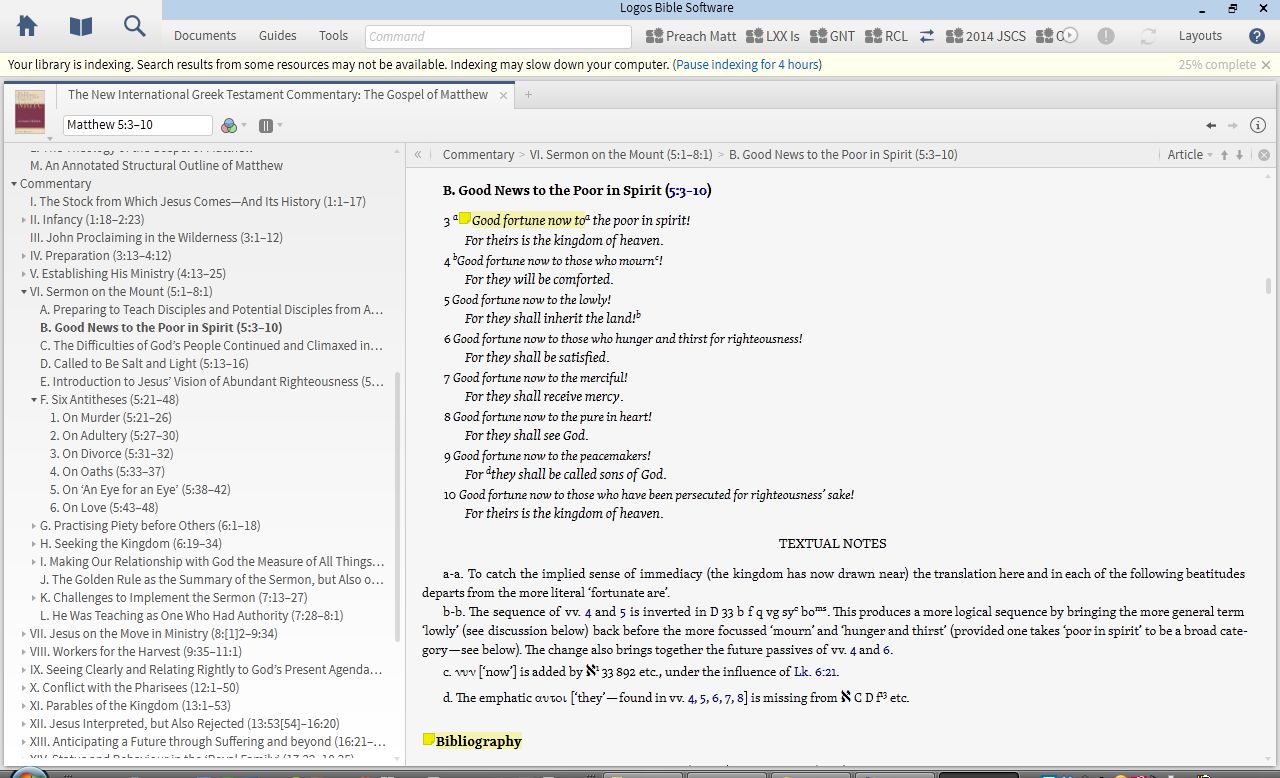
The Author’s Translation of Matthew
Nolland admits that his translation of Matthew (located at the beginning of each section) “may at times be wooden,” and this woodenness is noticeable in a number passages. For example, the genealogy reads: “Abraham produced Isaac; Isaac produced Jacob….” Nolland acknowledges the “unfortunately impersonal and nonbiological” implications of that translation. Indeed, a better word is needed.
And for the Beatitudes (where the Greek μακάριος is admittedly difficult to translate), he has, “Good fortune now to….” I liked the “now” part of this (it carries an “implied sense of immediacy”), but the more traditional “blessed” still seems to leave room in English for the divine blesser, who should be kept in view here. “Good fortune now” seems to miss that.
The commentary (with original translation)
A more readable translation would not have compromised Nolland’s aims in producing a fairly literal rendering of the Greek. It wasn’t an enormous distraction from a well-written commentary, but it stood out, nonetheless.
The Commentary Proper
It would be impossible for Nolland to be comprehensive at every turn. There were some Greek words or passages of Matthew where I had hoped for more detail, but on the whole, Nolland is thorough.
For instance, in the narrative of the devil’s temptation of Jesus in Matthew 4, Nolland writes of verse 1:
The opening ‘then’, the role of the Spirit, and the Son of God language to come in vv. 2 and 6 create a strong link between 4:1–11 and 3:13–17.
and:
Because of the agency of the devil (and the specific temptations to come) πειρασθῆναι has been translated ‘to be tempted’, but there is in fact a play on the two senses of the πειραζ- root: ‘test’ or ‘tempt’.
This commentary matches literary sensitivity and Greek analysis with conclusions that can easily lead the reader to application. In the same passage: “[T]he devil suggests that sonship is a privilege to be exploited, that Jesus should use his opportunities to see to his own needs.”
Nolland often presents multiple scholarly interpretations of a given passage before offering his own–and even then, he does it humbly (though not unconvincingly). In the Beatitudes, for instance, he notes 11 different understandings of “poor” and four different understandings of “in spirit” for Matthew 5:3. One gets the sense that the author is just as interested in historical interpretation of given passages as he is with his own. This is a good thing.
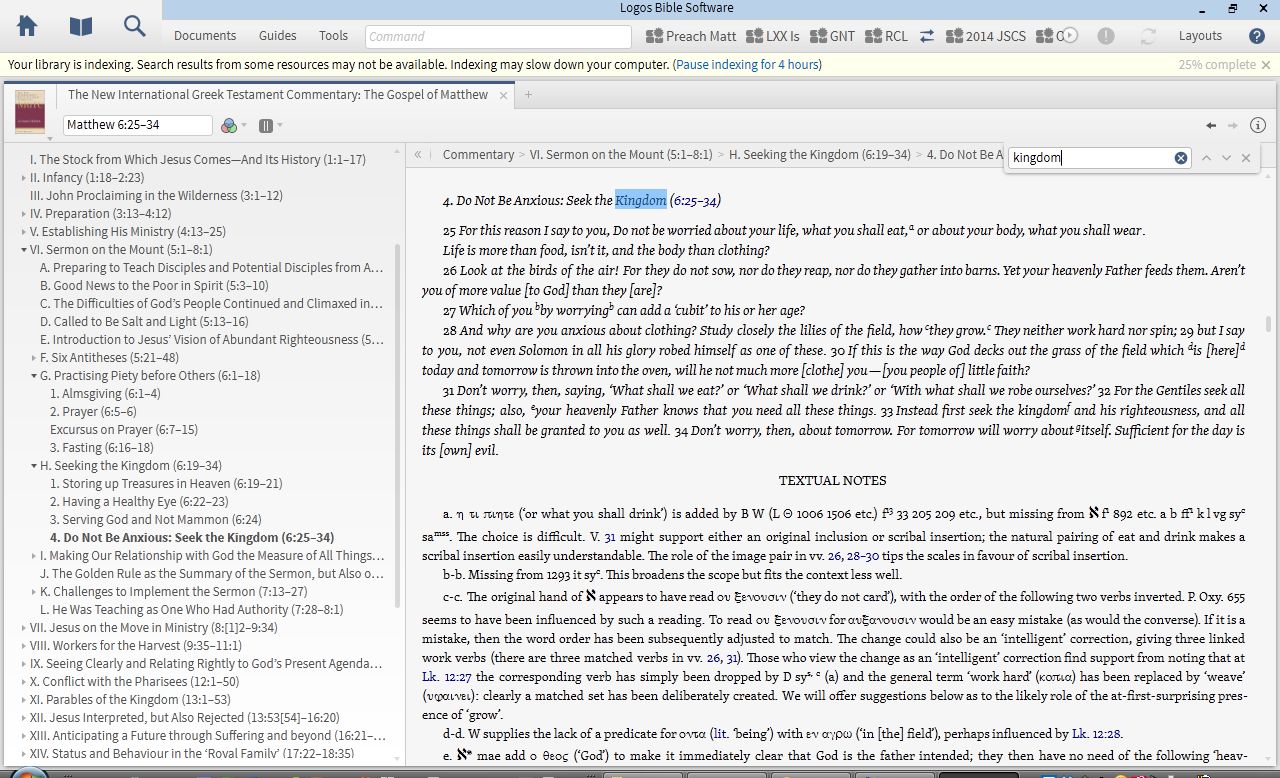
In Logos, one can search the commentary using control+F (PC) or command+F (Mac):
Keyword searching NIGTC for “kingdom”
One cool thing about this is that if you are already in Matthew 6:25 of the commentary (as above), the search results start right where you are (instead of going back to the beginning of the commentary). This way one can research a given word or theme as it unfolds in Nolland’s writing.
Concluding Evaluation
Despite the technical nature of the commentary (which I appreciated), the writing style is engaging and accessible, even inspiring in places. I loved this:
Jesus proclaims the imminent arrival of the kingdom of heaven. God now intends to establish afresh his rule among his people. If people are to be ready for this development, then repentance is urgent. Only a fundamental change of life direction will match the needs of the moment.
The bibliographies are a gold mine. One wonders if there’s any journal article or monograph on Matthew that Nolland hasn’t examined. Even so, he says in his preface that he had to trim his listing to accommodate the requirements of the editors!
My critique of the author’s translation notwithstanding, Nolland’s Matthew is a magnificent work, probably even one of the very first places one should go when doing in-depth study of Matthew’s text. Nolland does not disappoint in his technical analysis of words and passages, and yet he somehow is able to keep the Gospel as a whole before him and the reader as he expounds on its component parts. The reader cannot help but be impressed throughout the commentary, both with Nolland, and with Matthew’s Gospel which he describes.
Thanks to Logos for the review copy of the NIGTC series. I will post more in the future about the series and its use in Logos.
I have been benefiting lately from the wisdom of N.T. Wright. His For Everyone series now covers every book of the New Testament, with each passage being preceded by Wright’s own translation of Scripture.
I describe the series here. And here I review the Luke volume in further detail. In this post I’ll review the usefulness of the series in Logos Bible Software, both on an iPad and on a computer.
Logos syncs automatically across multiple devices and platforms. Its iOS app for iPad is one of the apps I use the most. It’s just recently received a nice makeover. It looks like this:
Library view
Here’s how I set up Wright in the app. You can sync the two windows of the app so that they move together, passage-by-passage. I.e., if I advance the Bible text in the top window, the commentary at the bottom follows.
Reading Wright on iOS
You’ll also note that you can highlight as needed, which then shows up in Logos on any other device, almost instantaneously. The pop-up is a note I took (“Even if we know what’s coming, we’re surprised”) on this section of Wright’s commentary. Notes also sync automatically.
You could also view the Passage Guide for a given portion of Scripture and see all of your commentaries and resources (which would include Wright, in this case) with information on the passage to be studied. The Passage Guide stays open at the top while the bottom window cycles through various commentaries as you tap the selection in the Passage Guide.
The desktop/laptop version of Logos offers even more options for using Wright side-by-side with other resources:
(click image to enlarge)
The little “C” at the bottom left of each of the book images shows that I’ve linked resources together, so that they scroll in tandem. In the above, I can work through English and Greek texts, with Logos’s clausal outlines and Wright’s commentary all open. The other tabs to the left and right of Matthew for Everyone are other commentaries to consult. I have all of the above saved as a workspace called “Preach Matt,” to which I can come back at any time.
One feature I appreciate is that if I type “John 1:1” into the search window of one of the Bible texts, the N.T. Wright window automatically goes to Wright’s commentary on John, even though it’s a different book in the set. And you can see that my highlight and note from iOS automatically came over to this version.
In general I find Accordance commentaries a little easier and quicker to search with their specific content fields (where you can search by reference, by English content, by Greek content, etc.). But the command (or control) + F search box gets the job done just fine in these commentaries. (For more on searches and content fields, see the discussion on the Logos forums here.)
I write more in depth about using Logos for a commentary series here. I’ve found Logos to be more responsive on a PC laptop (and it seems to index less) than on a Mac laptop.
Whether it’s through iOS or at a computer, I recommend N.T. Wright’s companionship through the Bible. The print volumes, of course, do just fine, but the Logos edition of Wright’s commentary set has some nice features that enhance study of the New Testament and use of the For Everyone series.
Thanks to Logos Bible Software for the review copy of New Testament for Everyone (16 vols. here; 2 vols. upgrade here). You can find my other Logos reviews here.

 This week at Accordance the Essential IVP Reference Collection is on sale for $99.90.











 Words on the Word