Apple’s iOS 8 is Live (Just Make Sure You’ve Got Room for It)

iOS 8


With the iPhone 6 now shipping, iOS 8 has just gone live.

MacRumors has two really great roundups that detail the features of the new operating system for iPad and iPhone. Here is their main roundup page. And here they note “some of the more interesting but smaller additions and refinements made to Apple’s mobile operating system throughout the beta testing period.”

A couple highlights from the article:

Identify songs – Siri now includes Shazam integration. If you ask Siri, “What song is playing?”, it will cause her to listen to the ambient sound, using Shazam to identify music.

Find which app is using the most battery life – iOS 8 includes a new Settings option that allows you to view battery usage by app, monitoring the battery drain of specific apps so those that draw a lot of power can be shut down. As of beta 2, it also displays how much battery is drained when there’s no cellular coverage.

Also, there is an improved keyboard:

Described as Apple’s “smartest keyboard ever,” QuickType is designed to offer word suggestions while typing. As a user is typing, the keyboard will provide words and phrases that a user is likely to choose next, even taking into account the different writing styles a person might use in different apps like Mail and Messages.

I’m especially curious to check out the Health app.

Just make sure you’ve got plenty of room for the install:
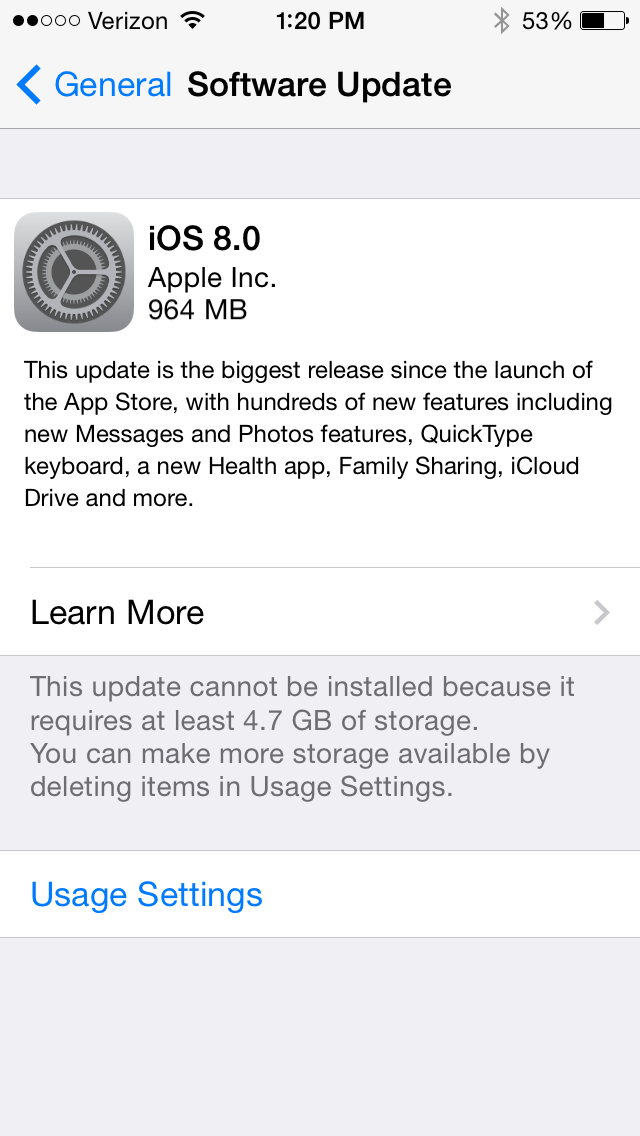
 

iOS 8 install


UPDATE: A friend on Twitter clarifies that you can download the new iOS if your device is connected to a computer, in which case you don’t need to clear up all the space required for the installation.

Size Comparison of iPhone 6 vs. iPhone 6 Plus

iPhone 6 sizes

The iPhone 6 just set a new pre-order record for Apple phones. The biggest question folks who are in the market will probably have is: How big is the iPhone 6? vs. How big is the iPhone 6 Plus?

There’s a handy printout you can download here to see what an iPhone 5, iPhone 6, and iPhone 6 Plus all look like next to each other.

Or you could do what this guy did.

And the Winner Is…

iWerkz Keyboard Folded

Congratulations to Rick Mansfield, winner of the MyWerkz foldable Bluetooth keyboard. I used a random number generator to select the winner. Way to go, Rick, and enjoy! (P.S. See his nifty blog here.)

I’ll post my review of the keyboard soon. Until then, see my gathered tech gear posts here. Thanks to all who entered and shared. 

Comment Here for a Chance to Win a Foldable Bluetooth Keyboard

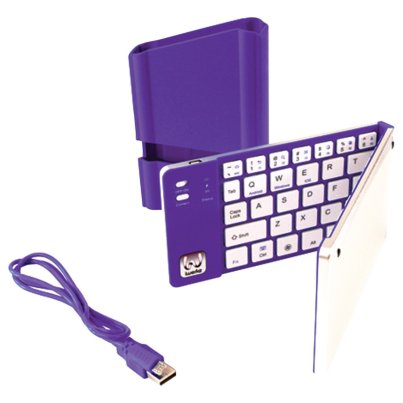
iWerkz Foldable Bluetooth Keyboard


If you are looking for a bluetooth (wireless) keyboard to pair with your mobile device or tablet, and would like a chance to win one for free, you’ve clicked on the right link.

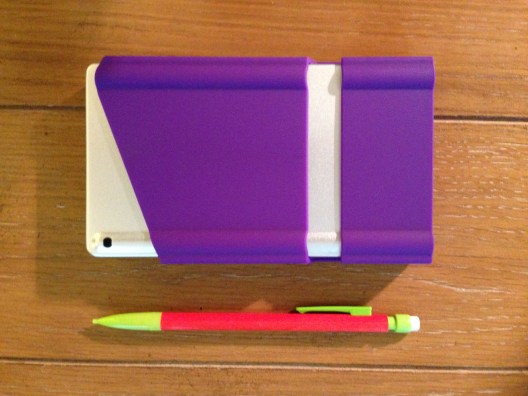
I recently engaged in more than 20 hours of classroom lecture, using just an iPad mini and the bluetooth keyboard pictured above for note-taking. Everything I needed for the class could fit in my pocket:


iWerkz Keyboard Folded


I’ll post a full review of the keyboard soon. It was a welcome time-saver with a strong battery life, and easy to pair with my device.

It also, according to its product page, works with iPhone and Android devices.

The folks at iWerkz have offered me an additional keyboard (purple, as shown above) for giveaway here at Words on the Word.


Here’s how you can enter:


Simply comment on this blog post with a short sentence on how you’d use the keyboard. Or you can just say hi. For a second entry, share the link to this post on your Facebook, Twitter, via mind meld, etc., and let me know in the comments section that you did.

I’ll select the winner using a random number generator.

If you don’t want to wait for the results of the giveaway, you can find the keyboard on sale at Amazon here.

The giveaway is open through Monday, August 18, 11:59 p.m. EDT. On Tuesday I’ll notify the winner and post about it both here and in the comments below. (fine print: free shipping of keyboard to U.S. address only)

Review of Bear Motion iPhone 5c Case

Time for some tech talk. At Words on the Word I’ve reviewed software, as well as aspects of iOS and its apps. I’ve done gear reviews, too. This post is my review of Bear Motion’s Full Housing Case for iPhone 5c.

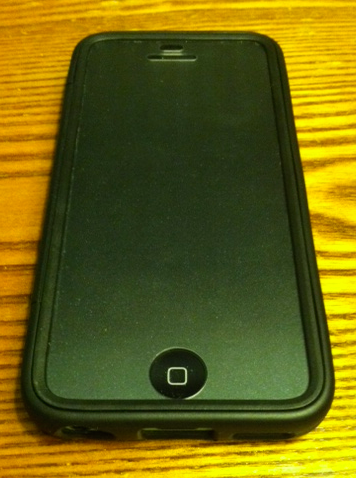
Here’s what it looks like:

Back of the case
Back of the case
Front of the case
Front of the case
Empty case
Empty case

Here are the pros and cons of this case:

Pros

  • Though it looks a little cheap (and the cost is, indeed, low), it seems to be, in fact, fairly well-made
    • The holes (to access camera, headphone jack, home button, etc.) are cut out just right
    • I may or may not have dropped my phone a couple times in this case, and it was well-protected
    • It protects the screen; it protects the body; it protects the whole phone (and the case is all one piece)
  • It’s not very bulky; doesn’t add much to the phone
  • The fit is secure and snug, but it’s still easy to get the phone in and out
  • The price is currently $6.99, which is a good deal
  • I’ve taken it on a bunch of runs–it has performed well in this setting, both gripping to my hand without sliding out and keeping my phone from getting sweaty

Cons

  • The screen cover has a speckled or slightly filmy look to it, which is fine in regular light, but in the sunlight it makes the screen noticeably darker than it would be without the cover and, therefore, almost impossible to read
  • It isn’t the most stylish iPhone case I’ve ever seen, but that’s not a huge deal
  • On rare occasion the thick plastic screen compromises the touch sensitivity of the device

Though I don’t exactly have a plethora of cases from which to choose, this is the case that is currently housing my phone, and has been since I got it. That’s its own testimonial, I think. Especially for the price, Bear Motion’s case is a quite solid option.

Thanks to Bear Motion for the review sample. They make plenty of other cases for various devices, too. The case reviewed above can be found at Amazon here (affiliate link). Bear Motion’s brand page at Amazon is here.