With Isabelle Arsenault’s Alpha, I finally have a tool to keep the NATO phonetic alphabet in my head. That’s more useful to me than you might think, not least of which is because I really do have to spell both my first and last name quite often when talking to various phone reps. (A… B as in Bravo… R… A… M as in Mike.)
It’s first and foremost a children’s book–though also a good visual aid for learning what is also known as the International Radiotelephony Spelling Alphabet.
The book’s cover is actually a fine way to judge its contents in this case: It is the clever illustration–a paper airplane–for Delta.
The next spread, Echo, has a child at school throwing such an airplane at the child sitting in front of him.
Each letter of the alphabet receives a two-page spread: the word at left and an illustration at right. Some illustrations you might have guessed–like the couple dancing the Foxtrot. Others are more subtle and creative–like Hotel, which is the Monopoly hotel piece. Romeo and Juliet share a ghostly motif that ties the two images together, separated they are by some pages (and… uh… other impediments).
The letter under consideration has its own color, so that with even younger children you could focus just on A, B, C, D, and so on. Of course, my eight-year-old can appreciate that this section of his Dangerous Book for Boys now has some visual reminders to help him with his NATO alphabet.
There’s no storyline to follow, of course. But it’s been an interesting (and visually pleasing) read for each of my three kids, from three up to eight years old.
The sewn binding and high-quality paper will find approval with parents who want a book that will withstand a few throws across the room. (From the kids, not the parents.)
Alpha is a smart, nice-looking, and useful take on the classic children’s abecedarian.
Find Alpha at Amazon here, or at Candlewick Press’s page here. See Isabelle Arsenault’s page (with lots of images) here.
Thanks to Candlewick Press for the review copy, given with no expectation as to the content of the review.
This reader is for anyone very eager to read the story of Daniel in the lions’ den and many other fascinating stories in their original language, Aramaic.
A brief outline of Biblical Aramaic grammar is followed by a verse-by-verse grammatical commentary on the Aramaic chapters in the books of Daniel and Ezra. Both the outline grammar and the grammatical commentary presuppose basic knowledge of the grammar and vocabulary of Biblical Hebrew. Constant references are made in the commentary to relevant sections of the outline grammar. The commentary is written in a user-friendly, not overtly technical language. Some grammatical exercises with keys and paradigms conclude the Reader. Also suitable for self-study.
At just under 100 pages, it looks great. Find it on Amazon here.
We need the little snowplow in our neighborhood. Last winter we saw more than 100 inches of snow pile up. The kids loved it, and we parents sort of did, but it made getting around a challenge. And it got old fast.
Enter the little snowplow:
On the Mighty Mountain Road Crew, the trucks came in one size: BIG.
That is, until a new snowplow joined the crew.
“You’re such a little snowplow,” the big trucks said.
“Leave the heavy lifting to us.”
And off they roared.
My five-year-old was enraptured at this point. And what young child wouldn’t identify with the little guy in the story? Each night he does his “reps” (raising and lowering his plow ten times). He pulls blocks of concrete. “Just in case.” Had he been training for 2015 in Massachusetts, he would have been oh-so-glad for all the hours he put in.
Then a blizzard hits–more than the little snowplow can handle, and the plow driver has to call for backup. In the end, against the odds, the little snowplow turns out to be a real hero, with his place secured among the Mighty Mountain Road Crew.
Most grown-ups will see the story coming–the motifs are familiar ones. One thinks of the setting and improbability of Katy and the Big Snow, with echoes of The Little Engine That Could, and a scene reminiscent of Little Blue Truck. The story ends with the little snowplow ready to bed down, though the “He could hardly wait for sleep” ending felt a little less satisfying than expected.
Still, The Little Snowplow is engaging. It’s an important idea that one can succeed even though small or dismissed by others. The message of the book is a good one, and the story moves along nicely. My three kids are all fans of the book.
The Little Snowplow is Lora Koehler’s first children’s picture book. Jake Parker illustrates the story. And the illustrations are great. They’re colorful, clear, and absorbing. They really make the book. There are enough of them, too, that a non-reader can easily enough make his or her way through the story. (See a few more illustrations here.)
I don’t even want to think about winter coming soon, but I’m sure we’ll continue to reach for this book when the snow comes–and we are reading it now, even with potential blizzards months away.
Find The Little Snowplow at Amazon here, or at Candlewick Press’s page here.
Thanks to Candlewick Press for the review copy, given with no expectation as to the content of the review.
This Wednesday I am leading a brand new Accordance Bible Software webinar: Key Resources for your Accordance Library. As I say in the webinar description, the session will:
• be appropriate for all levels: from beginner to advanced
• be interactive, with opportunities to ask questions as Abram is presenting
• offer an overview of what is available in the Accordance Web store, and how it is organized
• provide a hands-on demo of some resources in Accordance
Really looking forward to this one. Sign up info is here.
Our family has read a lot of alphabet books in our day–now I’m working on letters with Kid #3 (!). We read through Almost an Animal Alphabet the other day, which she sincerely enjoyed. (The Yeti is my favorite–and, I think, what makes it only almost an all-animal alphabet.)
The illustrations are creative and fun, and the book is both educational (as you’d hope) and funny. Check it out via POW! Books here, or here on Amazon.
I’ve made no secret of my love of Jewish Publication Society’s works. The JPS Torah Commentaries have greatly enhanced my reading of the first five books of the Bible. I have particularly appreciated the seamless blend of critical scholarship and devotional posture that series offers.
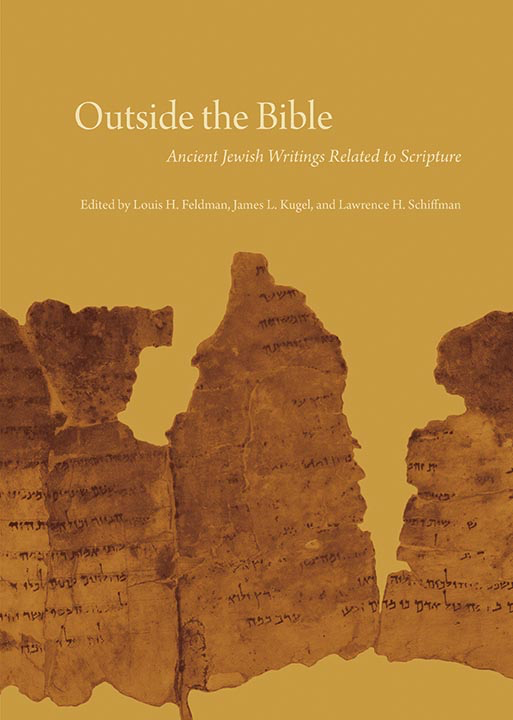
In 2013 JPS published a massive, three-volume set, Outside the Bible:Ancient Jewish Writings Related to Scripture. The print edition has 3,302 pages. Accordance is the only Bible software program to have made the electronic edition available; it releases today.
Outside the Bible (hereafter referred to as OTB) covers an impressive array of Jewish extrabiblical texts from the 6th century B.C. to the 2nd century A.D. The texts in OTB are ones that were “for various reasons, taken off the official Jewish bookshelf.”
************
The editors of Outside the Bible are Louis H. Feldman, James L. Kugel, and Lawrence H. Schiffman. The skilled lineup of contributors includes: Harold W. Attridge, David E. Aune, John J. Collins, David A. deSilva, Michael V. Fox, Emanuel Tov, Benjamin G. Wright III, and many others.
Broadly speaking, the editors and contributors treat writings from the following groupings:
The Septuagint
The Apocrypha and Pseudepigrapha
Philo
Josephus
Dead Sea Scrolls
OTB begins with some of the best, most succinct introductory material you can find on each corpus. Emanuel Tov, for example, gets right to the heart (using few words) of the potentially vexing concept of LXX translation technique:
When trying to analyze the Hebrew and Aramaic words, the translators could not resort to tools such as dictionaries or other sources of lexical information; they had to rely on their living knowledge of these languages and on exegetic traditions relating to words and contexts. … By the same token, the identification of difficult words was often guided by the context. Such a procedure frequently was little more than guesswork, especially in the case of rare and unique Hebrew words.
Practically speaking the reader finds explanatory comments like this one (from 1 Samuel 2) throughout OTB:
*there is none holy besides you Cf. the MT: “There is no rock like our God.” As elsewhere in the LXX, the translator avoids the description of God as a “rock,” possibly because he did not like the comparison of God to a stone, and instead stresses his holiness as in the first part of the verse.
When it comes to the texts themselves, here is how OTB is organized:
Each text in Outside the Bible is preceded by a brief introduction that gives a summary of its contents, a history of its composition and transmission, its significance for Jewish (and sometimes Christian) history and biblical interpretation, and a guide to reading that highlights specific issues for understanding the text. A short list of additional readings points the interested reader to more detailed or focused treatments of the text.
You can see the Table of Contents here, via Accordance Mobile:
Included in OTB is an entire commentary on 1 Maccabees and 2 Maccabees, among other texts. Here is David A. deSilva, offering the reader of OTB guidance for working through 4 Maccabees:
The author gives two important cues concerning how to read his work. First, he asks us to read it as an essay that offers both argumentation and exemplary evidence for the proposition that the religiously trained mind can gain the upper hand over all the contrary forces within us and outside us that drag us away from doing what we know to be best before God. Second, he invites us to join him in admiring the outstanding achievements of nine Jewish martyrs, whose courageous and praiseworthy example rivals that of the heroes of any other culture or tradition and can encourage us to hold fast to virtue in our lesser contests.
I could multiply examples of how OTB strikes an excellent balance of brevity and substance. One could open the pages of OTB, having never heard of the Damascus Document–or any of more than 150 other texts–and walk away with a solid understanding of that writing’s legal and theological teachings.
OTB has a nice focus not only on the extrabiblical texts as such; it also addresses their import for biblical interpretation. Further, the editors and contributors are careful to point out how these non-canonical texts function as windows into the culture and beliefs of Judaism in the Second Temple period.
And the interplay OTB highlights between Judaism and Christianity is fascinating:
Philo’s writings had practically no influence on Judaism as it developed after the destruction of the Temple in 70 CE and the disastrous Jewish revolt in Egypt in 115–117 CE. … On the other hand his writings were warmly embraced by early Christian thinkers, who saw in him a kindred spirit. They were attracted to his use of the Greek Bible and the allegorical method, as well as to doctrines such as the transcendence of God, the creation of the cosmos, the Logos, and providence.
Anyone wanting to further chase down what OTB has to say about Christianity can perform a search to instantaneously pull up all the instances of “Christian,” “Christianity,” or even, “Christ.” (The search to use is simply Christ* in the English Content search field in Accordance.)
…which leads to why Outside the Bible is a resource especially suited for the Accordance format.
************
One obvious reason a person would want to consider the Accordance module (and not just the print edition) is the portability factor. JPS books tend to be bound beautifully and constructed well, so there’s nothing to complain about in their aesthetics. But you can’t really take 3,300 pages of awesomeness to the library, coffee shop, or office with you, at least not easily. Keeping OTB on a laptop, iPad, and/or iPhone is appealing.
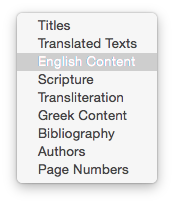
Another benefit to OTB on Accordance is the extensive system of tagging and hyperlinking the developers have used. For one, you can adjust the search field to search OTB in all of the following ways:
For another, where there is commentary on the texts, the Accordance module allows you to view it simply by hovering over a hyperlink. Causing my mouse to rest on an asterisk shown in the text of the Prayer of Manasseh calls up the corresponding commentary in the Instant Details at the bottom of the screen:
(click to enlarge image)
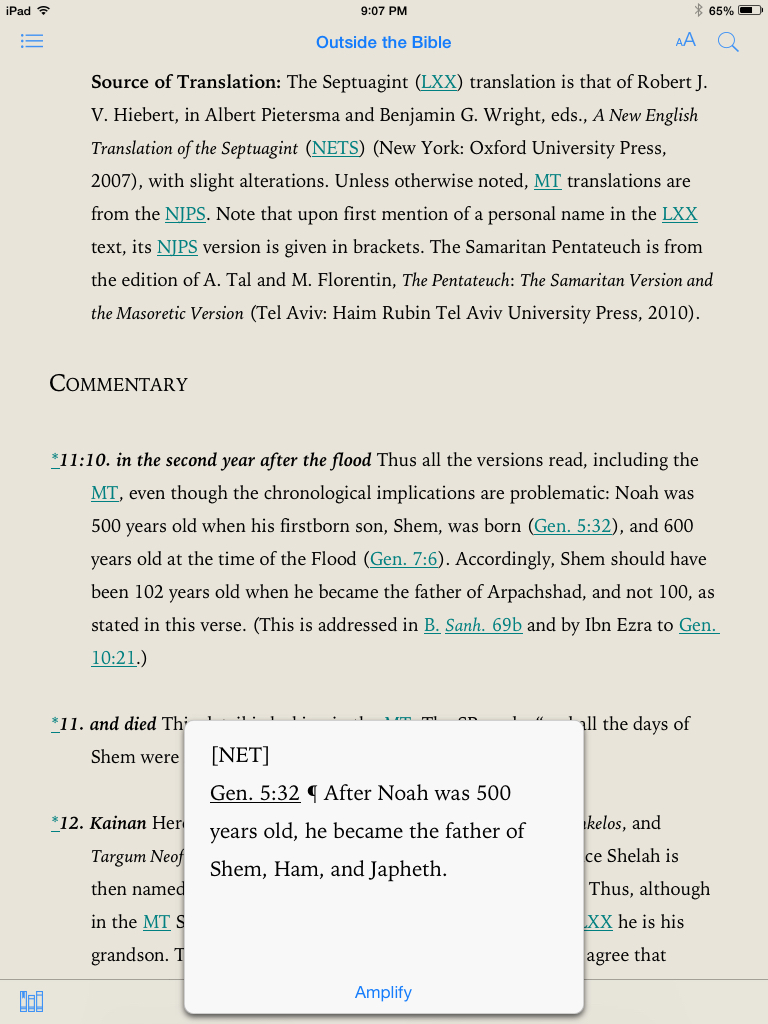
Hyperlinked content is, of course, just a tap away on the iPad:
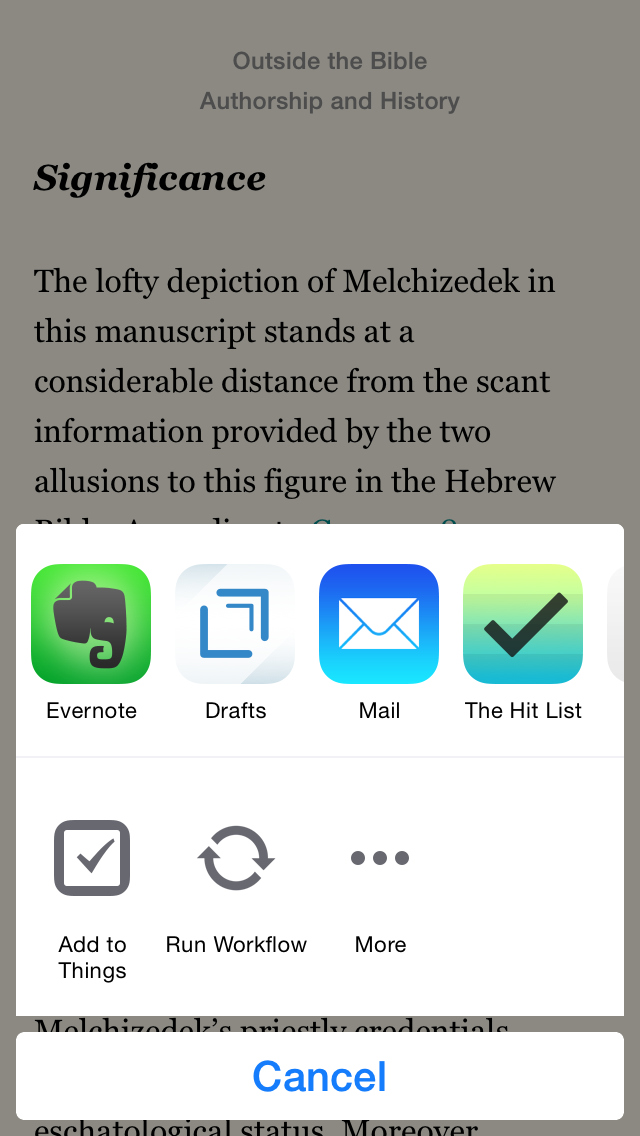
You can search just certain sections of OTB for a given word. You can highlight, take notes, and even share text via the share sheets in iOS–maybe you want to send some selected wording to Evernote or Drafts as part of your research. Just a few taps get me from 11QMelch (Melchizedek) into Drafts, a primary hub for my iOS research:
Using the share sheet, one could email information to oneself or others, or even share on social media. (And what says “rewritten Bible” better than Facebook and Twitter, amirite?)
************
Treat yourself to a perusal of the Table of Contents and some material on Jubilees (which interacts with Genesis) by following this link to a PDF excerpt. And, by all means, do go check out this majestic resource in Accordance here. Students, professors, and pastors… Jews, Christians, and agnostics–all who can access Outside the Bible are indebted to its editors and contributors for a thorough and engaging resource.
Thanks to Accordance for the review copy of Outside the Bible in Accordance 11. See my other Accordance posts (there are many) gathered here.
The video is of professional quality. You don’t even really think about this as you watch, which is a good thing. It is just David Sparks, his OmniFocus (Mac and iOS, excellent explanations, and you.
Sparks covers all of the basics, and then some. You get in-depth tutorials on how to use Due Dates (sparingly!) or Defer Dates, navigating your way through Projects, what Contexts are and how to use them, keeping your Inbox clear, integrating OF with other workflows like email and TextExpander, and much more. From Capture to Review, the Field Guide has it covered.
There are two nice touches that I especially appreciated:
Sparks is funny. You see him working on a project called Flat Earth Manifesto in the video. But he avoids the pitfall that some tech writers get into, which is being overly cute or annoyingly glib. He uses humor perfectly.
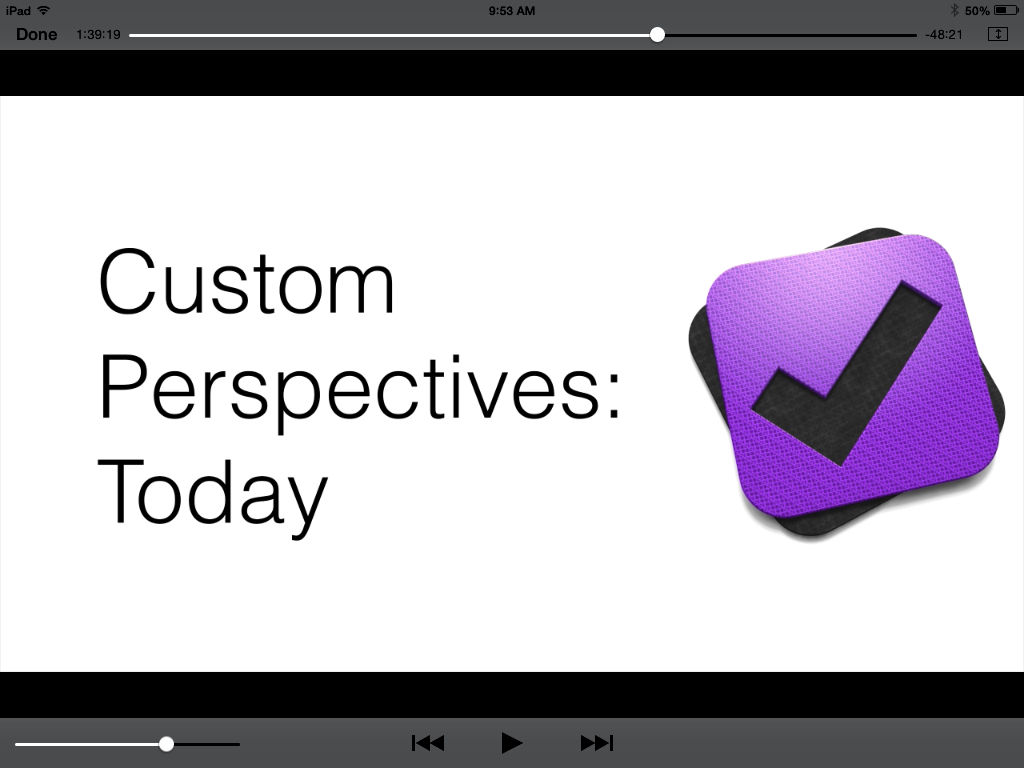
He shows you some of his unique Custom Perspectives in OF. This alone may be worth the price of the field guide. I have already copied his settings that he shows to set up my own Perspectives like his. Even though I have been using the app for a good while now, and consider myself fairly proficient with it, my productivity with OmniFocus has definitely increased since adding these Perspectives.
As you can see in the above shot, you can navigate by chapter, and scroll through all of them to see a sort of Table of Contents of the whole Field Guide.
Here is a short clip so you can get a feel for the approach and content.
Learning OmniFocus is an investment of time. Some people will balk at spending money to learn how to use the software they already spent good money on. But for $10, with well over two hours of top-notch content, the serious OmniFocus user should get to this field guide as soon as possible. Easily 5/5 stars.
Yep, that’s right… another Accordance Webinar coming your way! Check all of this week’s sessions out here. I’m leading this one Wednesday:
Sermon Preparation in Action Wednesday, August 26, 12:00 – 1:15 PM EDT
Learn how to tap Accordance’s power for sermon preparation from brainstorming sermon ideas to finished message.
We had a great turnout last week at the session I led on setting up workspaces. Sign up is free, even if you don’t have Accordance. Learn more and save a spot here.
If I could have the sync of Things, the layout and tagging and look of 2Do, the simplicity of Todoist, and the power and custom perspectives of OmniFocus, I’d have my perfect task management app. And I’D BE A PRODUCTIVITY MACHINE. Well, no, I’d still have to do all the tasks. (And life is more than doing stuff, anyway.)
But the answer to the question in the header above is that each task management app I’ve tried does not quite fit all my preferences. We adjust, of course, and it’s this phenomenon that has coders writing new task management apps as we speak. Maybe I’m just picky, though I’m far from the only one.
That’s all preface to why you are reading yet another task management app review on this blog. Here I consider 2Do.
Where 2Do (IMHO) Falls Short
Allow me to get the critiques out of the way first, because I really do like this app–a lot. And it has the most aesthetically pleasing interface out of any task management app I’ve used (OmniFocus, Things, Todoist…). But there are a few things that I would hope could be improved.
1. Sync is good (via Dropbox), but not quite instantaneous.
A recent release offered some significant improvement in sync speed, i.e., push sync. (2Do syncs via Dropbox, iCloud, Toodledo, or your CalDAV server.) Tasks and changes don’t sync instantaneously across devices (like Apple’s Reminders do), but this is more due to Apple’s limitations on third-party apps than any shortfall on 2Do’s part. Still, it’s a minor hassle when using the app. Things keeps leading the way here. More on 2Do’s sync methods is here.
TL;DR: Cross-device syncing with 2Do is about as good as it gets, but not perfect.
2. You can’t really email a task in to the app, per se.
There are workarounds, but there is no easy and direct way to convert or forward emails to tasks from wherever you are. This, in my view, is a key necessity of a good task management app. Outlook, OmniFocus, Todoist, and Evernote all allow this, for example.
You can convert a Mac Mail message right to a 2Do task, however, described here, and that may be all some users need. There’s also a workaround using Toodledo that allows you to email tasks to 2Do, but non-users of Toodledo would have to create a new account and learn a new app to be able to do that. (It will be enough to learn 2Do.) For iOS email-to-task conversion, folks might consider the Dispatch app. But here’s to hoping 2Do adds support for email-to-task automation in a future release–one of the few things missing in this slick app.
That I have no additional major critiques than these is actually significant, since I’m a little picky when it comes to this kind of app. And now, on to the good stuff…
Ways in Which 2Do is Just Plain Awesome
1. Photo attachments
You can attached a photo (whether from your Camera Roll or one you take from within the 2Do app) or voice memo to a task. For many, this is just how life works–we want to take a picture of a bill and convert it to a task to remind us to pay it. Or we think of an idea and want to speak it rather than type it. 2Do allows you to make these inputs into tasks.
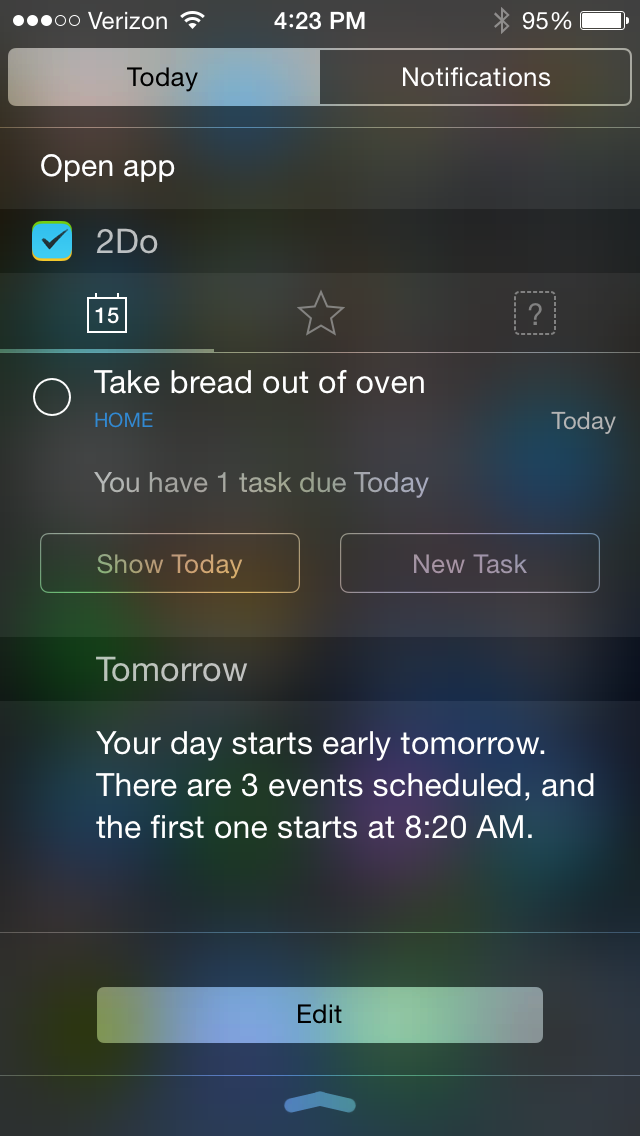
2. 2Do has a nice Today widget and good Share extensions in iOS.
They look like this, and give you a way to access the app from just about anywhere on an iPhone or iPad:
3. It’s easy to set up actions and tasks, recurring and otherwise.
Quickly adding multiple tasks to get things off your mind is a cinch:
Image via 2Do
What about setting recurring tasks? Easy as pie.
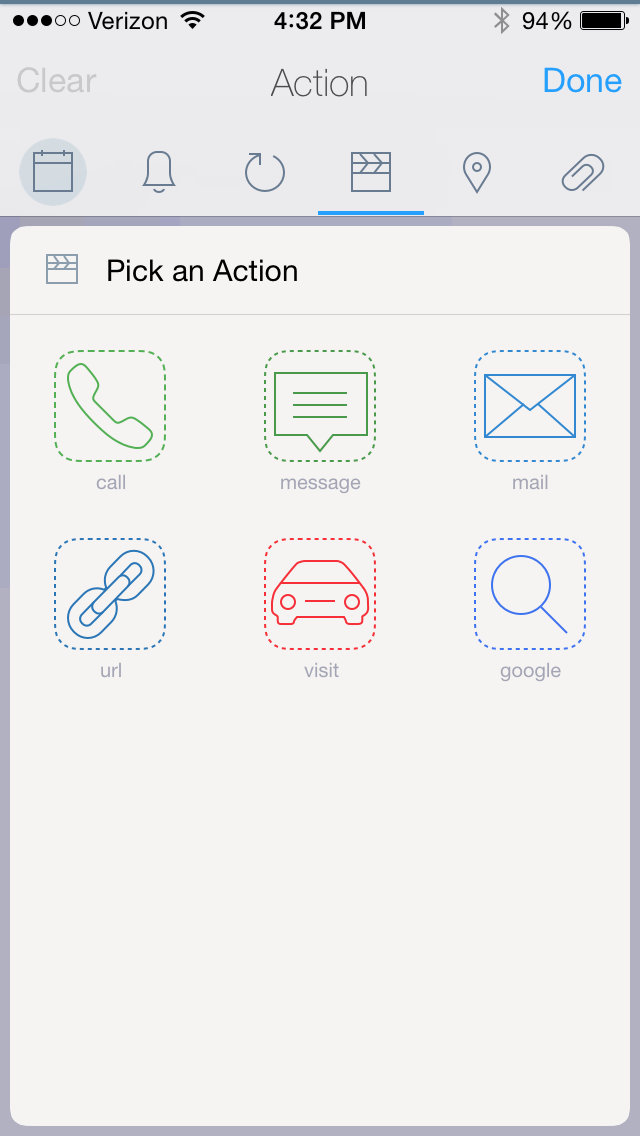
You can even “Pick an Action” in a task.
Selecting “Message,” I then get this option:
Want to make a shopping list, you say? 2Do has a nifty List (checklist) feature you can use:
4. There is good calendar integration.
Calendar integration–yes! It’s like Calendars 5, only far more robust than the task list in that app.
The app has even found a really elegant and easy way around the scroll wheel, for when you want to assign your task to both a due date and a due time:
So a task that’s all set up (no tags shown here) looks like this:
I’ve got a picture I took of an eye exam reminder, attached to the task, an action within the task to call (I just tap the green part and it dials), a reminder, a date and time… pretty smooth.
5. Did I mention how amazing it looks?
Here, I’ll show you:
Click to enlarge
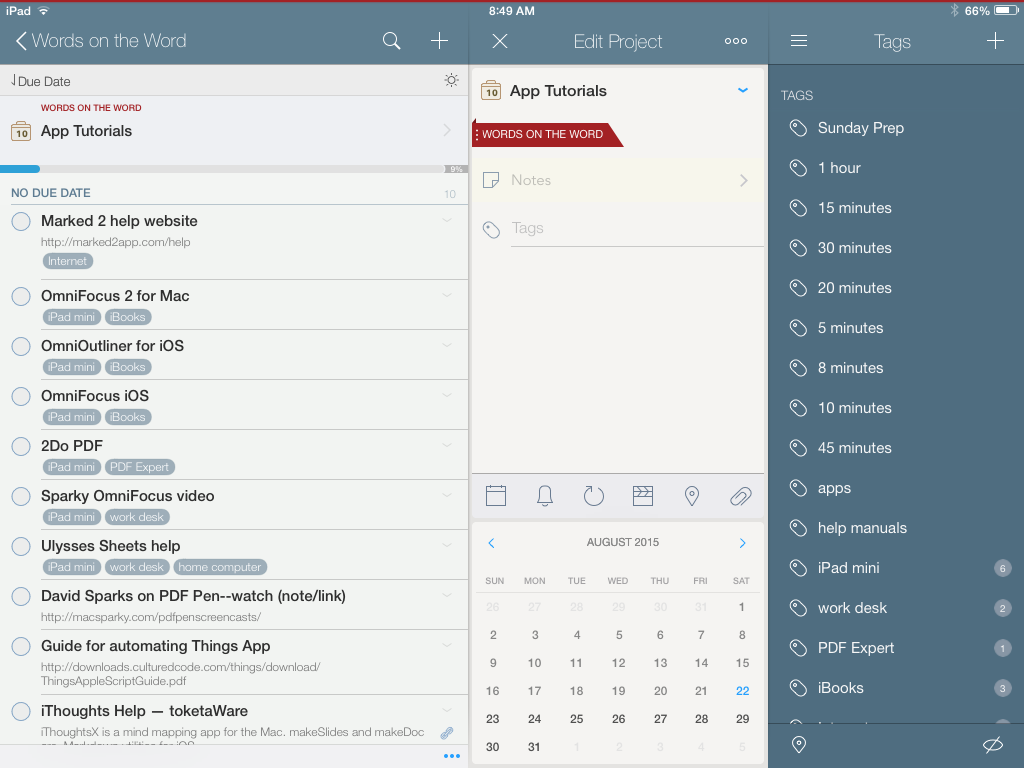
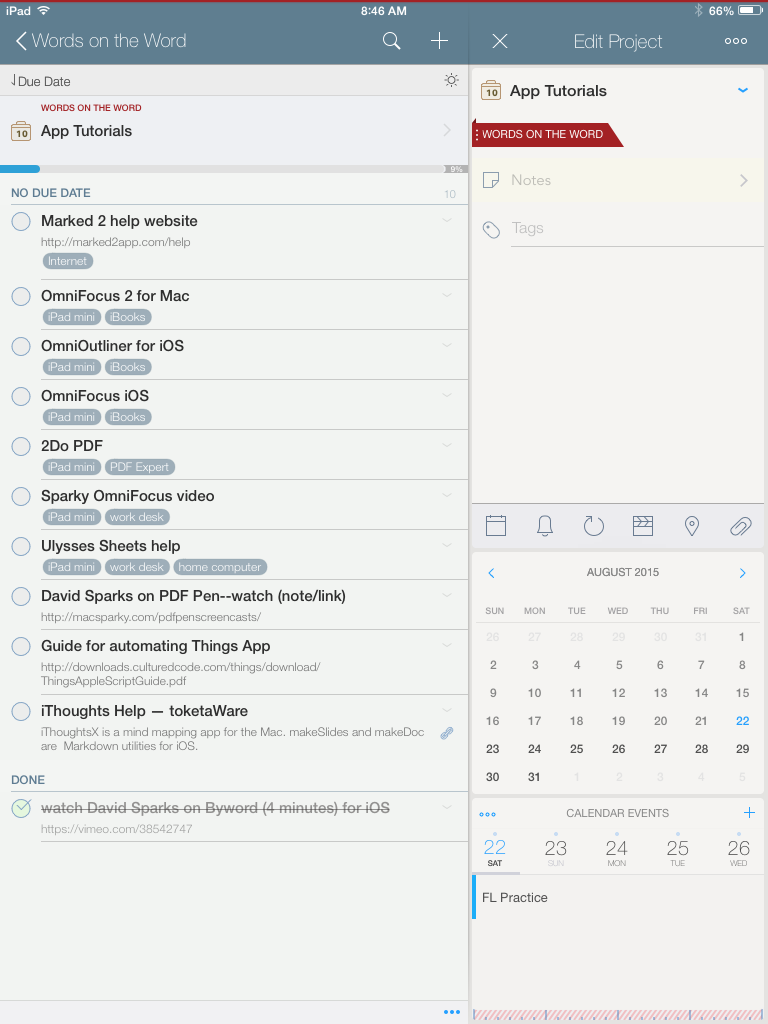
The iPhone and iPad apps look even better:
Click to enlarge
Note how 2Do shows you your tasks and your integrated calendar all together.
6. The iOS apps are some of the best-made apps in the App Store.
The makers of 2Do have really carefully thought this app through, including subtle touches like having a project’s color appear as a faint band on top of that project’s screen. You can easily swipe around from tasks to projects to tags to lists… navigation is very easy, and pretty.
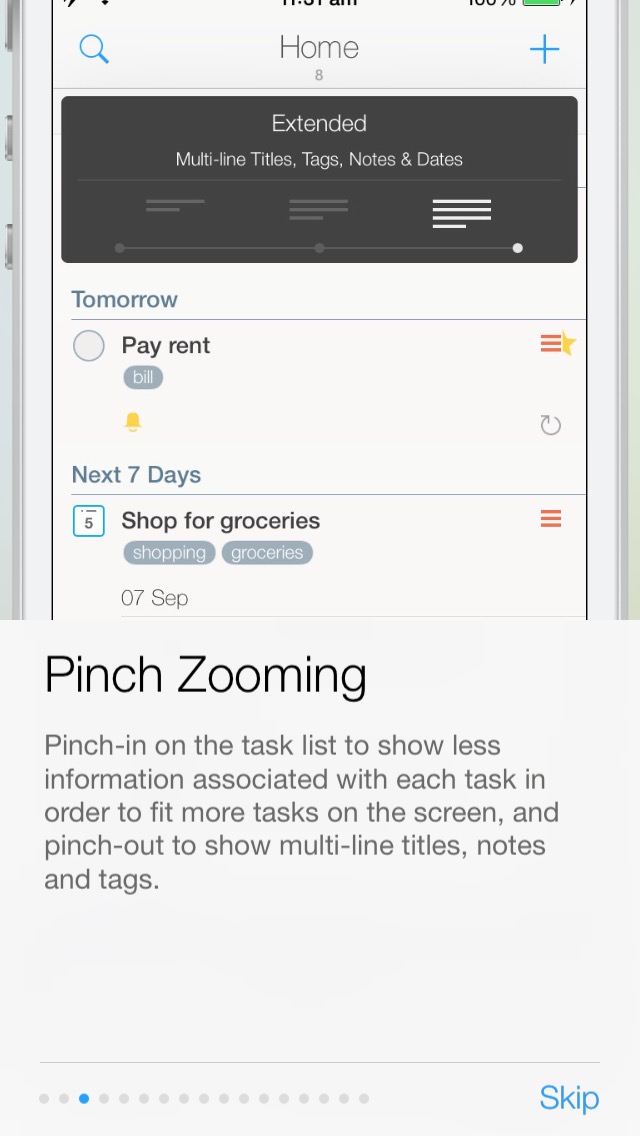
You can even pinch zoom:
Image via 2Do
7. It’s got the power of OmniFocus, but with Tags.
You can see the Tags list in the images above. This allows you to customize your workflow to your heart’s content. You can also set up and save Smart Lists, i.e., searches you want to save to come back to. This is equivalent to OmniFocus’s custom perspectives. But something about actual tags makes it feel even more flexible.
—
There’s much more to say about this app, but I’m already at 1,000 words. If you want to learn more, you can find further documentation here.
If you’re starting from scratch with a task management app and have some money to spend, I can think of no good reason not to invest in 2Do, even over other options. It really is enjoyable to use. It’s powerful enough to help you track and execute multiple projects at once, yet simple enough to learn and start using right away.
You can find it in the App Store here (for Mac) and here (for iOS).
Thanks so much to the makers of 2Do for giving me a download in iOS and OSX for the review. Check out the app’s site here. I know this is a few days early for Apptastic Tuesday, but I couldn’t wait.
There’s still time to sign up for today’s Accordance Webinar I’m leading at noon. You can sign up here. Here are the details:
Setting Up Workspaces with Abram K-J Friday, August 21, 12:00 – 1:00 PM
Abram will gear this session toward the basic-level Accordance user. The webinar is interactive throughout, offering users a chance to see how to set up, customize, and save a Workspace in Accordance.
Here is what I’ll cover:
1. Terminology: Panes, Tabs, Zones, Workspaces
2. Setting Up a Simple Workspace: Bible, Commentary, User Notes
3. Setting Up a More Robust Workspace: Multiple Bible Texts, Multiple Commentaries, and Tools
4. Creating Different Workspaces for Different Tasks