Quick Update on the World’s Other “Words on…” Blog (and its New Co-Author)

BD KAVAJ case
Yay for co-authorship! (Image via Brian Davidson)


I’ve had fun getting the new Words on the Goods off the ground the last couple months. This site’s sister blog now has its first co-author, Brian Davidson. I’m excited about the possibilities having multiple writers opens up.

Words on the Goods focuses on reviewing high-quality, high-utility gear, as well as the best productivity and life management apps.

Here are a few highlights from recent weeks:

Find Words on the Goods at www.wordsonthegoods.com. If you scroll to the bottom, you can sign up to follow or subscribe to the blog.


This week’s blog sponsor is MailButler, the feature set you always wished your Mac Mail had (and that I’m glad mine does). Find out more about it here or download and try it free here.

My Writing Week at Collegeville Institute in MN

apart20group202016202-1024x768


A few weeks ago I had the privilege of attending “Apart, and Yet a Part,” a writing week at Collegeville Institute in Minnesota. (I am at far right in the image above.)

Here‘s a short write-up of the week. And here is a full description of it. Days were ours to structure as we liked–for writing, reflection, walking or running around on the beautiful grounds of St. John’s University.

The people at Collegeville Institute were fantastic. The cohort of fellow writers was a smart, kind, and sensitive group of souls. The writing coach, Michael McGregor, helped me immensely. I can’t say enough good things about the week away.

My progress was more in the realm of quality (conceptual breakthroughs) than quantity (sheer word count). I’m working on a project that I might share more about on this blog down the road. (Though this article and this one offer a hint.)

What a week! I’m looking forward to hopefully taking advantage of future offerings at Collegeville.


This week’s blog sponsor is MailButler, the feature set you always wished your Mac Mail had (and that I’m glad mine does). Find out more about it here or download and try it free here.

This Week’s Sponsor: MailButler

MB2_1200x675


I’m pleased to announce that this week Words on the Word is sponsored by the MailButler app from Feingeist.

I reviewed Feingeist’s Evermail app here. It’s an Evernote add-on for Mac Mail. I still use it on my work computer every day that I’m on email.

MailButler includes that add-email-to-Evernote functionality, but also offers a much more robust feature set. Here’s some of how it enhances the Mac Mail program:

  • Email tracking/read receipts
  • Conversion of email to Evernote note
  • Dropbox and Google Drive file integration
  • Undo Send (with customizable time delay)
  • Send Later (i.e., schedule when your email will send, so your co-workers don’t know you really wrote them that email at 2:00 a.m.)

This is the full product description from Feingeist:

MailButler is the productivity boosting add-on for Apple Mail. It helps you organize and optimize your email correspondence, and saves you lots of common and annoying mistakes. With MailButler you have to worry about nothing, because it has your back while you’re working with Apple Mail.

Among the great options that MailButler offers is the ability to schedule, track, and undo emails, upload email attachments regardless of size,  convert emails to notes, create amazing signatures, and many more. To get access to all of those features, you just need to download and install MailButler, and register a free MailButler account.

The MailButler homepage is here. You can download it directly here. Installation is free, so you can try it out with some of the actions to see what you think. If you scroll down to the bottom of the product page, you’ll see the subscription options.

Word Counter App for Mac OS X

Word Counter iconWord count is by no means the best measure of effective writing, but it’s a useful metric for tracking your progress.

The Mac Word Counter app by Christian Tietze lives in the menu bar and automatically tracks your word count across apps. This is especially helpful for us writers who can’t seem to settle on a single app for writing.

Even when Word Counter is out of site, you can have its menu bar icon display your running word count for the day:

 

0_Menu Bar


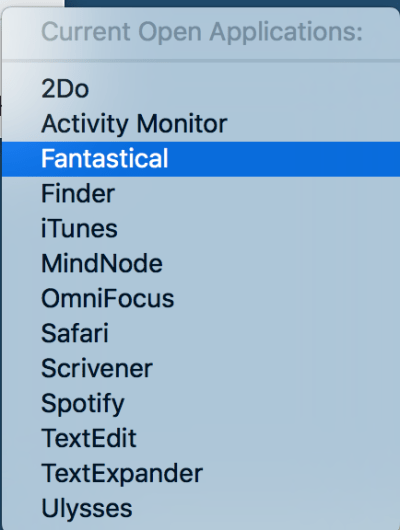
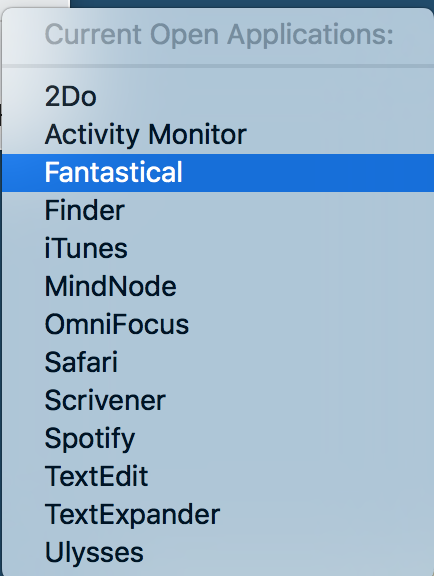
You can specify which apps you want Word Counter to track:
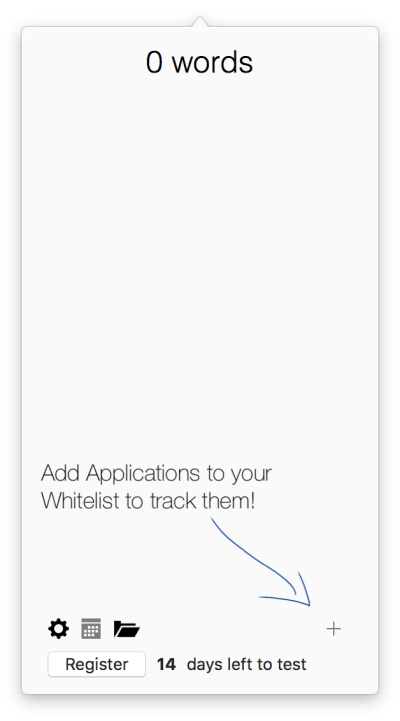
 

2_Add Apps


3_Add Apps 2


Once you’ve added your apps, just click on the menu bar icon to see a breakdown:
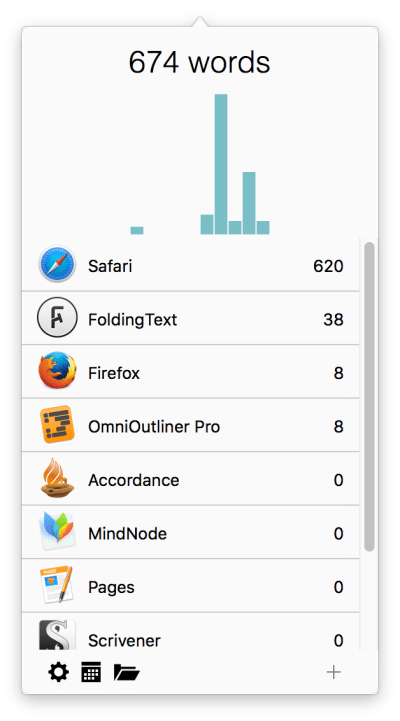
 

4_Word Count in Menu Bar


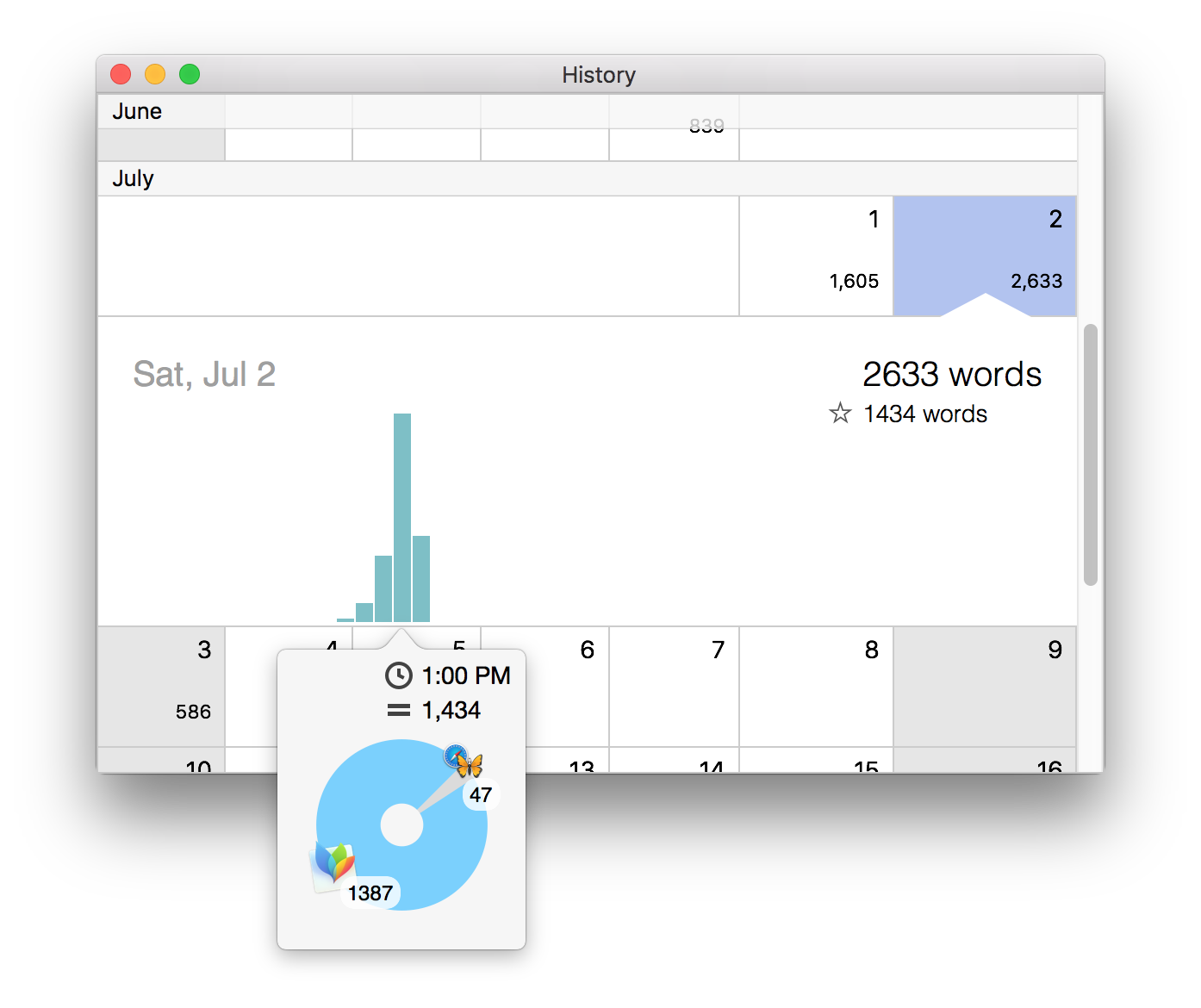
Hovering over the bars gives you an hour-by-hour, app-by-app breakdown of your progress. Very cool!

You can look at your day-by-day word count history, which is also impressively sub-divided into hours and apps:
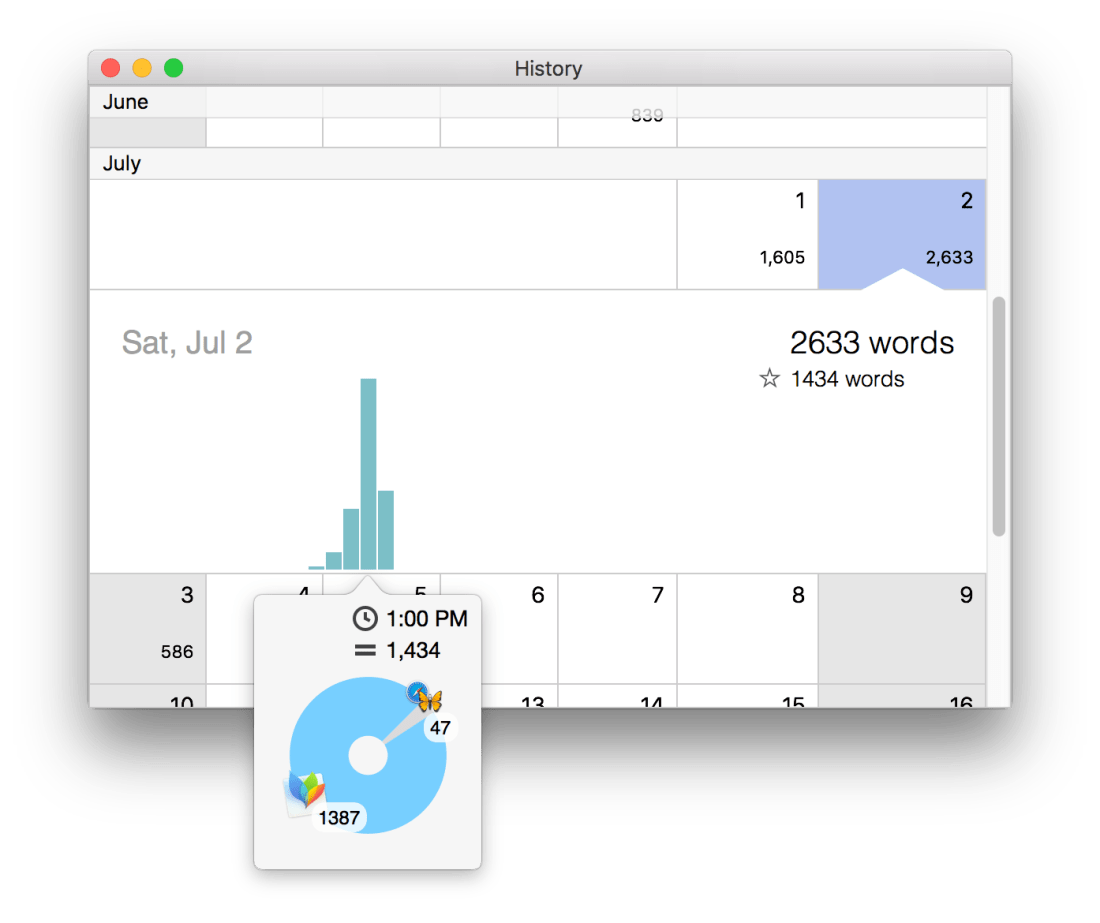
 

5_Word Count History


And that’s honestly probably enough for most of us–a detailed word counting tool that is easy to access, updates automatically, and tracks multiple apps.

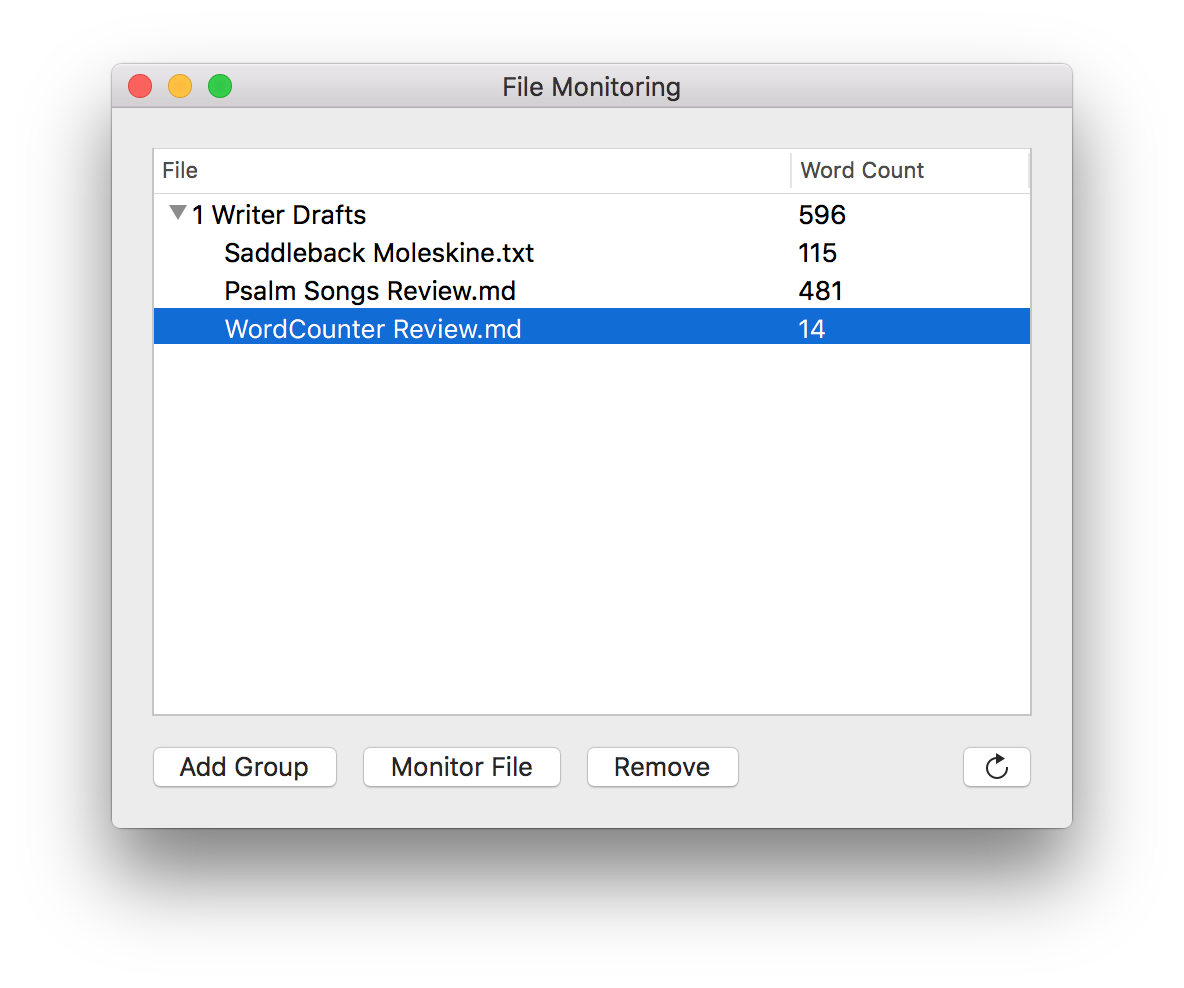
But there is also a nice additional feature of being able to track word counts on individual files. This comes in handy especially for a file you’re working on via Dropbox across multiple machines. Word Counter will track the word count for you via Dropbox, no matter what device you typed the words on.
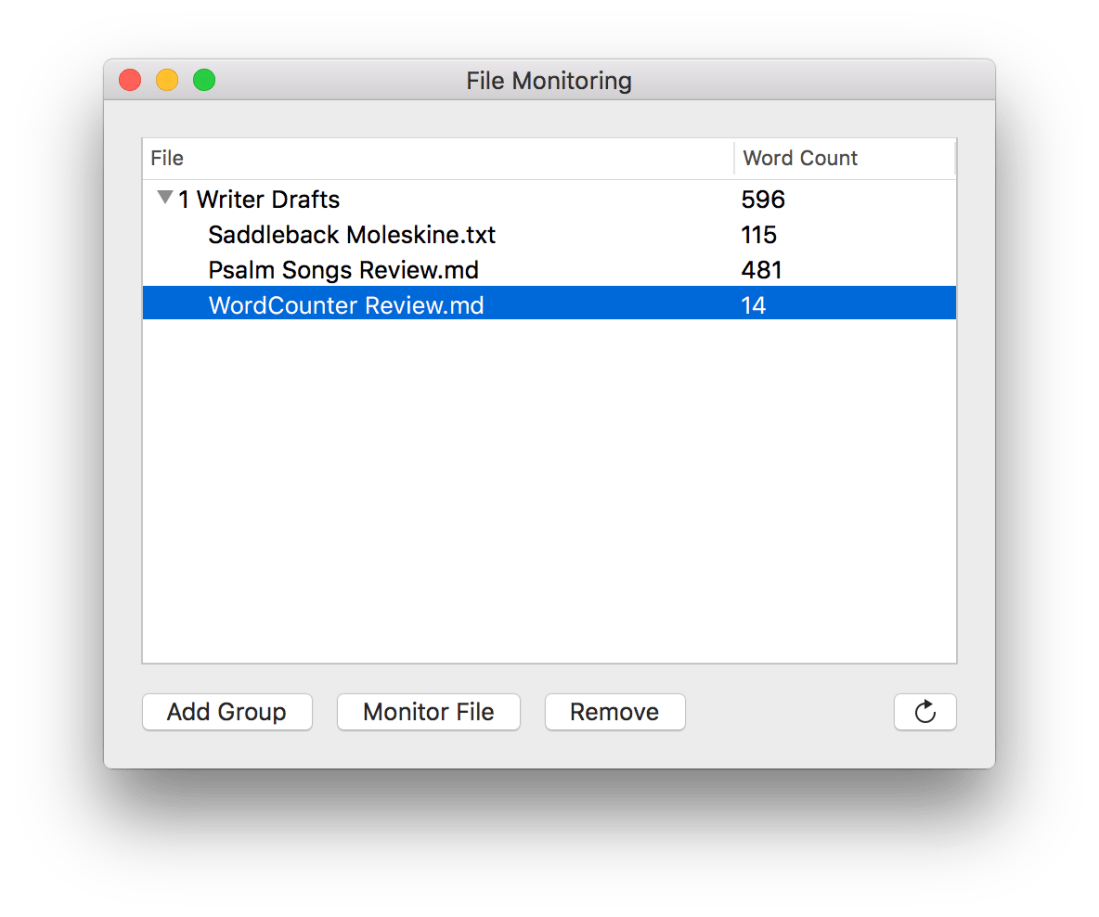
 

9_Refresh


The only downside to this feature is you have to manually refresh (icon at bottom right hand corner in the image above) to get the word count to update. (UPDATE: I’ve just learned it does refresh on its own every few minutes.)

Word Counter does provide a solution to the as-of-yet-non-existent word count feature in OmniOutliner.

The only other possible area for improvement is that when you add a file for tracking from the File Monitoring window, you have to select “Monitor File” and go find it in Finder, rather than being able to just drag and drop a file from an already-open Finder window. This would be a nice feature for a future update.

The app is easily worth its $9.99, and there’s a free 14-day trial so you can test it out. Find it here.


Thanks to the dev at Word Counter for the promo code so I could review the app.

A Smooth Note-Taking Workflow for Drafts 4 and Logos in iOS

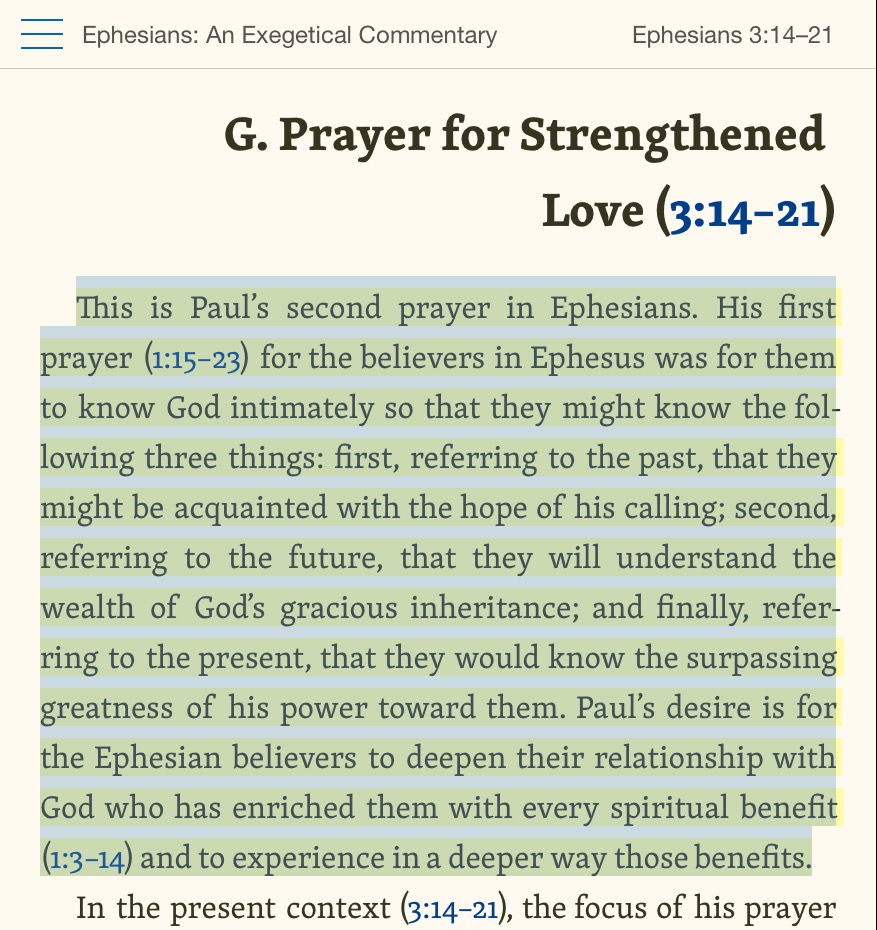
I’ve got a sweet Logos–>Drafts 4 workflow I’ve been using on the iPad for a few months now. (I find Logos’s iOS app to be significantly zippier than its Mac counterpart.) Allow me to demonstrate, using Harold W. Hoehner’s excellent Ephesians commentary.


1. Open up Logos in iOS.


Here’s Hoehner’s lovely commentary.


IMG_0383


2. Tap selected text to bring up highlighting and share options.


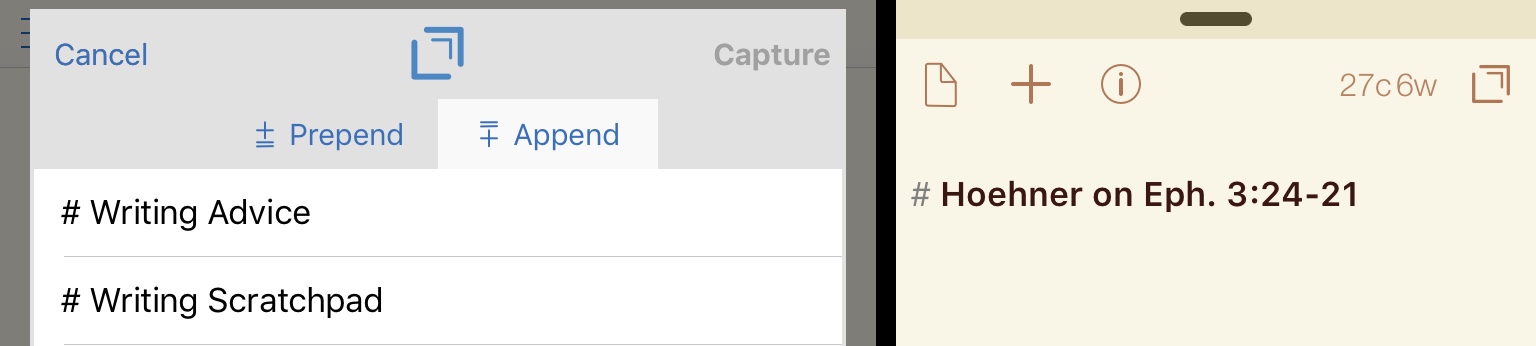
I’ve got Drafts open with Logos in Split View, just so you can see them together. All these steps work with Drafts not visible, however.


IMG_0384


3. Select Drafts in the share option.


IMG_0385


4. Now you can “Capture” to send the selected text right to Drafts OR prepend (add to the beginning) or append (add to the end) to an existing draft. (!)


IMG_0386


If you do Prepend or Append, Drafts comes up to let you choose where to put your text.


IMG_0387


5. When you’re done repeating this process for as much text as you want to copy, you can merge individual drafts, if needed.


IMG_0388


IMG_0389


IMG_0389


You can even choose your own text or symbol to separate merged drafts:


IMG_0390


From here it’s easy export from a single draft to Ulysses or MindNode, and on goes my sermon preparation! Drafts4 has been the most indispensable app in my attempt to do as much sermon preparation as possible on the iPad.


Thanks to Logos for the Hoehner commentary so I could write up the workflow–review of the commentary itself to follow. The Logos mobile apps are free, available here: iOS / Google Play.

It’s Prohibitively Expensive, But…

Brill LXX


…the Brill Septuagint Commentary Series is nearing availability on Logos Bible Software.

Here is how Brill describes its series:

This multi-volume series fills a significant gap in biblical studies by providing a literary commentary on the Greek text of the Septuagint. The Septuagint is widely recognized as one of the most important interpretations of the Old Testament and one of the most important sources for New Testament study. Whereas there has been much attention devoted to the two testaments, with numerous commentary series having been written, the Septuagint has been virtually neglected as a set of primary texts used by Jewish and Christian religious communities in the Greco-Roman world.

All 13 published titles will be released in late July through Logos, now available for the steep pre-order price of $1,773.99. It’s a good time to consult your local theological library. All the same, I’m encouraged to see the expanding availability of electronic resources for Septuagint studies.

Find out more here.

Mind Mapping and Sermon Prep: Published at PreachingToday.com

Screenshot 2016-06-27 22.18.53


I’ve just had an article published at PreachingToday.com about how I use mind mapping for sermon preparation.

I mention in the article that the specific app I use is MindNode, which you can find here (iOS) and here (OS X) if you like.

Here’s the article:

How Mind Mapping Has Rejuvenated My Sermon Preparation


Scrivener iOS: Looking Great, Coming Soon

Scrivener Logo


I’m fortunate to be a Scrivener iOS beta tester. The iOS version of the app is coming soon, and it’s looking great. I just used it, in fact, as my primary writing app during a writing week I went away for. Not a crash in sight.

I’m sworn to secrecy, but I believe I can say that those of us using Markdown on iPad and iPhone because we had to will be able to move back into rich text on iOS full time.

I have also at long last completed the paperwork to become a Scrivener affiliate, which means that if you or a friend purchase the app through the below links, this blog gets a 20% commission (at no extra charge to you).

I write about Scrivener here and here, if you need convincing.

I can also say, since the developer publicly has, that Scrivener for iOS runs on iPads and iPhones, supports multi-tasking, and features Dropbox sync between iOS and OS X.

While you wait for the iOS app, here are the links for purchasing Scrivener

You can also try Scrivener free for 30 days if you want to see what you think.


The Writing Life (Annie Dillard)


I have just become aware of Annie Dillard’s funny and smart little book, The Writing Life. She perfectly captures the ebb and flow–the exhilaration and desperation–that awaits any writer who is serious about putting life to paper.

I’ve only read one chapter so far, but look how it begins:

When you write, you lay out a line of words. The line of words is a miner’s pick, a woodcarver’s gouge, a surgeon’s probe. You wield it, and it digs a path you follow. Soon you find yourself deep in new territory. Is it a dead end, or have you located the real subject? You will know tomorrow, or this time next year.

If it is this way for Annie Dillard, I have hope as a writer, too.

Dillard knows the paradoxes of writing, and will help the writer to not feel insane, if only by acknowledging the (hopefully temporary) insanity of all who try to write a book:

Writing every book, the writer must solve two problems: Can it be done? and, Can I do it? Every book has an intrinsic impossibility, which its writer discovers as his first excitement dwindles. The problem is structural; it is insoluble; it is why no one can ever write this book. Complex stories, essays, and poems have this problem, too–the prohibitive structural defect the writer wishes he had never noticed. He writes it in spite of that. He finds ways to minimize the difficulty; he strengthens other virtues; he cantilevers the whole narrative out into thin air, and it holds. And if it can be done, then he can do it, and only he. For there is nothing in the material for this book that suggests to anyone but him alone its possibilities for meaning and feeling.

One more:

Write as if you were dying. At the same time, assume you write for an audience consisting solely of terminal patients. That is, after all, the case. What would you begin writing if you knew you would die soon? What could you say to a dying person that would not enrage by its triviality?

If this piques your interest, Brain Pickings did a lengthier post about this miraculously true book here.

Baylor University Press: 50% Off All Pre-2015 Titles


Baylor University Press Sale


Baylor University Press is currently offering 50% off all their backlist titles for grad students. (Though unlike previous sales, a .edu address is not required, so others can use the code, too). Two BUP titles I’ve reviewed at Words on the Word, that are both eligible for the sale, are Luke: A Handbook on the Greek Text and Malachi: A Handbook on the Hebrew Text (reviewed here and here). You might also consider Bonhoeffer’s Black Jesus or †Rod Decker’s Greek Handbooks on Mark.

The sale is good from today through Sunday, June 12. If you use the discount code “BJUN” you can order at a 50% discount!

Baylor Press’s page for the sale is here.