A Bundle of Septuagint Resources in Olive Tree, Under $50

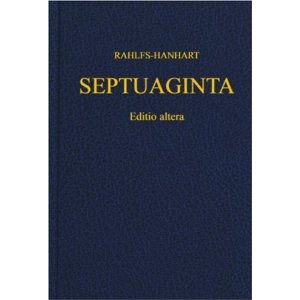
Rahlfs LXXWant to read the Old Testament in Greek on all your devices? This is the cheapest way I’ve seen to get started: until midnight PST tomorrow (1/6/15) night, you can get this Septuagint bundle for less than $50. It includes

  • The Rahlfs-Hanhart Septuagint text
  • Its critical apparatus
  • The Kraft-Wheeler-Taylor parsings of each word in the text
  • The LEH Greek-English Lexicon of the Septuagint (Lust, Eynikel, and Hauspie)

This is really an incredible deal, given that the Rahlfs-Hanhart text in print is about $50 (and doesn’t include running parsings). The LEH Lexicon in print runs anywhere from $40 to $80.

What can Olive Tree do, you ask? See my gathered posts here, including my recent review of a five-volume dictionary set that is still on sale.

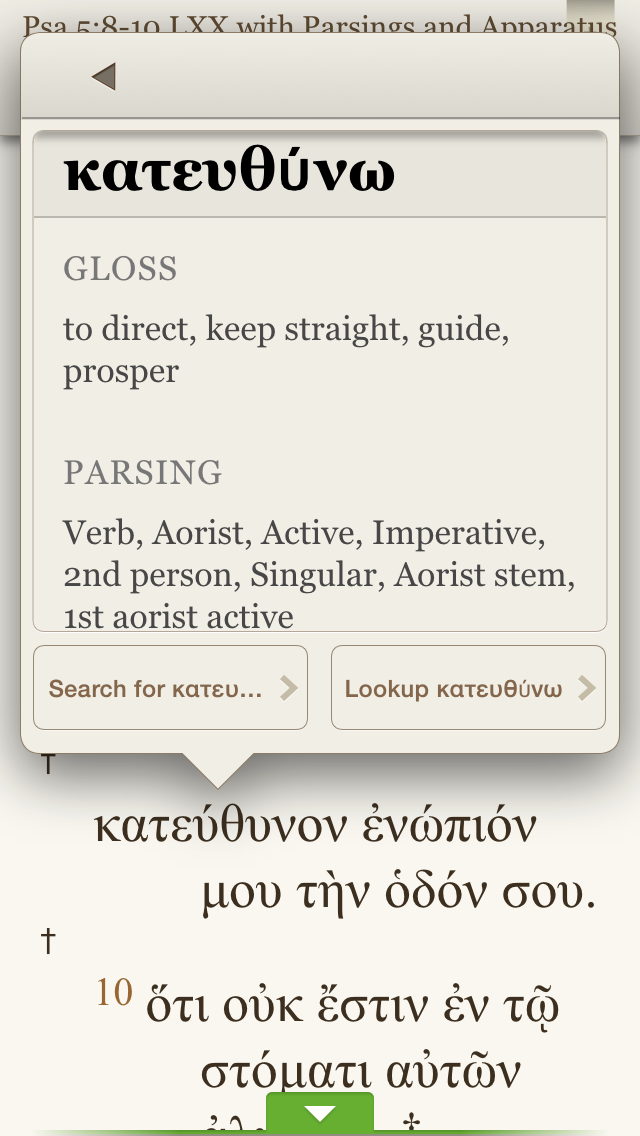
The advantage to having the above combo in Olive Tree is that you can tap any word in the Rahlfs-Hanhart Greek text and get instant parsing information.


Parsing


You can instantly access that word’s lexical entry in the LEH lexicon. I especially appreciate LEH’s inclusion of word frequency counts, according to sections of the LXX:


LEH Entry


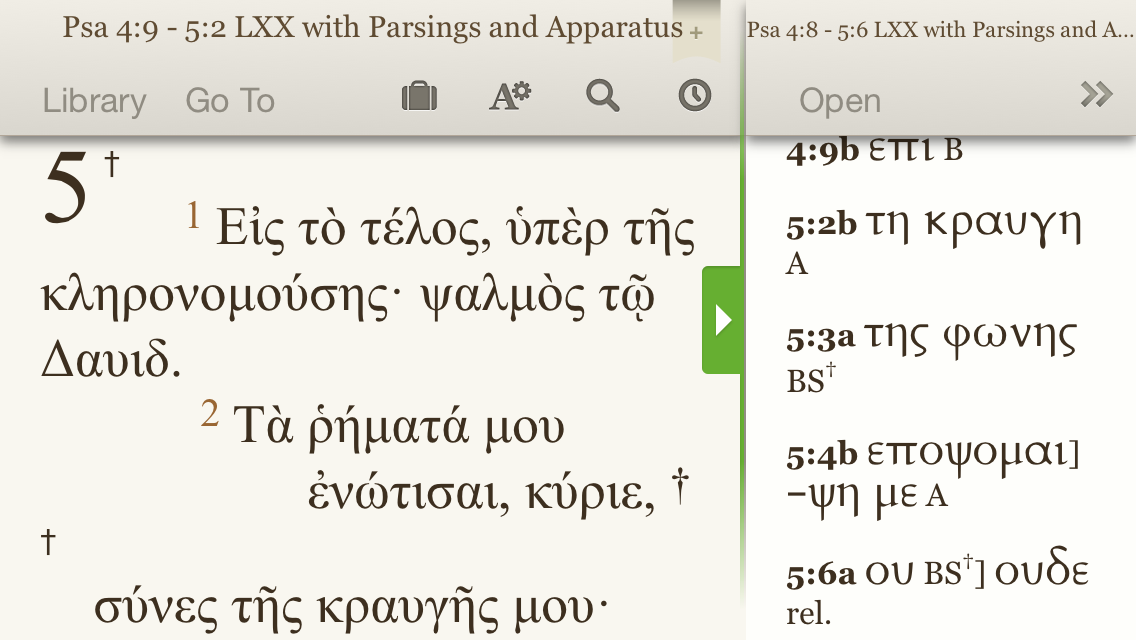
Using the split window setup, here’s what the Rahlfs text with apparatus looks like:


Rahlfs with Apparatus


Though Rahlfs never intended his apparatus in this volume to be fully critical, it does help you at least compare LXX readings as found in Vaticanus (B), Alexandrinus (A), and Sinaiticus (S).

And because Olive Tree is fully cross-platform, you can sync any notes you take or highlights you make and they appear on any device on which you have Olive Tree.

Find the whole bundle here, on sale for just a little while longer.

New Interpreter’s Dictionary of the Bible, $99 in Olive Tree

NIDB Olive TreeAn underrated but really good Bible dictionary is the New Interpreter’s Dictionary of the Bible (NIDB). Published by Abingdon, the five-volume set is edited by Katharine Doob Sakenfeld and includes contributions of nearly 1,000 scholars.

For a short time the dictionary set is $99.99 in Olive Tree Bible software. Below I offer–from my perspective as a preaching pastor and Bible reader–my take on the set, with a focus on Olive Tree’s iOS Bible Study App.


What The NIDB Is and How It Has Helped Me


There are more than 7,000 articles in NIDB. The contributing scholars are diverse in terms of gender, ethnicity, and denominational background–a refreshing mix of voices. The dictionary balances reverence for the biblical text with rigorous scholarship–though the dictionary is rarely arcane.

The NIDB has been eminently useful to me in my weekly sermon preparation. Last fall, for example, when preaching through Genesis, I knew I’d have to make sense somehow of the “subdue” command that God gives the first humans regarding their relationship to the earth. The dictionary’s “Image of God” entry helpfully clarifies:

While the verb may involve coercive activities in interhuman relationships (see Num. 32:22, 29), no enemies are in view here–and this is the only context in which the verb applies to nonhuman creatures.

The same article puts nicely the implications of humanity’s creation in God’s image: the “image of God entails a democratization of human beings–all human hierarchies are set aside.”

This sort of blend between technical detail and pastoral application is present throughout the dictionary.

I’ve also found useful background for my Greek reading. This year, for example, I’m reading through the Psalms in Greek with a group of folks (see here). In the “Septuagint” entry in NIDB I find this:

The 4th-cent. CE “Codex Vaticanus” contains all of the books of the Hebrew Scripture or Protestant OT, and the following material that is today classified as deuterocanonical: 1 Esdras, 2 Esdras, Ps 151, the Wisdom of Solomon, Ecclesiasticus or Ben Sirach, the additions to Esther (several of which were originally composed in a Semitic language; others of which are original Greek compositions), Judith, Tobit, Baruch, the Letter of Jeremiah, and the additions to Daniel (Azariah and the Three Jews, Susanna, and Bel and the Dragon).

The entry goes on to describe other Septuagint manuscripts, with hyperlinks in Olive Tree to related entries.


iOS Features in Olive Tree
 

Olive Tree logo


Olive Tree is as cross-platform as a Bible study app gets: it runs on iOS (iPhone and iPad), Mac, Windows, and Android. The app itself is free, and you can get some good texts free, too, so you can preview the app before you buy any resources in it.

I’ve got the Olive Tree app on Mac, iPhone, and iPad Mini. It’s one of the best-executed iOS Bible study apps I’ve seen. It is visually appealing, highly customizable (especially with gestures and swipes), and easy to learn.

When reading the New Interpreter’s Dictionary of the Bible (or anything else), here are a few features that have impressed me:

You can navigate with “flick scrolling” (how iBooks is set up) or “page scrolling” (like Kindle). This will make just about any user feel at home in the app. Flick scrolling (how you’d navigate a Web page) feels more natural to me, so I use that.

Dictionary entries are easy to get to. You can simply tap on “Go To” and type in the entry you’re looking for. The auto-complete feature saves having to type very much on the iPhone’s small keyboard:


NIDB Go To


You can search the entire contents of NIDB by word. If I wanted to see not just the entry for “Septuagint,” but every time the NIDB mentions the Septuagint, I would simply type that word in to the search entry bar:


NIDB Search


Then I can select a result and read the given entry.

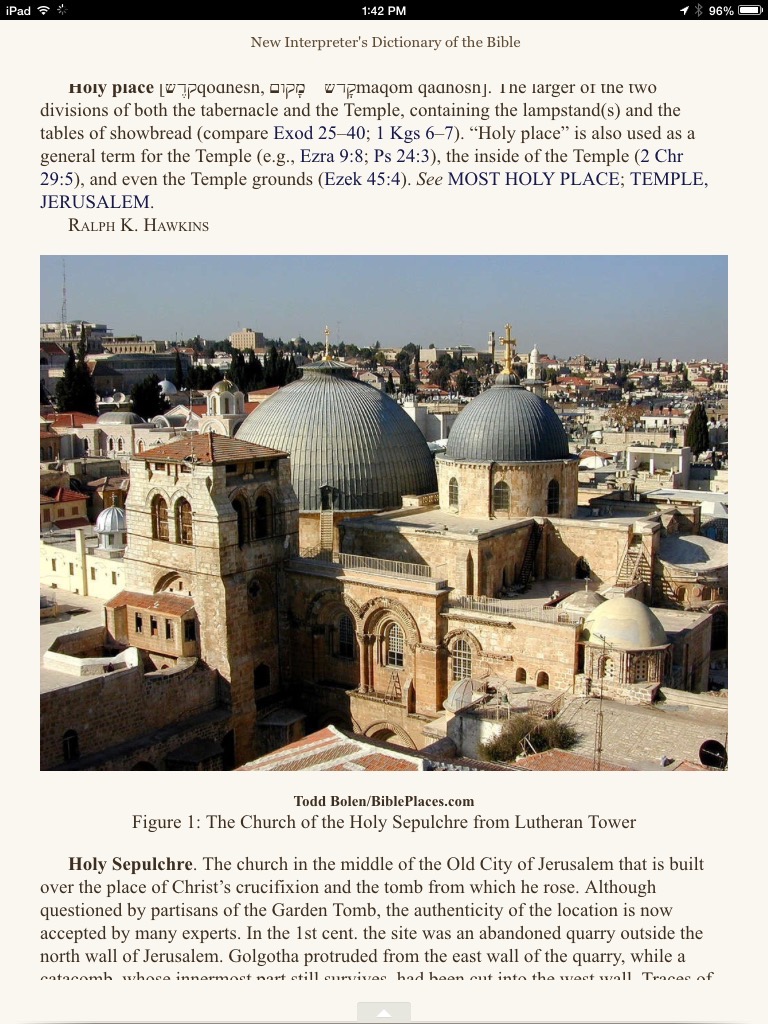
The full-color photos are zoomable. The NIDB contains full-color photographs that help visualize various entries. You can select the photograph and pinch-zoom for more detail.
 

NIDB iPad


I’ve noted this before–there is a great deal of customizable “Gestures/Shortcuts” preferences in the “Advanced Settings” menu. Olive Tree is the most versatile Bible study app in this sense. For example:

  • Two-finger swipe left and right takes you through your history within the app. I can swipe between NIDB, and the last NIV Old Testament passage I was reading, and a commentary, and…. No need to go through menus.
  • Two-finger tap gets you from any screen to your library; right away you can get at your other resources.


Concluding Assessment and How to Buy


One of my favorite features of Olive Tree’s apps is that you can view two resources at once that aren’t tied together by Bible verse. It’s like having split windows on an iPad. So you can have the NIDB open in the top half of your screen, and a Bible text or other resource open in the bottom half–even to unrelated topics if you want.

The New Interpreter’s Dictionary of the Bible is about as good a Bible dictionary as you’ll find. If you can use it to complement the Anchor Bible Dictionary (also available in OT), you’d be very well set with Bible dictionaries.

Olive Tree has done a great job, especially with its iOS apps. As much as I loved my print copy of NIDB, I unloaded it not long ago since I can essentially carry it around with me now. And getting at its contents is even easier with the enhancements Olive Tree provides.


Thanks to Olive Tree for the NIDB for the purposes of this review, offered without any expectations as to the content of the review. You can find the product here, where it is currently on sale for $99.99.

15% Off All Logos 6 Base Packages

Logos 6 is Here


Now you can get 15% off any base package in Logos 6 through Words on the Word. If you order a base package through this Logos landing page, Logos feeds a percentage back to me, which I’d use for resources supporting the work of Words on the Word. (Current project I’m excited about: Greek Psalms in a Year.)

Check it out here, or just use the promo code ABRAMKJ6 when you checkout with a base package in your Logos cart. My review of Logos 6 is here.

Get Logos 6? Making (Some) Sense of the Upgrade Process

Logos 6 Gold


Logos 6 looks good and offers some innovative, interactive tools for Bible study.

There are a lot of upgrade options. The upgrade process has not been as clear as it could be. But I think I’ve figured it out–and I was a beta tester! So if it hasn’t been clear to me, my hunch is that’s true for others, too.

In case it’s helpful to anyone else, here’s a short post on how to get Logos 6.


1. Free, Bare Bones, Later


On February 3, 2015, Faithlife (umbrella company for Logos) will make its Logos 6 engine free. It won’t have the datasets (mentioned below), nor the Interactives (see here), but I believe it will have basic improvements like the Search Everything and notes upgrades.


2. Crossgrade: Keep Your Current Library, Get Some (or All) of the New Features


Check out Logos 6’s new features here. I mentioned in my review of Logos 6 that the Interactives are, I think, the best part.

There are three crossgrade levels, and they’re pricier than you’d expect. They’re all noted and compared here. Crossgrades don’t give you new books, but they get you the Logos 6 engine (i.e., software), as well as its new features, interactive resources, media, and datasets. (I’m especially impressed at the moment by the Propositional Flow Outline.) As one of Logos’s pages puts it: “The crossgrade packages allow you to power your existing library with the new Logos 6 features.”


3. Base Package: Buy a Bigger Library, Get Some (or All) of the New Features


This is where it gets confusing. You can buy a Base Package–and previous purchases count toward your customized dynamic pricing–that gives you new texts, books, etc. and that gives you some or all (depending on the Base Package level) of the datasets, media, and interactive resources.

So if you bought Logos 5 Gold, Logos 6 Gold will cost you money, but not nearly as much as if you’re buying for the first time. Logos 6 Gold supplies you with all the new datasets and features, as well as some new books and commentaries.

For Base Packages you can choose from Starter, Bronze, Silver, Gold, all the way up through the Collector’s Edition. If you buy Bronze, for example, you get new books and some of the new datasets and interactive resources in Logos 6, but not all.

Making your decision more potentially difficult is that Logos offers denomination-based base packages at various levels.

All the Base Packages are detailed here. Especially useful is this interactive Base Package comparison chart.

UPDATE: Get 15% off base packages here, or use the promo code ABRAMKJ6 when you checkout with a base package in your Logos cart.


Logos 5 had what was acknowledged by the company to be an unclear rollout and upgrade process. The Logos 6 rollout has been better, but still could have been clearer (and should be simpler, perhaps with less options?).

The best single, succinct summary Logos has published on upgrading can be found here.

See more at the home page for Logos 6.

First Look at Logos 6: New Features and Screenshots

Logos 6 is Here


Logos 6 launches today.


The Best of What’s New in Logos 6


Logos 6 sports a number of new features. Here are my favorite ones so far. Click on any image or open in a new tab to see it larger.


1. Interactives


L6 Psalms Form and Structure


This is the most impressive part of Logos 6, in my view.

I would have loved to have the interactive “Psalms Form and Structure” when preaching through the Psalms this past summer. You can click on any of the Psalm bubbles above to get a structural outline and more information. As you can see in the left sidebar, you can sort the Psalms visually by genre (really helpful), attribution (author), and more. Out of all the Interactives, this one is my favorite: visually appealing and really practical. There’s also an Interactive for the Proverbs.

Searching your Logos library for “type:Interactive” pulls up all the Interactive resources in Logos 6. Here are a few more worth highlighting:

  • Bible Outline Browser: for any given Bible passage, it shows you any Bible text outlines in your library, so you can compare various ways of dividing the text.
  • Morphology Charts: if you’re looking at a Hebrew or Greek Bible text, you can click to see all the biblical uses of a given lemma in its various forms, and with frequency. A great feature for language learning.
  • Text Converter: it takes any Greek or Hebrew you put in and automatically translates it for you. As much as I try to use Greek and Hebrew, I’m still not very good at writing or reading them in their transliterated forms. This is a really handy resource. P.S. Handy tip of the day: You can already transliterate online, via Logos, free.
  • Hebrew Cantillation Structural Diagrams (!): uses the cantillation marks in the Hebrew Bible “as a clue to the structure” to turn the passage into a “hierarchical flow diagram.”

Here’s Logos’s video of the Psalms Form and Structure:


2. Factbook


It’s not the CIA, and it’s not Facebook, although it does sort of function like an amalgamation of the two (in a good way).

Factbook looks and feels like one of the Guides (Exegetical or Passage) Logos has, and updates what in Logos 5 was called Bible Facts.

Basically any noun (people, places, things, Bible books, events, etc.) pulls up a corresponding Factbook panel. If I’m researching Isaac, for example, typing “Isaac” into Factbook will pull up multiple collapsible hyperlinked sections where I can learn more about him: events in which he’s involved, resources in my library in which he appears (that I can click on for more), even a nifty “Referred to as” sub-section, so I can find all his mentions as “my son,” which is important for understanding Genesis 22, for example.


L6 Isaac Factbook


3. Search Everything


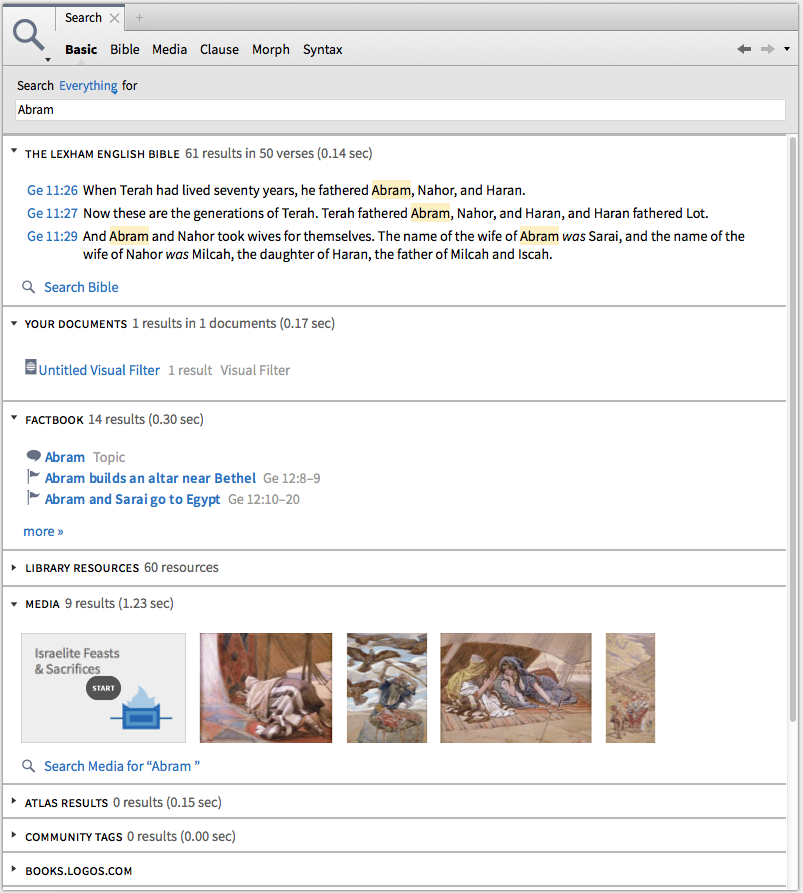
You can search across Bibles and commentaries and resources. Here are hit results, all of which are hyperlinked and can be explored for more, when I search everything for Abram:


L6 Search Everything Abram


The new Inline Search feature (watch it in action here) is pretty cool, too.


4. Ancient Literature / Cultural Concepts


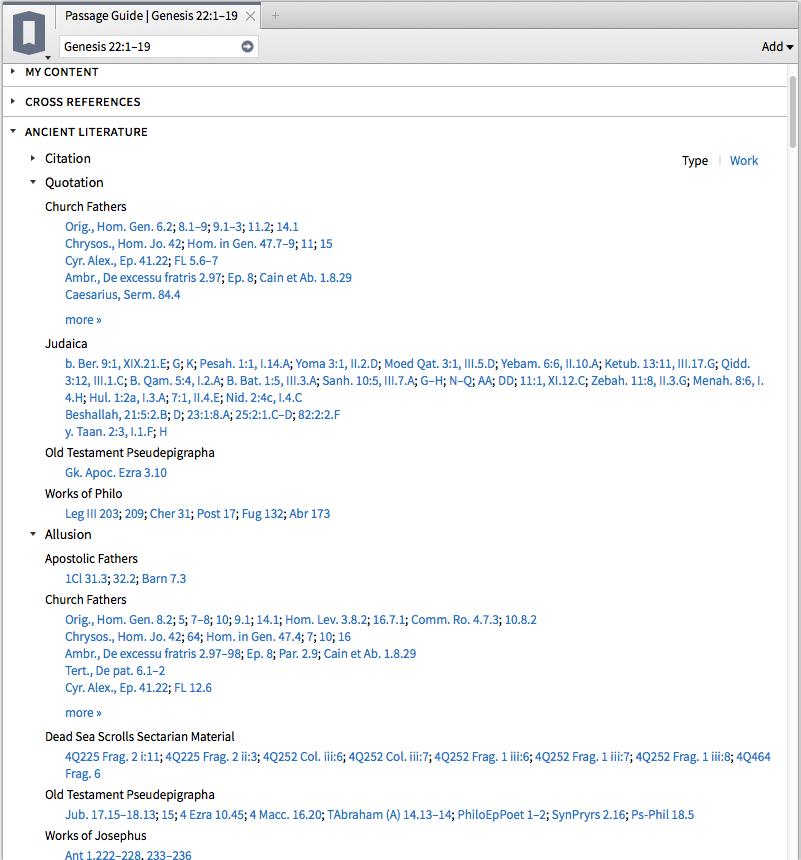
These are two new sections that can be accessed in the Guides (Passage Guide, Exegetical Guide, and Sermon Starter Guide is how I’ve gotten them). Have a look, and note that Ancient Literature is even sub-divided into Quotations, Allusions, and more:


L6 Ancient Literature


and:


L6 Cultural Concepts


Need for Speed


I run Logos 6 on an early 2008 iMac, but with a hard drive that’s been replaced in the last year. As a point of comparison, Accordance runs well on the same machine and returns search results quickly.

Logos’s lack of comparative speed on a Mac (even newer ones) improved between Logos 4 and 5. And you can see that the search times in the Search Everything query above are quite fast and impressive. However, it’s not uncommon even in Logos 6 for what I would consider a simple search to take 3 to 5 seconds (or more) to return results. The frequent Indexing and “Preparing Your Library” messages on startup are a pain that I really hope Logos pays attention to improving (or eliminating), especially for Mac users.

I do understand from the Logos forums that PC users and those with Solid State Drives see faster performance, but I would use Logos more often if it had consistently faster overall performance.


Interactives for Sermon Preparation


All that said, the Interactives alone (which are not sluggish) make Logos 6 worth the price of the upgrade. Sure, you can Google “Israelite Feasts and Sacrifices” and hope for the best. Or you can open the Interactive in Logos and see (and sort) this:


L6 Israelite Feasts


And this:


L6 Israelite Sacrifices


How to Get Logos 6


Check out Logos 6 here, and use the promo code ABRAMKJ6 when you checkout with for 15% off base packages.

Or you can click the banner below:


Logos 6


UPDATE: More on how to upgrade here.


Thanks to Logos for the chance to use Logos 6 as a beta tester.

Review of Morris Proctor’s Logos 5 Training Manual Set

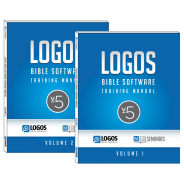
Logos 5 Training ManualAs often as I use Logos Bible Software for personal study, preaching, and teaching preparation, I’ve found the easily digestible guides by Morris Proctor to speed up my learning process in ways that even regular weekly use can’t. When Logos 5 first released, I read and reviewed Proctor’s “What’s New?” guide. And in my review of Logos 5 Gold, I found that guide and his two-volume Logos Bible Software Training Manual to be immensely helpful, especially in explaining the newly released (at that time) Bible Sense Lexicon.

That two-volume set is now on sale for 50% off. The product page describes it:


  • Volume 1 covers the necessary features you need to know to jumpstart your mastery of this incredible Bible study tool. Includes 33 chapters and 220 pages.
  • Volume 2 picks up where Volume 1 leaves off. The additional sections (242 pages) continue to help you unleash the power of Logos Bible Software 5.


It’s kind of ironic that the best one-stop shop of a training manual for Logos in 2014 would be a print edition (which is not available in Logos itself), but I actually have appreciated having that format. (And it’s cheaper and easier to get to than seminars, though I’m sure those are useful, too.) Having the manual in print makes it easier to keep focused on the software as I’m trying out the things the guide suggests.

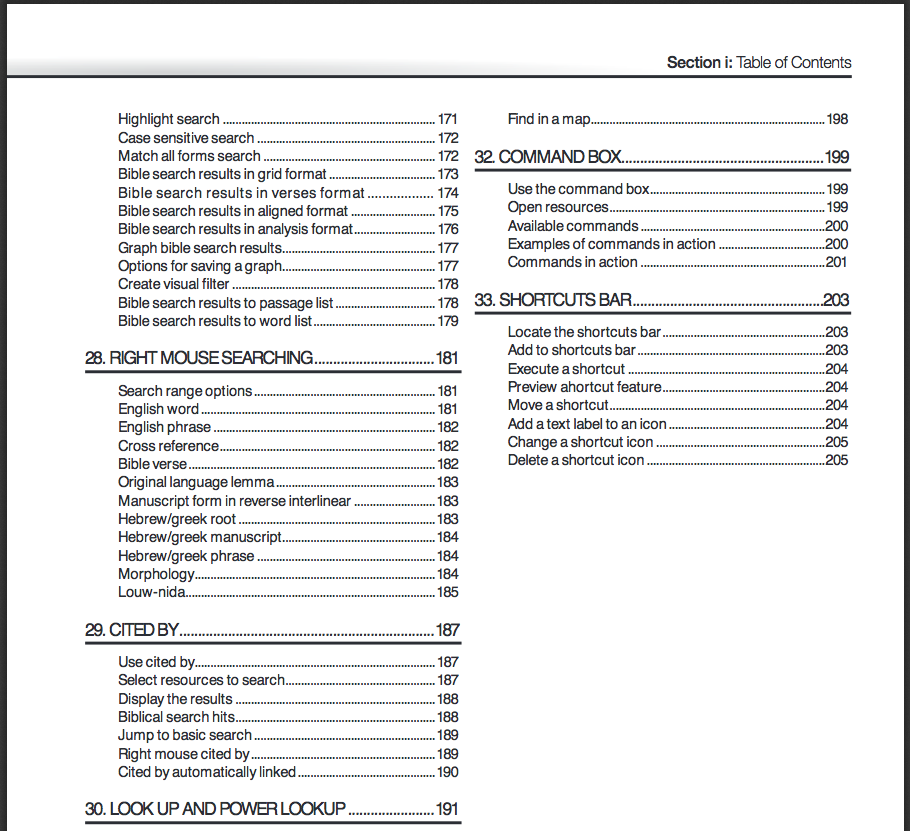
Just to give you an idea of the level of detail, here’s a snapshot of the Table of Contents for volume 1:


MP Seminars TOC 1


I felt at times when using the manual that the author was selling the product to the reader (“And there’s even more,” he notes on “Bible Searching,” and, “Those days are long gone,” he says about parallel printed editions of Bibles). I just chalked this up to his enthusiasm for the software, which is, indeed, an asset. (Though I still use plenty of books in print.)

Proctor’s explanations are clear, simple, and accompanied by screenshots that are well-labeled and easy to follow. The guides offer excellent attention to detail, including the suggestion of keystroke shortcuts to perform different tasks. Follow this link to see some of Proctor’s blog posts at Logos, which are similar in content and style to what’s in the manual. Having a spiral-bound binding is nice, too, because it means the books lay flat when set next to the computer you’re using.

You can check out a multi-page sample of the manual here, and find the product at MP Seminars’ site. Definitely recommended if you want to learn Logos 5.


Thanks to MP Seminars for sending me the two-volume Logos Bible Software Training Manual to review. See also my review of MP Seminars’ “What’s New” guide to Logos 5.

One-Day Olive Tree Sale: Dietrich Bonhoeffer Works (16 Volumes) for $99

Bonhoeffer in Olive Tree


Today (Wednesday), Dietrich Bonhoeffer Works, English Edition (DBWE, 16 volumes) are $99 in Olive Tree Bible software. I have not seen DBWE in Olive Tree, but have reviewed the app here.

Their iOS and desktop apps are free, so if you like Bonhoeffer and have the cash, this is probably the best price for his complete works in English that one will ever find. (It does not include the just released Volume 17.)

Getting Pre-Pub Books in Logos Bible Software

Especially since Eerdmans has a large number of resources in production right now at Logos Bible Software, I’ve started paying more attention to Logos’s Pre-Publication program.

Logos puts titles into “Pre-Pub” to help gauge user interest in various resources. When users pre-order a resource, that helps to cover the cost of production. If/when enough users pre-order, the title goes into development and the user gets it at the discounted pre-pub price when it “ships” (i.e., when it is completed).

Here is a short description from Logos’s Pre-Pub About page:

Prices start low and increase over time so the sooner you pre-order, the less you pay. We don’t charge you until your pre-order is ready, and we’ll send you a reminder email a few weeks before. If you decide you don’t want the resource anymore, you can cancel your pre-order at any time.

Here is a compilation of the newest Pre-Pub titles. (This one from Oxford University Press is pricey but looks good; here is When God Spoke Greek, which had enough pre-pub orders that it’s already under development and will probably ship within a month.)

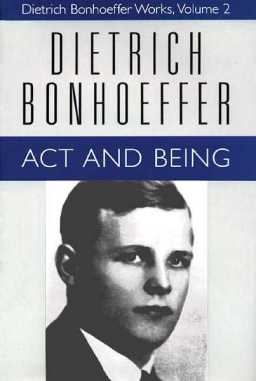
Here is the Pre-Pub list sorted by Progress or “ship date,” so you can see which ones are almost ready to go–with the pre-order discount still applying, at least for now. There’s a bunch of Eerdmans stuff that will go out on August 6, including this collection that looks especially useful to pastors, including the book that is pictured above.

Here’s a short overview video of how Pre-Pub in Logos works:

Zondervan Theology Collection (Logos Software) Giveaway

Logos Zondervan TheologyWant to enter for a chance to get some free theology books? These ones won’t even take up shelf space. I’m joining with a few other bloggers and Logos Bible Software for a giveaway of Logos’s Zondervan Theology Collection.

What’s Up for Grabs

The collection can be found here. It includes these books:

How to Enter the Giveaway

Logos will choose the winner at random on August 1, with the collection sent to that person’s Logos account. If you don’t have a Logos account, you can register for free here. An iOS app for Logos (and other mobile apps can be found here, also free.

To enter, log in below using either your email address or Facebook account, and the Punchtab widget walks you through the rest. You can choose which methods of entry to use. Each prompted action is its own entry.

Logos has this disclaimer: By entering this giveaway you consent to being signed up to Logos’ “Product Reviews” email list.  (This just means you’d get emails with Logos-related content written by bloggers such as yours truly.)

UPDATE: WordPress doesn’t want to show the Punchtab widget for some reason. For now you can enter here.

Running Multiple Searches at Once in Accordance’s IVP Dictionaries

Here’s another quick tip for Accordance users. This one has been there a long time, but I just noticed:

My most regular use of General Tools in Accordance (Bible dictionaries, books, etc.) is to search them for each week’s passage that I’m preaching on. For example, I’ll search the IVP Dictionary of Jesus and the Gospels first by Scripture reference and then by English content and/or section heading. (The tool may have information relevant to me that is best found with one or the other search.)

I already was aware that you could add a second search field for an “AND” search, but I just realized yesterday that you can also select “OR” (from a drop-down menu) before you select your second search field and term:

Accordance OR Search

So now in one search setup (which I can save for next time), I can have this Accordance tool return hits for every time it mentions either Matthew 28 by reference or the Great Commission in the English content… and even throw in another “or” of “Discipleship” in the Entry field (dictionary section titles).

The search above, by the way, yields 199 hits… which continues to make IVP’s Dictionary of Jesus and the Gospels a good preaching companion.