

Recently I’ve been carrying around more than 10,000 pages of commentary everywhere I go.
Recently I’ve been carrying around more than 10,000 pages of commentary everywhere I go.

This past week and next week in Greek Isaiah in a Year cover Isaiah 52:1-Isaiah 55:6.
Below is the text from R.R. Ottley’s Book of Isaiah According to the Septuagint. Ottley is also here in Logos (reviewed here) and here as a free, downloadable pdf in the public domain. The full reading plan for our group is here (pdf).
See here for more resources and links to texts for Greek Isaiah.
Continue reading “Greek Isaiah in a Year, Weeks 43 and 44 (Isaiah 52:1-Isaiah 55:6)”
Yesterday we started fall Sunday School. For the first six weeks I am teaching/leading the adult class. We’ll spend those six weeks with Foster and Smith’s Devotional Classics book. Here are the writers for each session:
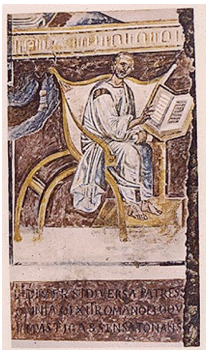
The first class covered Augustine and his Confessions. They key quote (which also serves as an (if not the) overriding theme of the book) is the best-known one, which comes from Book I, chapter 1, first paragraph:
Can any praise be worthy of the Lord’s majesty? How magnificent his strength! How inscrutable his wisdom! Man is one of your creatures, Lord, and his instinct is to praise you. He bears about him the mark of death, the sign of his own sin, to remind him that you thwart the proud. But still, since he is a part of your creation, he wishes to praise you. The thought of you stirs him so deeply that he cannot be content unless he praises you, because you made us for yourself and our hearts find no peace until they rest in you.
That’s Pine-Coffin’s translation (with the now outdated generic “he” and “man”). Italics represent Scripture quotations.
Each week we’ll do a short bio of the writer, some reading, some discussion, and some prayer.
Here are the slides I used yesterday on Augustine, along with my teaching notes.
This week I’ve been reviewing the “LSJ” Greek-English Lexicon for Logos Bible Software. How does LSJ compare to other Greek lexicons, especially the oft-used BDAG? Continue reading “LSJ vs. BDAG (LSJ in Logos, reviewed: part 3)”
This week and next week in Greek Isaiah in a Year will cover Isaiah 49:12-Isaiah 51. Here are the readings for each day: Continue reading “Greek Isaiah in a Year, Weeks 41 and 42 (Isaiah 49:12-Isaiah 51)”
The massive LSJ Greek-English Lexicon for Logos (9th ed. with revised supplement) is an invaluable resource for Greek lexicography, covering the classical and New Testament eras. I wrote more about the lexicon in Logos here. How does it look and work on an iPad?
Continue reading “LSJ Greek–English Lexicon in Logos (for iPad), reviewed (part 2)”
As much as I still look back nostalgically on my early days of Greek and Hebrew reading–where I used only a paper lexicon to look up words I didn’t know–I don’t miss how time-consuming it was. I’m able to do more reading now, not just because of (hopefully!) increased language proficiency, but also because of computerized versions of the same lexicons.
The Liddell and Scott Greek–English Lexicon (LSJ) covers Greek of the classical variety (Homer, Plato, Aristotle, etc.) and of the Septuagint, New Testament, and early church variety. I’ve had the pleasure recently of accessing LSJ via Logos Bible Software.
And, to be clear, what Logos has is Continue reading “Liddell and Scott Greek–English Lexicon (LSJ) in Logos, reviewed (part 1)”

Something I immediately appreciated about the Baker Exegetical Commentary set is its clear statement of purpose in the Series Preface, found in each of the 15 volumes published so far:
The chief concern of the Baker Exegetical Commentary on the New Testament (BECNT) is to provide, within the framework of informed evangelical thought, commentaries that blend scholarly depth with readability, exegetical detail with sensitivity to the whole, and attention to critical problems with theological awareness. We hope thereby to attract the interest of a fairly wide audience, from the scholar who is looking for a thoughtful and independent examination of the text to the motivated lay Christian who craves a solid but accessible exposition.
This is an ambitious set of aims for a single commentary, but Continue reading “Baker Exegetical Commentary on the New Testament in Logos Bible, reviewed (part 1)”
The headline is not in error. BibleWorks does not make an app for iPad, still, but Parallels has just released an app called Parallels Access that allows you to use an iPad to access any computer–PC or Mac, desktop and laptop alike. They write:
Parallels Access ‘applifies’ your Windows and Mac applications, letting you remotely access and experience them as if they were made for iPad. Tap, swipe, pinch and scroll any Mac or PC software application – even if they were not optimized for the iPad – and get more done on-the-go!
More about the Parallels Access app is here. It’s free in the App Store, and you get a two-week free trial. After that it’s a fairy expensive (as apps go) subscription rate of $80/year. I hope to offer further insights about the app in the future on this blog, but for now, I’m pretty impressed that you can use your desktop and laptop programs as if they were (more or less) native to the iPad.
And more to the interests of this particular blog, here is what BibleWorks (using Mac Public Preview) on iPad (!) looks like, via Parallels Access (click to enlarge):

Here are the sentence diagrams. Click to enlarge, and notice how crisp everything looks. (This is on an iPad mini.)
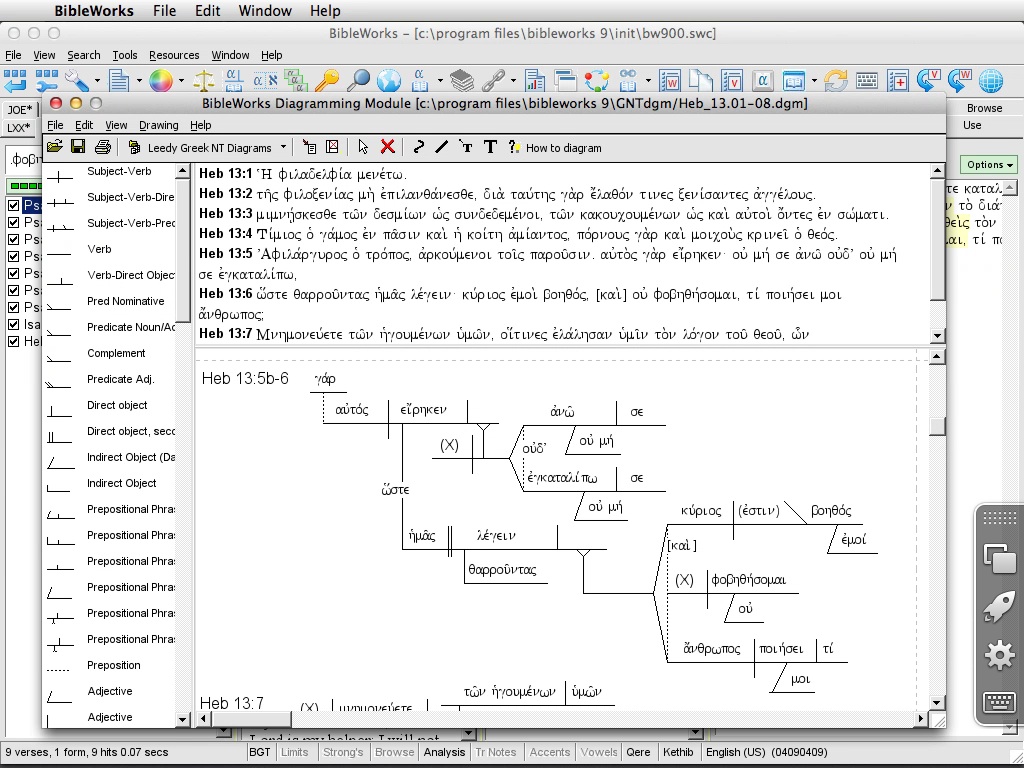
Most remarkable to me is that the Use Tab feature works–in the desktop/laptop version of the program, this works by hovering over a word. In the Parallels Access version of BibleWorks, a single click on a word in the Browse Window activates the feature.
Astounding. As my friend and long-time college roommate would say: We’re in the future.
Which Bible software program should I buy? My answer to that question continues to be the most-visited post at Words on the Word. In it I offer a comparative review of BibleWorks (9), Logos (4 and 5), and Accordance (10).
A fourth popular Bible study software is by Olive Tree. Their “Bible Study App” works in the following platforms:
iPad
iPhone
Mac on Lion
Windows 8
Windows Desktop
Android
I’ve installed the app on a Mac and an iPad, and have received the NA28 Greek New Testament to review. In a short series of posts, I’ll report on the Bible Study App, and how it allows users to interact with the NA28 text and critical apparatus. Here I review the Mac version, using a MacBook laptop.
My opening screen, when I open the NA28 from my Library, looks like this (click to enlarge):
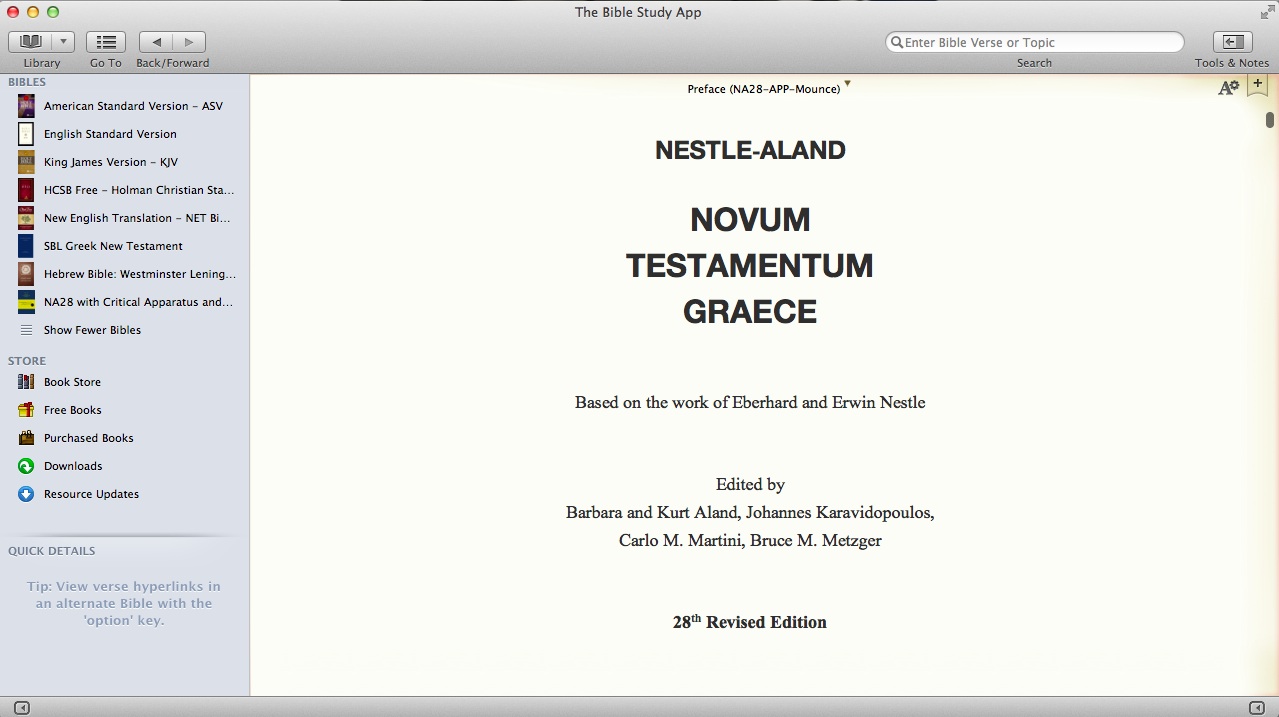
The interface of the left sidebar resembles that of the Mac Finder windows. In addition the sidebar affords immediate (in-app) access to the Olive Tree store. Once you click on “Book Store,” you see a screen that slightly resembles the iTunes store:

You can hide the sidebar and hide or customize the toolbar on top.
By clicking on the “Tools & Notes” icon on the top right (from the first screen shot above), I can open a second window (Olive Tree calls this “the split window”):

I have several options at the top of the split window: Resource Guide, Notes, etc.
With the NA28 open, I quickly found four ways to navigate to a given verse–each of the three shown below, as well as a right-click option to select a verse.

For the NA28 with apparatus, I open the text in the left window and the apparatus in the right. Clicking on a word or hovering over it will show its morphological information (i.e., parsing and gloss) either through a pop-up menu (when clicking) or through the “Quick Details” at bottom left in the shot below (when hovering):

Getting right to work within the program (with just the occasional reference to help files and a quick start guide) was easy enough. I didn’t find getting the two windows side-by-side to be as quickly intuitive as I would have liked, but I don’t know yet whether that’s a weakness in the program or just my newness to it. The interface is clean and visually appealing. I’ve already been impressed with all that’s available in the Olive Tree store.
More to come. In the meantime, Olive Tree has a blog post of their own on using the NA28 here.
Thanks to Olive Tree for the NA28 with Critical Apparatus, Mounce Parsings, and Concise Dictionary for the purposes of this blog review. You can find that product here.


 Words on the Word