 I recently read somewhere in the Accordance Forums that an early Accordance user from the 1990s said the product should come with a warning that it may cause sleepless nights! As I’ve reviewed Accordance 10 (as a long-time Mac user but new Accordance user), I’ve already seen the wisdom in that suggestion. It’s hard to put down. Accordance is actually a really fun program to use: sleek, pleasing, productive, and really easy to customize as I’ve gotten the hang of how to move things around.
The four parts of my Accordance 10 review so far are here, here, here, and here. Specifically I’ve been reviewing the Original Languages Collection. UPDATE: final part, part 6 of my review, is here: “More Bells and Whistles.”
Now that I’m getting more comfortable with the program, I want to post about some bells and whistles in Accordance 10. These are features that really make the program stand out.
1. Instant Details: more than I thought
That Accordance has instant parsing details is great, but to be expected of any Bible software program.

But here are two cool bells and whistles about the Instant Details.
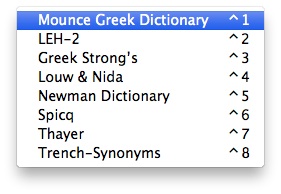
Instant Details already parse whatever word you hover over. But this same area can also be used to just as quickly give you information from a given tool that is tied to a biblical text. If you hold down ⌘ (the command key) while you hover over a word, the Instant Details will give you the information from the first tool related to the text. So you can see your top lexicon’s entry for that word, for example. Or if you hover over a verse number and press ⌘, you get the information from the first reference tool you have. For example, hovering over a verse reference and pressing the command key gives me this in my Instant Details (click on image for larger):

One other sweet feature about the Instant Details is that you can arrange the order of how parsing elements occur. This accounts for those who will come to Accordance having learned under any number of different grammars and systems. You can drag and drop elements to put them in the order you desire:

A nice touch.
2. Interlinears: however you want them
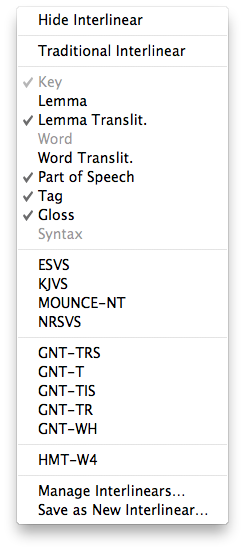 Having been trained at a seminary that prizes original languages, I am a little biased against interlinears for those who are really seeking to learn the language. (I find the “burn your interlinear” mantra I’ve heard from some quarters a little excessive, though.) Realistically, however, some exposure to biblical languages is better than none, and there are surely users who will want to make use of an interlinear. Greek and Hebrew texts come with interlinear English translation and word parsing as the default, but you can easily turn it off and back on again as needed. See the options at left, where you can set up exactly what you want to show in your interlinear. Here’s what the interlinear feature looks like with the options at left checked (click for larger):

3. It is so, so fast
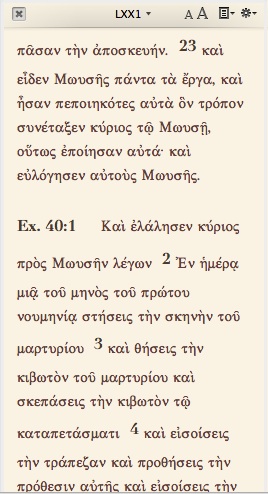
When I first started using Accordance, I’d open it and then go to Safari or some other program to wait for it to load. But what I quickly realized is that I didn’t actually have to. This thing is up and running fast. I had Accordance set up so that four different workspaces would come up upon opening the program (NT, Hebrew OT, LXX, and a “Search all” workspace I created). Everything was ready to go in 8 seconds. That’s a lot of workspaces to have open fast!
Then when I opened Accordance such that it only needed to load two workspaces, that time dwindled to 5 seconds. Don’t bother surfing the Internet while you wait for Accordance to load. It’s ready to work when you are. Searches on words are immediate, and the Instant Details give you the details, well… instantly.
Part 6 of my Accordance review will be my final review of the program itself. In that I’ll look at a few more bells and whistles: the Construct search and the context slider. After that I expect to be able to review an add-on module. Stay tuned!
I received a free copy of Accordance 10 for review. There were no expectations placed on me as to the nature of my review, whether positive or negative.












 Words on the Word