2015: Hundreds of Books, Thousands of Apps Reviewed!

I wasn’t going to post this, but then realized I’ve done this same sort of post every year since Words on the Word began–which was 2012! Blog years are like dog years, so I officially consider this blog really old.

It’s a little cheesy, but WordPress.com compiled a 2015 report for Words on the Word.


Click here to read it


Here are a few fun facts from the report:

  • April 9 of this year was the blog’s most-visited day ever (4,081 hits). This was the post
  • My longest streak was 12 days of blog posts in a row in mid-July
  • This post from 2012 (though a bit dated now in its specifics) is still the most popular one
  • I reviewed 382 books but have 2,153 still to review; I reviewed 823 apps but still have 6,321 more app reviews to write
  • The above bullet point is untrue
  • I asked, Is 2 Samuel 7 About Jesus? and quite the discussion ensued!

Click here to read the full report. A guaranteed cure for boredom and maybe even insomnia.

15% Off All Logos 6 Base Packages

Logos 6 Gold


I haven’t posted about this in a while, but you can get 15% off any base package in Logos 6 through Words on the Word. If you order a base package through this Logos landing page, Logos feeds a percentage back to me, which I use to support the work of Words on the Word. So if you’re going to buy a base package anyway…

…check it out here, or just use the promo code ABRAMKJ6 when you check out with a base package in your Logos cart. My review of Logos 6 is here.

Why I am a Pastor, in 10 Words


We hiked through the woods on a perfect fall day, our whole family and another family, whom we love spending time with.

My wife and I were talking about my potential as a small business owner. I told her how much I’d love being at the helm of a startup.

But what kind of startup to start?

I: What does the world need that it doesn’t have?

She: Jesus.

I: Exactly! That’s why I’m a pastor.

The startup can wait for me, at least for now.

Alternote: An Alternative to Evernote for Mac

Alternote App IconAlternote is an Evernote client–yes! an Evernote client does exist–for Mac. If you use Evernote and have any level of dissatisfaction, especially with its layout, you should consider Alternote. It may not be a fully suitable replacement for Evernote, though. I explain why in my review below.


The Basics


As with Evernote, Alternote gives you three panes: the sidebar, the Notes pane, and the editor window with Note content. You can hide the sidebar to have two panes, or go into distraction-free mode, where you simply view the note you’re writing in.

There are some nice font options, as well as the option to get into a visually pleasing Night Mode:


Alternote Layout


This makes Alternote a much more appealing app for writing on a Mac. If you use Evernote to organize substantial amounts of text (i.e., more than just Web links), you’ll appreciate the look and feel of Alternote.


Evaluation


You can successfully drag a file or image into a Note in Alternote. What does not work in Alternote is dragging a PDF, for example, into the app to make it its own Note. I hope a future update adds this feature, as I consider it to be somewhat basic Evernote functionality.

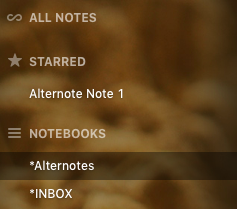
Starred NotesYou cannot create Notebook Shortcuts in the left sidebar–which is another big part of how I use Evernote. You can star certain Notes for easy access—and can just drag the Notes into the sidebar to do it–but not Notebooks.

This means Notebooks—especially the few you use most—are a little trickier to navigate in Alternote. You can scroll down the sidebar list, of course, or—what may be quicker—access them via a drop-down menu.

Alternote feels lighter than Evernote, for which I appreciate it, but it’s not necessarily faster or higher-performing. I had expected it would be. On the other hand, if you’re using the Basic Evernote level, you won’t get bombarded in Alternote with a steady stream of upgrade ads!

One nice touch in Alternote is that you can selectively sync your Evernote content.
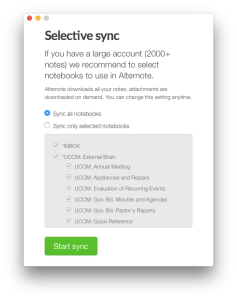
Alternote SyncThat said, automatic sync maxes out at every 15 minutes in Alternote, which will not be automatic *enough* for some. I was worried when I was writing this review (in Alternote!) and it crashed without having finished a sync. (Alternote is pretty good but still a little buggy on El Cap.) Fortunately my text was still there in Alternote, but I was eager to force a manual sync after that. I’d had some initial sync misses with my initial setup, which a revision had fixed, so hopefully Alternote will sort all this out soon. I haven’t lost any data, however, so you’re safe in using it, for the most part.

The greatest asset in Alternote is its more uncluttered interface, which makes it better than Evernote for just plain writing. If Alternote would improve its sync issues, overall speed, and add other bits of core Evernote functionality, it could easily become your go-to app for managing Evernote.

An Alternote iOS app is in the works and slated for Spring 2016. Get it in the Mac App Store here, and check out the Alternote site here. If you don’t have an Evernote account, I recommend it; learn more here.


Thanks to the people at Alternote for the app download for the purposes of review.

Blink: An App for “Better Affiliate Links”

File_002 

Words on the Word is barely monetized. I’ve said before that I write the blog for love of the game, i.e., because:

  • it’s a creative outlet for me
  • I enjoy writing
  • I want to help resource others with the best books, biblical commentaries, apps, workflows, music, toys, and so on… whether it be for their parenting, pastoring, or personal enjoyment of life
  • other reasons, probably

In the monetization department, I participate in a couple of affiliate programs, most recently the one through iTunes, where I receive a tiny commision from Apple on any apps or tunes you readers purchase through affiliate links. I think I’m up to $0.70 now!

It’s not impossible to just go and fetch an affiliate link through a Web browser, but John and Owen Voorhees of Squibner LLC have a first-rate app, Blink, that allows you to effortlessly make affiliate links. It works for the App Store (iOS), the Mac App Store (OS X), the iTunes Store (music, videos, etc.), and the iBooks store.

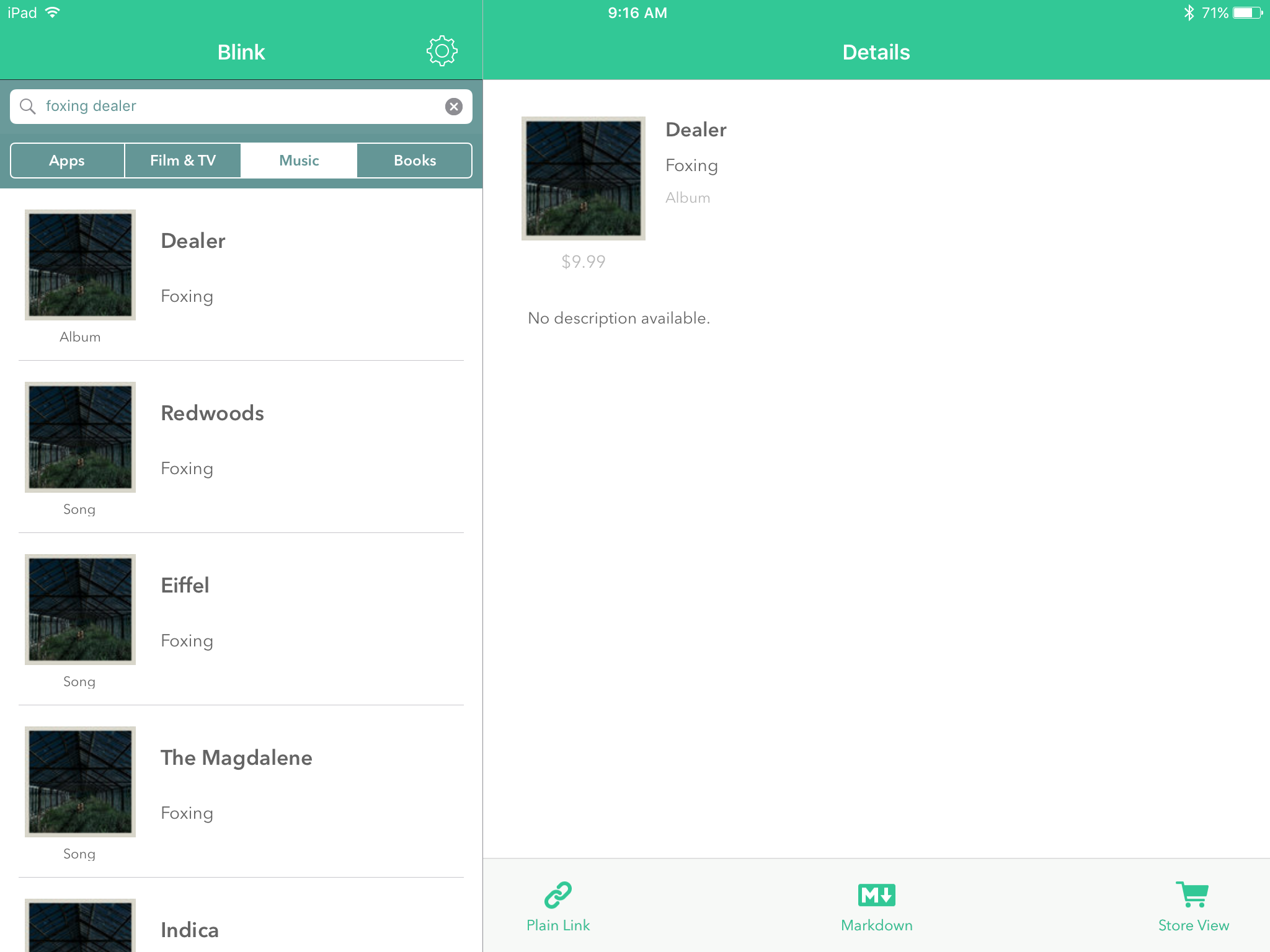
Here’s what it looks like:


File_003


I find that I mostly use the plain text links, and then copy them over to a writing app (I’m writing this blog post in 1Writer, and yes, that hyperlink was generated via Blink in about two seconds). But Markdown formats are also available.

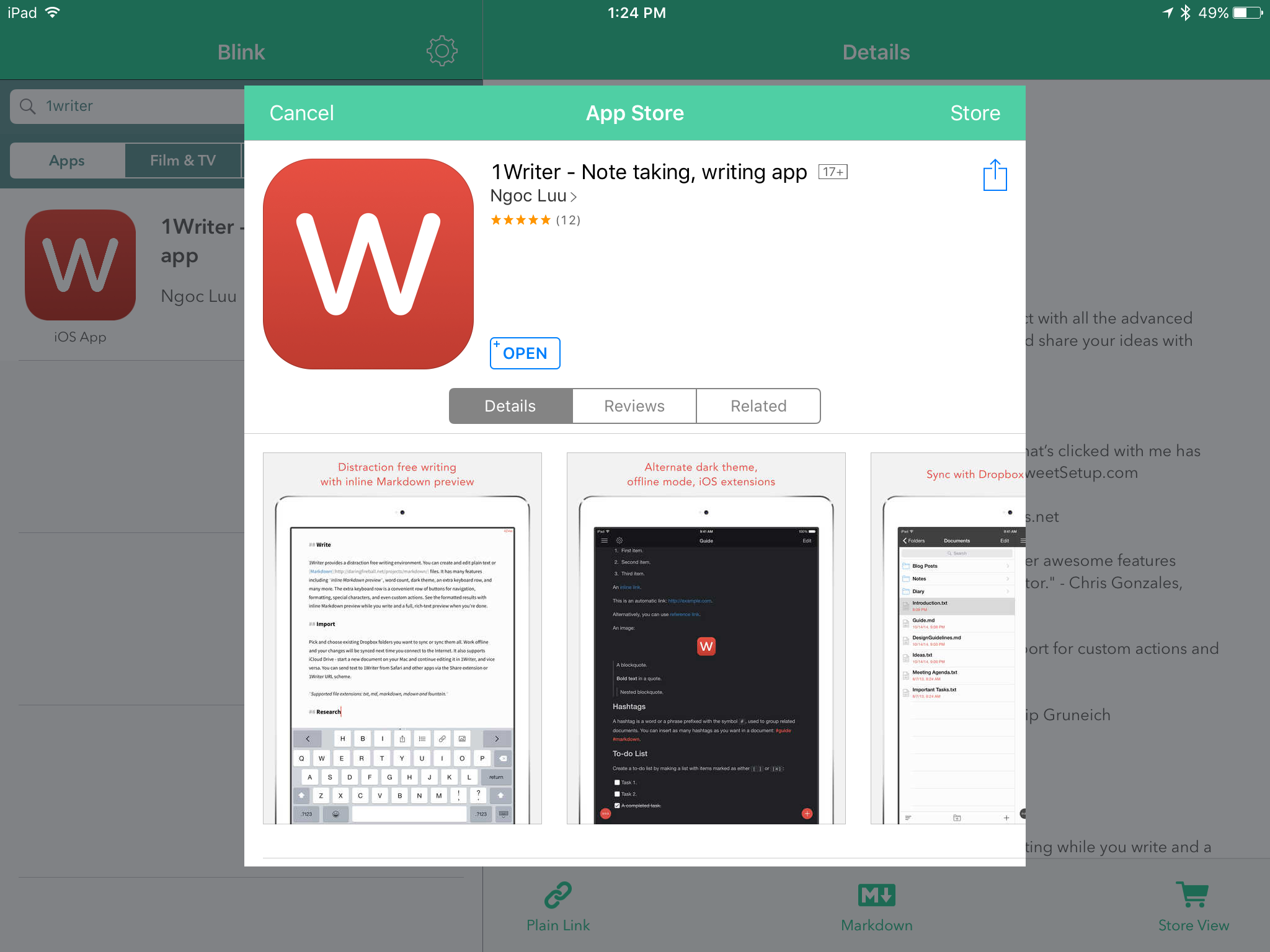
You can use Blink’s extension to a create a link with your affiliate ID from the App Store itself. In other words, you don’t have to go into Blink and look up the app you’re already viewing in the App Store:


File_004


They’ve just updated the app, too, to 2.0. Here are the highlights of what’s new:

• Blink now requires iOS 9
• iPad split screen multitasking on supported devices
• External keyboard shortcuts
• Multiple affiliate token support with nicknaming for easy management
• Ability to change geo linking and music settings from Blink’s extension
• Edit links within Blink’s extension
• For apps, view app type and price information within Blink and its extension
• Also view pricing information for music and books in Blink and its extension
• Podcast app support

I don’t use campaign tokens, but those who do will find it easy to manage specific campaign tokens via Blink. Also cool is the App Store view, which you can access from within Blink:


File_000


The attention to detail is evident in the app, as shown here, for example, when a music search differentiates between Song and Album before you have to click through:


File_001


You can use multiple affiliate IDs, if you need to.

My sole negative/constructive critique of this app is that I wish there were a way in-app to save searches and/or links you create. This is not insurmountalbe, though, since link generation is so fast.

Pay for Blink once, and you get it for both iPad and iPhone. You’ll probably earn back the $4.99 cost of the app in affiliate links anyway, which will now be quite hassle-free.

Five stars and two emoji thumbs up for this simple, focused, and perfectly executed app. Which, by the way, you can find here.


Thanks to the good folks at Squibner for the app download for the purposes of review.

Feb. 8: Happy International Septuagint Day!

International Septuagint Day


Happy International Septuagint Day! 

Read some Septuagint on Sunday, Februrary 8, if you can, in Greek or English. Here’s why I think you need the Septuagint. And here are some more “rarely cited reasons” why the LXX is important, given by James Aitken and noted on Jim West’s blog.

goettingen septuagintOne good monograph to read on the Septuagint is First Bible of the Church. And if you want to get in-depth with the critical edition of the LXX, I have offered reviews of the Göttingen Septuagint in Logos and Accordance softwares. And, perhaps as important, I suggest how one might actually make sense of that critical edition, noted here and here, with an ever-elusive third part of the primer still to come.

I have very recently reviewed the Genesis volume of the Göttingen Septuagint, found here.

Happy LXX Day!

(The above is a slightly modified re-post of my 2014 Happy LXX Day post.)

When Bible Software Marketing Crosses a Theological Line

Logos 6 is Here


Logos, I appreciate you. I use your products. I was impressed with Logos 6. I even recently signed on as an affiliate to receive commissions for Logos purchases generated through a unique Words on the Word-based url. You’ve been kind to offer me a lot of great stuff to review.

You invest a lot of time and effort (and, I assume, money) in marketing.

I ignore most of it.

But you recently emailed me a link to an awkwardly titled blog post: 6 Reasons That Shouldn’t Stop You from Getting Logos 6.

This post has gone too far in trying to convince people to override their objections to spend more:

2. I already have enough books.

Even if you think you’ll never read through everything in your library, adding more books will make it more powerful and increase the value of the books you already own.

In other words, “If you buy more books to search, you’ll have more books to search.”

Dear friends at Logos, do we not already succumb enough to an insufficiency mentality in the world? I don’t have enough. I need to have more. My Bible study and teaching prep is good, but if I just had that one more commentary series, life would be awesome!

I’m as guilty of this mentality as anyone (probably more so)–and I want to fight it. Bible software marketing copy that taps into the culturally-rooted materialism that Christians are supposed to stand against? Not okay.

One other “reason” gave me pause:

4. I can’t afford a new base package.

If a base package isn’t in your budget right now, you have a couple of options.

You can take advantage of interest-free payment plans and spread out the cost over up to 24 months. That means you only pay a fraction up front, pay for the rest over time, and start using your new software right away.

Let me help with the rewrite:

If a base package isn’t in your budget right now, you have one option: don’t buy one right now.

“Our mission is to serve the church,” you say. How does enabling and even encouraging churchgoers and pastors to take on new debt serve the church?

I think it’s time for some serious evaluation of the sort of marketing mantras that (however unintentionally) undermine Kingdom values of sufficiency and wise financial stewardship and promote instead the harmful values of incessant accumulation and overspending.

Saying, “What I have is enough,” and curbing credit-card-style overspending are actually two excellent reasons not to upgrade to Logos 6.


UPDATE: The “6 Reasons” email I received from Logos had no author’s name on it. I didn’t see an author’s name on the blog version of the post, either, until just before this post was about to go live. I direct my critique, though, to Logos as a whole, since the individual post is emblematic of Logos’s marketing approach in general.

2014 in Review

It’s been a great year! Thank you–wait… wrong platform.

It’s a little silly, but WordPress.com put together a 2014 report for Words on the Word.


Click here to read it


Here’s an excerpt from the report, which has fun data about page views, most-visited posts, top commenters, etc.:

The Louvre Museum has 8.5 million visitors per year. This blog was viewed about 98,000 times in 2014. If it were an exhibit at the Louvre Museum, it would take about 4 days for that many people to see it.

Click here to read the report, if you’re into that sort of thing.

15% Off All Logos 6 Base Packages

Logos 6 is Here


Now you can get 15% off any base package in Logos 6 through Words on the Word. If you order a base package through this Logos landing page, Logos feeds a percentage back to me, which I’d use for resources supporting the work of Words on the Word. (Current project I’m excited about: Greek Psalms in a Year.)

Check it out here, or just use the promo code ABRAMKJ6 when you checkout with a base package in your Logos cart. My review of Logos 6 is here.