Septuagint Studies Soirée #2

septuaginta

It’s the September Septuagint Studies Soirée! Come on in–you won’t have to stay long. It was a quiet month in the Septuagint blogosphere, at least as far as I could find. Everyone is back to school, it seems. But there are still some noteworthy posts.

Suzanne at BLT (Bible*Literature*Translation) wrote about “several curious matters in the vocabulary of Amos 6:1 in Hebrew, in Greek and in English.” It was an early September post, but that verse was included in the OT lectionary reading for today, incidentally.

James Dowden also posted about the vocabulary and translation of a single verse (or part of a verse): Lamentations 3:35a. This one compares Hebrew, Greek, English, and Welsh.

CBD says this beauty is in stock now

“Where is the center of gravity for LXX studies?” asked T. Michael Law. It’s a spot that may still be “for the taking,” in his analysis. TML also announced a new series on the history of interpretation of the Apocrypha, by Oxford University Press. He and David Lincicum are editing it together.

John Meade posted two parts of a response to Law’s When God Spoke GreekIn part the first he inquires as to just what kind of a book it is. Part the second focuses on the vexing question of canonization and seeks to “interact with a crucial part of chapter three [of Law’s book]: Was there a Bible before the Bible?” Meade promises future posts on the book.

A Septuagint symposium called “Looking Ahead for Dialogue. A Multiplicity of Approaches in Septuagint Studies” will be taking place in Belgium in October. (This via Jim Aitken on the FB, who will be presenting.)

Did I miss anything? Feel free to leave more September 2013 LXX links of interest in the comments. And in case you didn’t see it, the first Septuagint Studies Soirée is here.

LSJ Greek–English Lexicon in Logos (for iPad), reviewed (part 2)

The massive LSJ Greek-English Lexicon for Logos (9th ed. with revised supplement) is an invaluable resource for Greek lexicography, covering the classical and New Testament eras. I wrote more about the lexicon in Logos here. How does it look and work on an iPad?

Continue reading “LSJ Greek–English Lexicon in Logos (for iPad), reviewed (part 2)”

Liddell and Scott Greek–English Lexicon (LSJ) in Logos, reviewed (part 1)

LSJ coverAs much as I still look back nostalgically on my early days of Greek and Hebrew reading–where I used only a paper lexicon to look up words I didn’t know–I don’t miss how time-consuming it was. I’m able to do more reading now, not just because of (hopefully!) increased language proficiency, but also because of computerized versions of the same lexicons.

The Liddell and Scott Greek–English Lexicon (LSJ) covers Greek of the classical variety (Homer, Plato, Aristotle, etc.) and of the Septuagint, New Testament, and early church variety. I’ve had the pleasure recently of accessing LSJ via Logos Bible Software.

And, to be clear, what Logos has is Continue reading “Liddell and Scott Greek–English Lexicon (LSJ) in Logos, reviewed (part 1)”

Baker Exegetical Commentary on the New Testament in Logos Bible, reviewed (part 1)

BECNT Logos

Something I immediately appreciated about the Baker Exegetical Commentary set is its clear statement of purpose in the Series Preface, found in each of the 15 volumes published so far:

The chief concern of the Baker Exegetical Commentary on the New Testament (BECNT) is to provide, within the framework of informed evangelical thought, commentaries that blend scholarly depth with readability, exegetical detail with sensitivity to the whole, and attention to critical problems with theological awareness. We hope thereby to attract the interest of a fairly wide audience, from the scholar who is looking for a thoughtful and independent examination of the text to the motivated lay Christian who craves a solid but accessible exposition.

This is an ambitious set of aims for a single commentary, but Continue reading “Baker Exegetical Commentary on the New Testament in Logos Bible, reviewed (part 1)”

Septuagint Studies Soirée #1

septuaginta

As soon as I announced the first-ever Septuagint Studies Soirée (and here it is!), J.K. Gayle responded with “Breast God: women in the male literary imagination of Genesis 49.” Find his post here. In it he writes about how the Greek translators of Genesis 49 rendered God’s Hebrew title Shaddai… or, rather, didn’t:

Then I recall what the Septuagint translators did with Shaddai in Genesis 49. They were men, weren’t they? Yes, breasts are mentioned, and womb. These motherly wifely womanly female images are in the Hebraic Hellene. And absence, margin, lack is there.

James Dowden offered further lexical analysis (I loved the detail) with a response here. These two gents are fine thinkers. And they are, indeed, gents. Gayle makes a point to recognize this in his WOMBman’s Bible blog, with a post in which he asks whether the Septuagint itself might not be some sort of soirée. I always need to spend some time with Gayle to really plumb the depths of his insights, but it’s time well spent. A sampling:

In many fascinating ways, this act of translating into Hellene opens up the text. It opens the text up into the debates over how Greek males (such as Alexander’s teacher Aristotle) may control the Greek language for elite educated men of the Academy. The language control was to exclude not only women but also sophists, rhetoricians, ancient epic poets, more contemporary poets, colonists such as those in Soli who committed “solecisms” in writing, and BarBarians who spoke in foreign barbarisms.

Read more Gayle here.

Along similar lexical lines, Suzanne McCarthy (Gayle blogs with her at BLT) tackled “another pesky Hebrew gender question” via Hebrew, Latin, English, and, of course, Greek. McCarthy also wrote about Adam’s nose (rendered “face,” but should it be?) here.

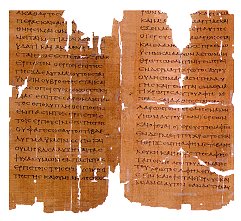
LXX Leviticus. Source: The Schøyen Collection

Jim West complained about Septuagint-o-mania (has he read the New Testament? has he read BLT blog???) but then posted a bunch of LXX-related links not long after (phew–he has read his NT, at least).

In two of the more substantive Septuagint posts this month, Nijay Gupta (who has impeccable taste in seminaries) wrote about the importance of the Septuagint (with an eye to pastors, among others). Part 1 is here. His Part 2 looks more closely at the Apocrypha. (“There is ample evidence to show that Jesus, Paul, James, and others certainly were acquainted with the Apocrypha and probably positively influenced by texts like Wisdom of Solomon and Sirach.”) His part 2 concludes with the promise of more to come.

Speaking of which, Jessica Parks was posting some great stuff on LXX Susanna earlier in the summer, so keep an eye out for anything LXX-related she may post in the future. She is now posting on Cataclysmic blog.

Brian LePort posted a good bit on the Septuagint in August (and before). He wrote about exegeting the Septuagint (with attention to its literary context) and even theologizing from it!

James McGrath looked to the Septuagint of Isaiah while reading Philippians 2.

This pre-dates August, but Blog of the Twelve posted a few LXX-related resources for consideration. And while we’re still dipping (but only briefly) back into July, Brian Davidson wrote about Matthew as a new Genesis.

Books

TML bookT. Michael Law’s When God Spoke Greek: The Septuagint and the Making of the Christian Bible went on tour. A multi-stop tour. Find all the posts gathered here at Near Emmaus. Oxford University Press, First Things, and Near Emmaus interviewed him.

Larry Hurtado mentioned that a book he co-edited with Paul L. Owen is now in (affordable) paperback. It’s called “Who Is This Son of Man?” The Latest Scholarship on a Puzzling Expression of the Historical Jesus, found here.

News

The International Organization for Septuagint and Cognate Studies held its International Congress in Munich in early August. Here are all the paper abstracts (pdf); here is the program (pdf).

Not-Blogs

These are not blogs proper, and not terribly active of late, but still worth checking out are this B-Greek forum (link malfunctioning at time of posting) and this Yahoo! group for LXX. The IOSCS (mentioned above) has a great page with some news and announcements here.

Feel free to leave more August 2013 LXX links of interest in the comments.

The NA28 Greek NT in Olive Tree’s Bible Study App: Initial Impressions, on a Mac

Which Bible software program should I buy? My answer to that question continues to be the most-visited post at Words on the Word. In it I offer a comparative review of BibleWorks (9), Logos (4 and 5), and Accordance (10).

A fourth popular Bible study software is by Olive Tree. Their “Bible Study App” works in the following platforms:

iPad
iPhone
Mac on Lion
Windows 8
Windows Desktop
Android

I’ve installed the app on a Mac and an iPad, and have received the NA28 Greek New Testament to review. In a short series of posts, I’ll report on the Bible Study App, and how it allows users to interact with the NA28 text and critical apparatus. Here I review the Mac version, using a MacBook laptop.

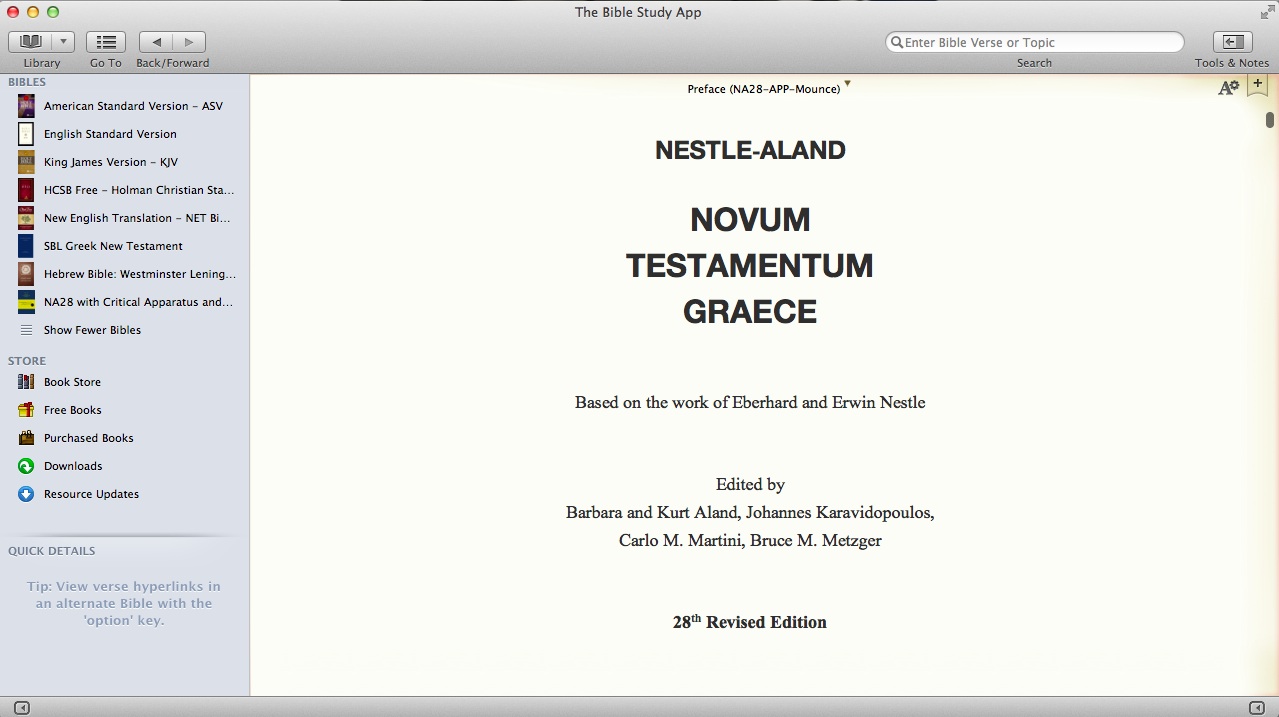
My opening screen, when I open the NA28 from my Library, looks like this (click to enlarge):

Opening Screen

The interface of the left sidebar resembles that of the Mac Finder windows. In addition the sidebar affords immediate (in-app) access to the Olive Tree store. Once you click on “Book Store,” you see a screen that slightly resembles the iTunes store:

Store

You can hide the sidebar and hide or customize the toolbar on top.

By clicking on the “Tools & Notes” icon on the top right (from the first screen shot above), I can open a second window (Olive Tree calls this “the split window”):

Split Window

I have several options at the top of the split window: Resource Guide, Notes, etc.

With the NA28 open, I quickly found four ways to navigate to a given verse–each of the three shown below, as well as a right-click option to select a verse.

Go To

For the NA28 with apparatus, I open the text in the left window and the apparatus in the right. Clicking on a word or hovering over it will show its morphological information (i.e., parsing and gloss) either through a pop-up menu (when clicking) or through the “Quick Details” at bottom left in the shot below (when hovering):

morphology info

Getting right to work within the program (with just the occasional reference to help files and a quick start guide) was easy enough. I didn’t find getting the two windows side-by-side to be as quickly intuitive as I would have liked, but I don’t know yet whether that’s a weakness in the program or just my newness to it. The interface is clean and visually appealing. I’ve already been impressed with all that’s available in the Olive Tree store.

More to come. In the meantime, Olive Tree has a blog post of their own on using the NA28 here.

Thanks to Olive Tree for the NA28 with Critical Apparatus, Mounce Parsings, and Concise Dictionary for the purposes of this blog review. You can find that product here

Basics of Biblical Greek vocabulary iPad app, reviewed

IMG_1048

Vocabulary cards have done wonders for my efforts to learn Greek and Hebrew. (And, really, anything else I put on a two-sided card.) Over the coming weeks and months, I’ll be reviewing a number of Greek and Hebrew vocabulary apps for iOS, with the iPad specifically in view. Today I review Zondervan’s Basics of Biblical Greek Vocabulary Cards app.

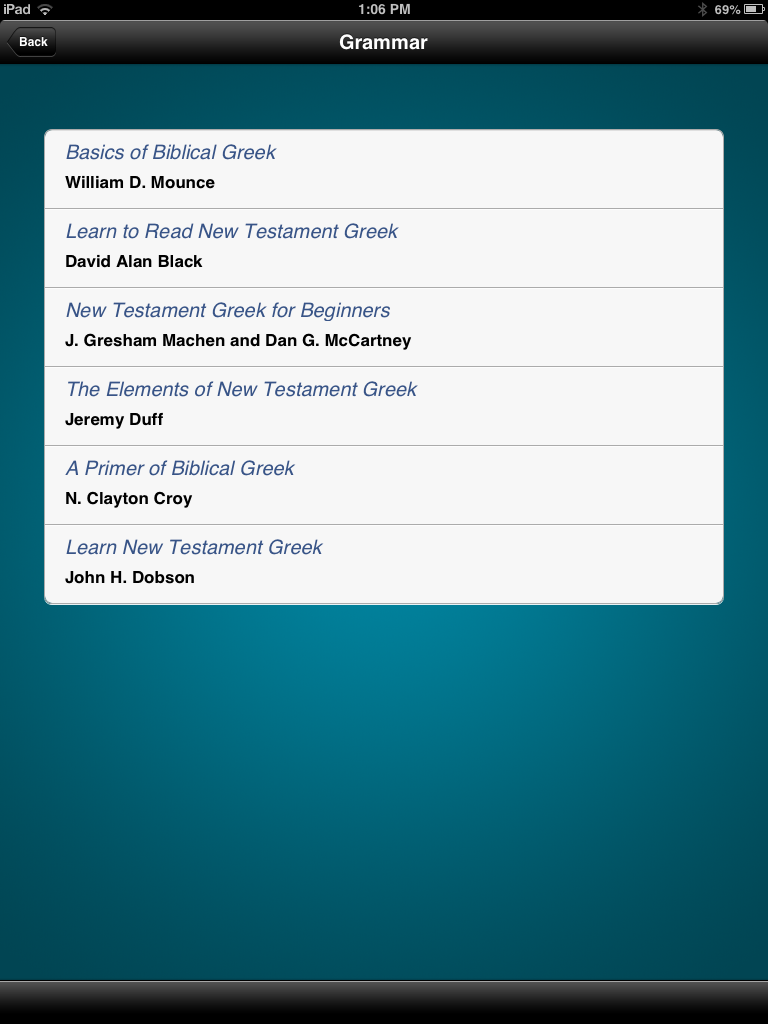
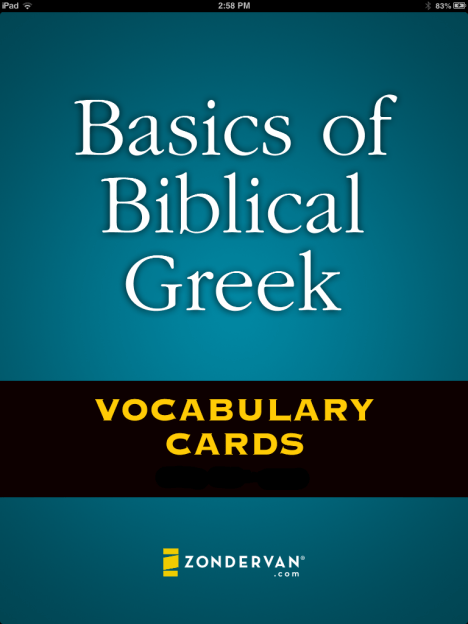
The above picture is the opening screen, following the branding and design of the popular textbook by William D. Mounce. Yet it is additionally keyed to five other popular beginning Greek grammars. This makes the app flexible to a number of students, so that they can be learning their exact vocabulary lists as presented by any of these textbooks. You can select the a book in the settings section:

IMG_0136

Words first appear on the screen like this:
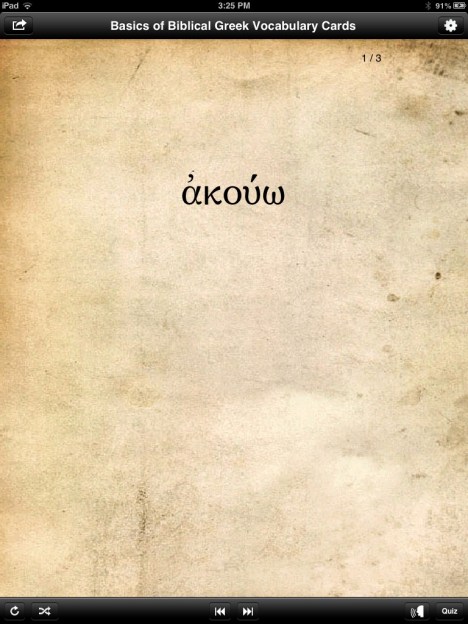
IMG_1050

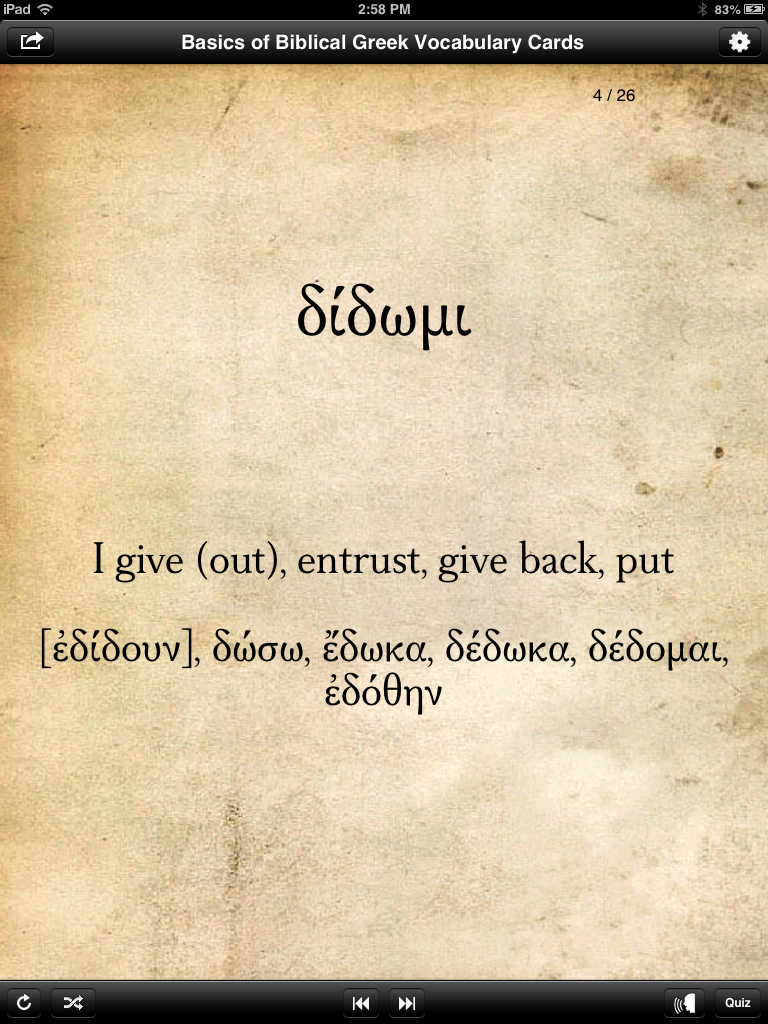
Then by tapping or swiping up or down, the English meaning is revealed:
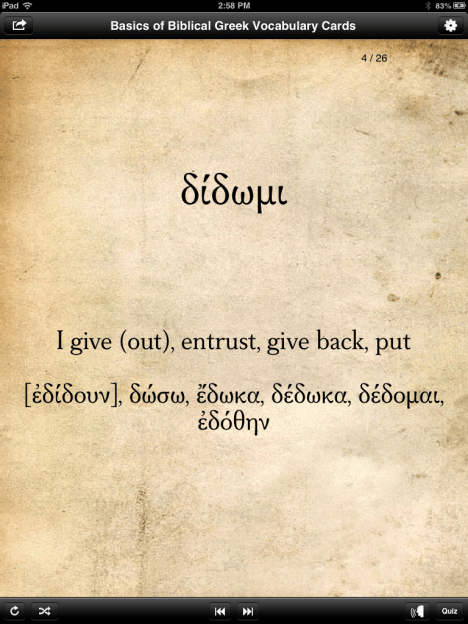
IMG_1049

Swiping left or right from a Greek word goes just through the Greek words and doesn’t show English. (Tapping the double arrow keys at the bottom of the screen does the same.)

From what I can tell, the gloss (English “meaning”/equivalent) stays the same regardless of which grammar you select. This may be a rights or permission issue–that Zondervan would just use Mounce’s word glosses, even with the other grammars–but users of other textbooks besides Mounce’s should be aware of this.

Verbs helpfully come with principal parts, displayed once you tap or swipe to show the English:
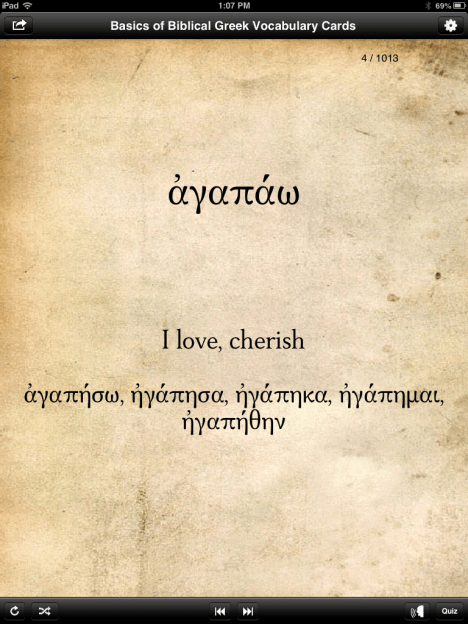
IMG_0137

Note also the audio icon on the bottom right of the screen above (just to the left of the “Quiz” button). For any given card, tapping on that icon plays an audio pronunciation of the word, which is a nice add-on, compared to the print cards. You can also set pronunciations to “on” in the preferences section, so that you automatically hear it every time you show a new word.

There is a glitch when switching to landscape mode. The same card as above looks like this in landscape orientation:

IMG_0138

That’s a pretty noticeable bug for such a simple and common function/gesture on an iPad, so I hope Zondervan fixes it soon. Along similar lines, another un-iPadlike bit of behavior is that if you close a case/cover to put your screen to sleep while the app is open, when you wake up the iPad, it shows the opening screen every time. It does remember your place, but to see the opening screen in such an instance seems odd. I don’t know of any other apps that do that.

Here is the “Sort” screen that shows all the ways you can customize the set of cards you want to go through. This is the app’s greatest strength.
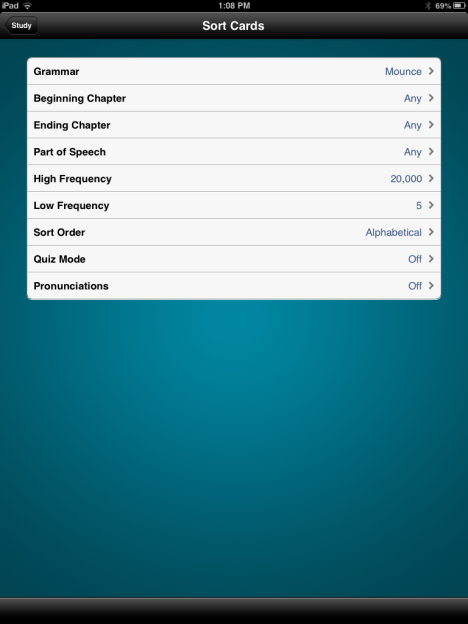
IMG_0139

As you can see, you can sort not only by grammar, but also by chapter. For someone going sequentially through a textbook, this is a good feature. (It has the same effect as just “pulling” given chapters from one’s vocab card deck, though note that you can only select consecutive chapters here.) You can also quiz yourself by a single part of speech: “any,” noun, verb, adjective, adverb, preposition, or particle.

There are frequency settings, too, so that one can easily isolate words that appear just 50 to 100 times in the New Testament, for example.

I experienced it as a fairly significant loss (compared to the print cards) that these cards do not have frequency information on them. On the print cards you can see how many times a word appears in the Greek New Testament. Here there is no way to do so. You can set the frequency of what words you’ll study, but if you selected words with 50-500 occurrences, there would be no way to differentiate from within that set. The best you can do is to study a set within a range of frequencies by descending frequency (i.e., with most frequent words coming first in the “deck” you create for yourself).

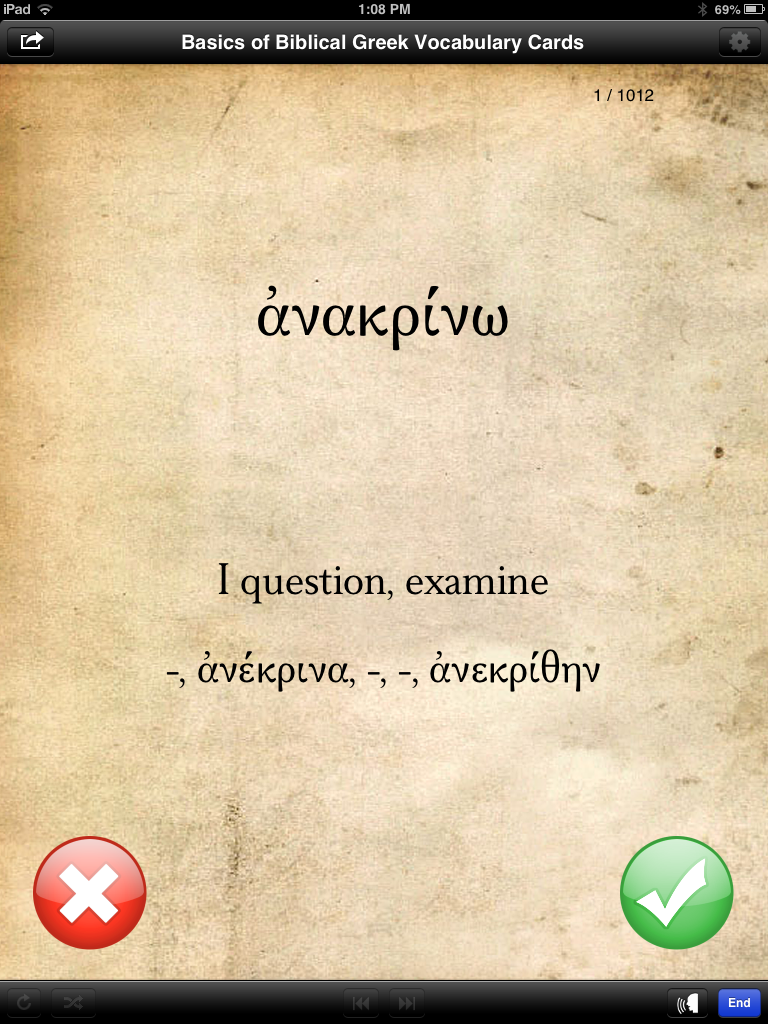
Here’s what a card looks like when you send it into “Quiz Mode”:

IMG_0140

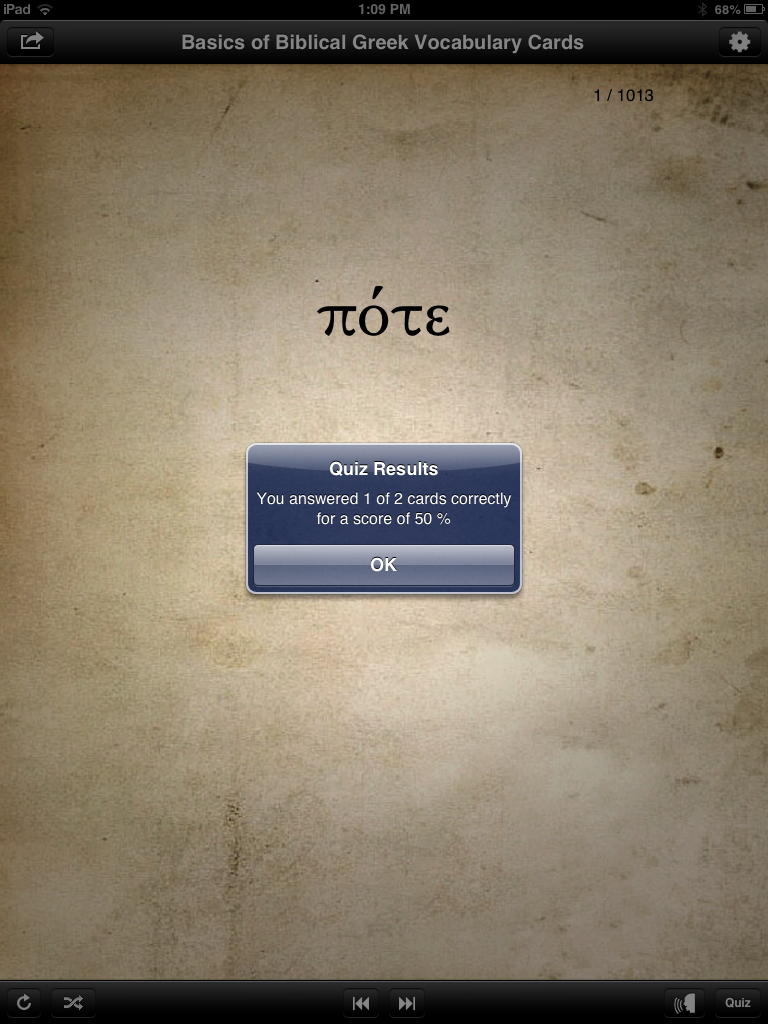
This feature works well and is a good way to track progress. You see the Greek first, then tap or swipe to see the English, then tap the red X or green check mark to show if you got it right or wrong. Then the app tracks your answers for a quiz score when you’re done:

IMG_0141

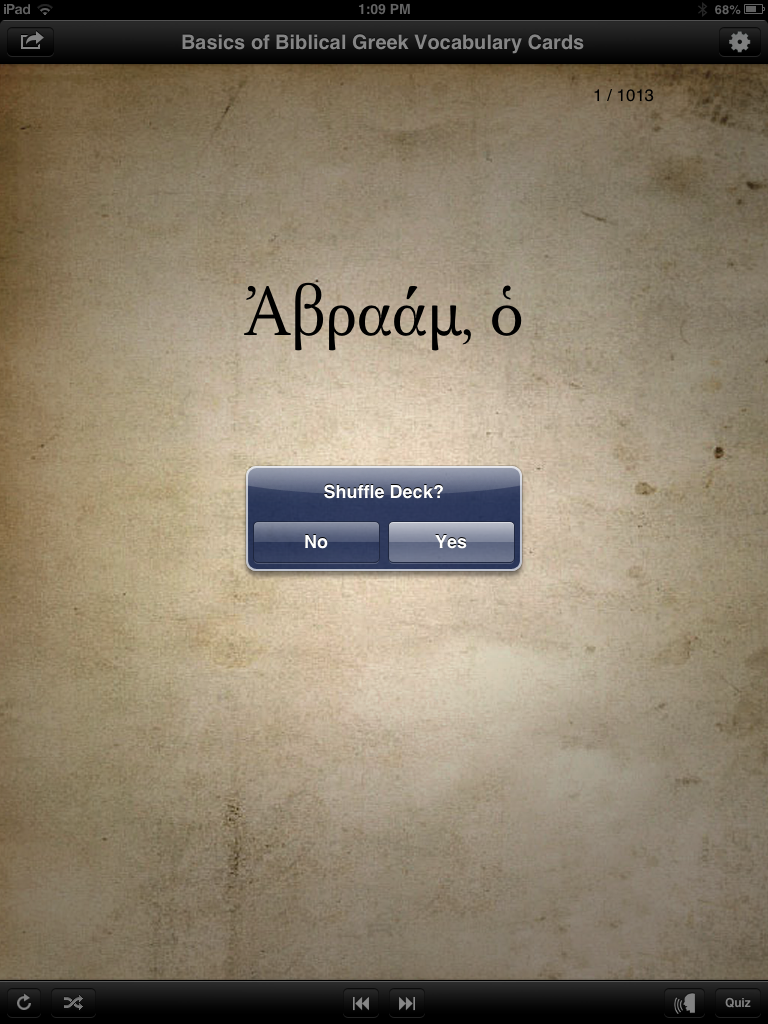
Using the icons at the bottom left of the above shot, you can either reset or shuffle a given deck:
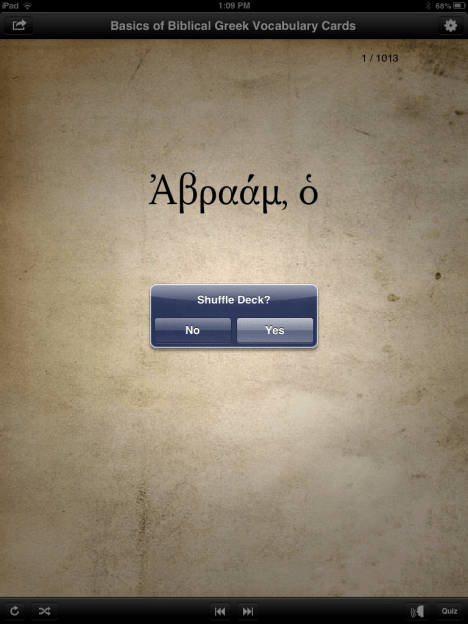
IMG_0143

At $20, the Basics of Biblical Greek app is more expensive than most iPad apps a person would buy. There are other vocabulary app options on the market that do a similar thing (with even more customizability) for a lower price. I’ll explore some of those options in the future. I’m not convinced that the $20 is warranted with the app in its current iteration–I’d like to see a fix of the landscape mode option, as well as the addition of frequency statistics for individual words. The font is easy to read (though not the same font as used in Mounce’s materials), and the audio pronunciation is a nice addition.

8/27/13 UPDATE: I’ve heard from a developer that an update to the app will be released very soon that includes word frequency counts on the individual cards, fixes the landscape orientation bug shown above, and an English to Greek vocabulary card function. (This last one is a great idea, especially.) I know the developers are open to suggestions, so if you have used this app and have any ideas, feel free to leave a comment here. Future updates to the app will include additional features, as well.

The app is here, via the iTunes store. If and as it receives any future updates, I’ll post about them here.

Thanks to Zondervan for the complimentary app, given to me for the purposes of a review, with no expectations or pressures as to the content of this review.


Blogging for Dummies

A dear friend recently remarked (wryly) that he saw a lot of “for dummies” books on my shelves. One of those books is a sort of bible of blogging: Blogging All-in-One for Dummies.

Blogging All in OneWhy blog? I answered that question a year ago, shortly after starting Words on the Word, and again six months in. More than a year later, I’ve had the chance to spend some time with Susan Gunelius’s massive work.

It consists of “8 Books in 1,” or “minibooks,” as Gunelius describes them inside. Each minibook (and each chapter therein) is meant to stand alone. (It’s easy to read and use the book this way.) The minibooks range from 65 to 136 pages each. A basic glossary and carefully compiled index round out the 700+ pages in the book. It carries like a phone book, but with thicker paper, still of the newsprint variety.

The work aims to be (and is) “a complete guide to blogging, all in one place.” The author writes “primarily for a beginner audience–people who have never blogged,” but as noted below, there is plenty of advanced information for even the “skilled bloggers” she also has in mind.

Here are the eight overarching topics that Gunelius treats:

  • Book I: Joining the Blogosphere 

    Blogging 101–from the history of blogs to the types of blogs, including motivations behind different blogs and how to make them successful. This is a sort of quick start guide. Particularly helpful for beginners here are the screenshots showing the various parts of a blog (comments, trackbacks, home page, etc.). The “Blogging Rules and Ethics” section is essential reading.

  • Book II: Niche Blogging 

    Niche blogs “usually fill a void that other, larger blogs are missing but audiences want.” There are some drawbacks to niche blogging, Gunelius notes, like a smaller audience and less traffic, but there are still unique opportunities for monetization (which she treats more at length later in Book VII) and building relationships with others who have a similar area of interest.

  • Book III: Corporate and Business Blogging 

    Using examples of business blogs (“Companies That Do It Right”) like Southwest Airlines, Zappos, and Wine Library TV, the author shows how to build an online brand through blogging. She notes a “fine line… between publishing promotional content on your business blog that is useful and valued by readers and publishing so much promotional content that your blog is viewed as all marketing and no substance.” There are practical, simple pieces of advice, too: have a giveaway contest, include social media links for sharing your blog posts, responding to comments. The content here is not exceedingly advanced, but addresses appropriately the target audience of … well… dummies (i.e., beginners).

  • Book IV: Choosing a Blogging Application 

    This is one of the most useful minibooks. Even if a would-be blogger is ready with good content, topics, and publicity, knowing what medium to use can be a challenge. Here Gunelius offers a guided tour (again, complete with screenshots) of WordPress, Google Blogger, TypePad, and Tumblr. She includes both free and paid options in her analysis. I’ve been using WordPress for a year, and had no idea about all the free themes available at the WordPress Themes site she mentioned.

  • Book V: Blogging Tools 

    Once you’ve got a blog, this minibook looks at SEO (search engine optimization), measuring blog traffic, using images, blog feeds, and more. This is probably the most advanced material in the book, that even non-beginners will find useful. Her almost pastoral admonition to “try to refrain from checking your blog’s statistics every day” (i.e., “worrying about daily traffic fluctuations”) is a needed one for many bloggers.

  • Book VI: Promoting and Growing Your Blog 

    More advanced material here. She covers contests, guest blogging (whether you do it elsewhere or host it on your blog), “social bookmarking,” and other ways to increase site traffic.

  • Book VII: Making Money from Your Blog 

    Most bloggers (hopefully) realize blogging is not a terribly lucrative business, especially not in its initial stages (i.e., first couple years). But there are still ways to make money from blogging–whether that is through ad placement, merchandising, or participation in affiliate programs. Gunelius begins this minibook as she so often does, with the big picture: “[Y]ou need to determine what your blogging goals are and then decide whether publishing ads on your blog in an attempt to make some money matches those goals or runs counter to them.” Especially helpful is the short section on the Federal Trade Commission’s guidelines for any “material connection” a blogger has with a company or product they are reviewing or advertising.

  • Book VIII: Microblogging with Twitter 

    Ah, Twitter. I wrongly predicted its demise just months after its inception. “Microblogging” might be too strong a word for how some people use the site (“wordbutchering” could be more appropriate?). I’m not sure Gunelius’s “Everyone is tweeting!” assessment is completely on target, but she is right, I think, that Twitter and other “microblogging” services go beyond what just 140 characters of text can offer. And because microblogging is “convenient, far-reaching, and free,” bloggers ought to pay attention to it. Gunelius takes the reader deep into the world of tweeting, URL shorteners, hashtags, and third-party Twitter applications.

Blogging All-in-One for Dummies is engaging and easy to read. Gunelius is clearly an expert on this topic, and this encyclopedic work bears that out. Copious screenshots and diagrams give visual reinforcement to the text throughout. The index and clearly delineated chapters make it a highly useable reference work–one which I know I’ll turn to often as I continue to blog! It’s a great one-stop shop for bloggers or those who would be bloggers. Yes, even still in 2013.

You can see more about Blogging-All-in-One for Dummies at Amazon here (affiliate link) or here (Wiley’s product page, including an excerpt and the full table of contents). The book’s “cheat sheet” is available here. Many thanks to Wiley for the gratis review copy for the purposes of my writing an objective review.