Today they’ve announced that there is a free demo version of Accordance 11 available. I can’t recommend their software highly enough. See my full review of Accordance 11 if you want to learn more, or just go here to check out the free demo and see what you think.
This post has gone too far in trying to convince people to override their objections to spend more:
2. I already have enough books.
Even if you think you’ll never read through everything in your library, adding more books will make it more powerful and increase the value of the books you already own.
In other words, “If you buy more books to search, you’ll have more books to search.”
Dear friends at Logos, do we not already succumb enough to an insufficiency mentality in the world? I don’t have enough. I need to have more. My Bible study and teaching prep is good, but if I just had that one more commentary series, life would be awesome!
I’m as guilty of this mentality as anyone (probably more so)–and I want to fight it. Bible software marketing copy that taps into the culturally-rooted materialism that Christians are supposed to stand against? Not okay.
One other “reason” gave me pause:
4. I can’t afford a new base package.
If a base package isn’t in your budget right now, you have a couple of options.
You can take advantage of interest-free payment plans and spread out the cost over up to 24 months. That means you only pay a fraction up front, pay for the rest over time, and start using your new software right away.
Let me help with the rewrite:
If a base package isn’t in your budget right now, you have one option: don’t buy one right now.
“Our mission is to serve the church,” you say. How does enabling and even encouraging churchgoers and pastors to take on new debt serve the church?
I think it’s time for some serious evaluation of the sort of marketing mantras that (however unintentionally) undermine Kingdom values of sufficiency and wise financial stewardship and promote instead the harmful values of incessant accumulation and overspending.
Saying, “What I have is enough,” and curbing credit-card-style overspending are actually two excellent reasons not to upgrade to Logos 6.
UPDATE: The “6 Reasons” email I received from Logos had no author’s name on it. I didn’t see an author’s name on the blog version of the post, either, until just before this post was about to go live. I direct my critique, though, to Logos as a whole, since the individual post is emblematic of Logos’s marketing approach in general.
Sure, there’s a chance that over-reliance on a monetized chore chart can have negative effects on children. But we parents also want to teach our kids about the importance of work, responsibility, and the basics of financial management.
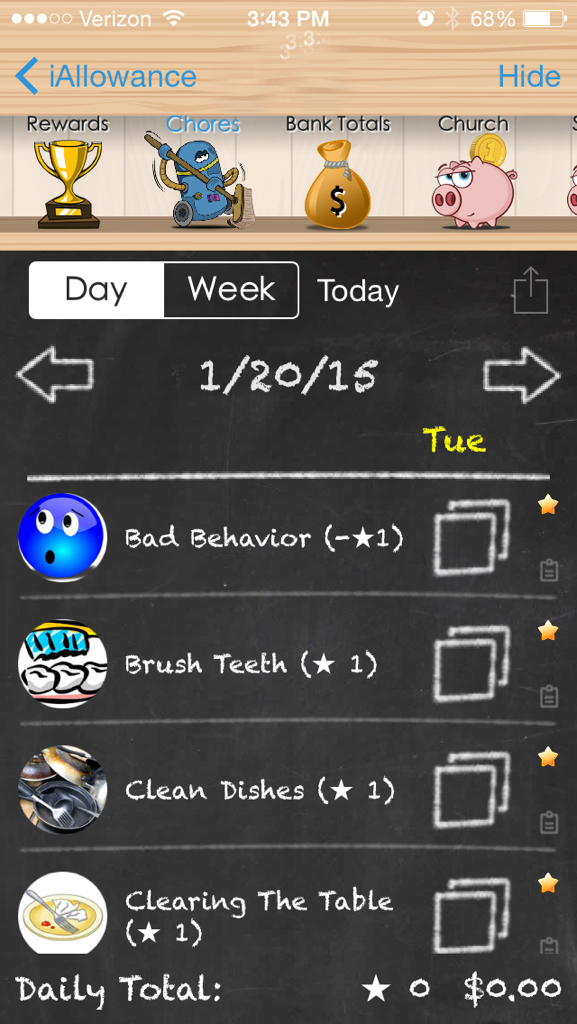
There’s still not an iPhone app for making you a better parent. In fact, probably less time on apps in general makes better parents. However, a number of us moms and dads already spend time each day managing tasks, finances, and other activities on a phone… so why not a chore chart?
Those are my sweet kids (names blurred out–you see their names on the app).
They’ve got their own corner of the app where we track their stars (earned or docked for behavior) and money (allowance, and stars converted to money).
The app has a bunch of pre-set chores you can select to track for each kid–at a frequency of your choosing.
(The spotting by the time is not from the app–that’s where the child’s name goes)
And you can add your own. (We added, “Make the bus on time”–everyone gets a star when that happens!)
You can set how many stars equate to a monetary amount, and then have the app make the transfer for you. We were paying our kids 10 cents a star, but we were doling out a lot of money! So we changed it to 5 cents a star.
You can also set up different accounts for each child. We have one for Church, one for Savings, and one for Spending. The Totals screen shows you all that, as well as Stars and Time (one of the few features I haven’t used in the app):
iAllowance is a really a great (and fun) app. It syncs via Dropbox or iCloud with an iPad. As a universal app, if you buy it, you can use it (and sync it) on any iOS device.
The kids love it, too. It’s been an effective motivator, and really fun for them to tap their stars at the end of the day–or tap on “Bad Behavior” and see a frowny face. 😦
Any time you tap next to a chore (which you can do in the Day view or Week view) you get an accompanying sound effect, too. And the allowance deposits happen automatically, in the amounts and to the accounts that you specify.
The app runs smoothly, and the developer is one of the most responsive (if not the most responsive) developers I’ve ever been in touch with.
I can’t say whether a incentive-based program will work for you and–if it will–whether you should run it from a mobile device. But I can say that both the overall setup of stars and allowance, as well as this particular app, have really helped perk up some listening ears around here!
Now… I’ve got to go give myself a star for posting another Apptastic Tuesday review, Blizzard 2015 notwithstanding.
Thanks to the developer of iAllowance for giving me a download for the review. Check out the app’s site here. You can find the full (paid) version here, and try the free version here.
Last week on AppTastic Tuesday: Rules! This week: Captio.
The goal of Captio is a simple one: to very quickly pull up a screen into which you can type text or stick a photograph, and then email it to yourself.
It works in iPhone in both portrait and landscape mode. Here’s the New Note screen, which lets you (a) enter text, (b) select a photo from your phone, or (c) take a new photo:
You might quickly pull up Captio to jot down a reminder or bit of information you want to access later. Then you tap Send, and your text or image is sent to your email address.
You can adjust some settings–for example, have a prefix of “Captio” or “Remember” or anything else in the subject of the email that Captio sends:
And, what is best, you can send it to any email address. This is especially helpful if you have a to-do system (like Evernote or OmniFocus) that allows you to email items directly into those apps.
This is where I’ve found Captio most useful. It can take Evernote and (especially) OmniFocus a few seconds to load and sync–Captio, by contrast, gives you a text entry screen as soon as you tap it.
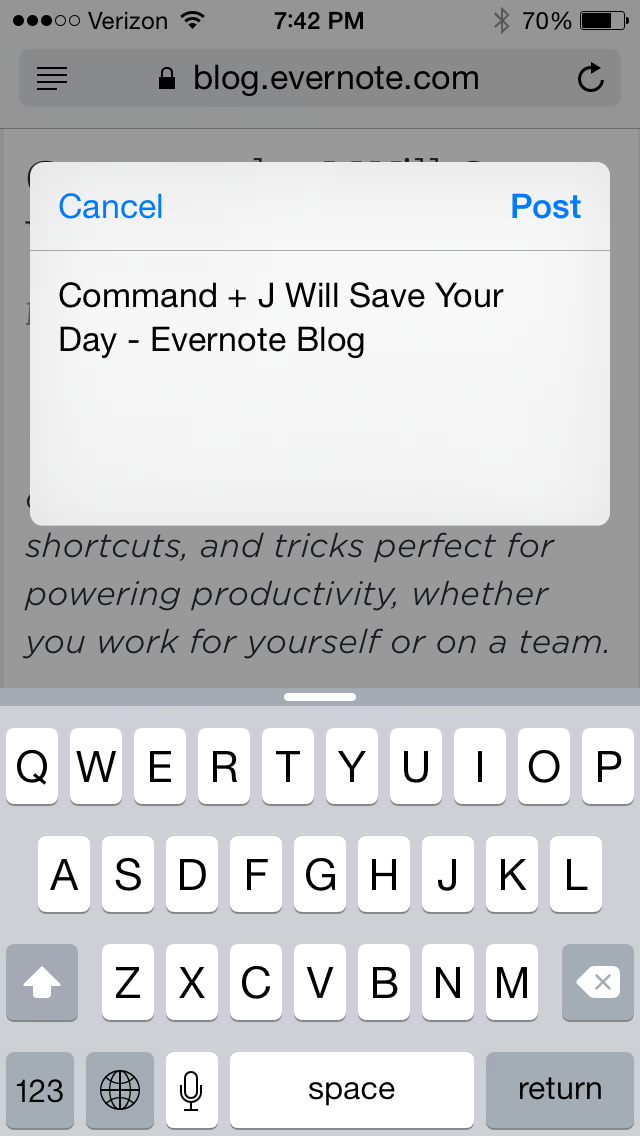
Captio is also available within other apps via the Share Extensions:
I’ve not personally seen a need to use the Share Extension–it works great, but if I’m saving a Web article to read later, I’ll just use the Evernote Share Extension anyway. Or the OmniFocus Share Extension to create a task from a photo. But for folks who primarily rely on email to keep reminders (not a good idea, but a widespread practice), Captio can help from just about anywhere on your phone or iPad.
Captio also stores all the notes you send, right on your device, so you can use it with or without Internet/data connections.
And, though all the shots above are from an iPhone, Captio is a universal app. So for $1.99 (at the time of this post), you can use it on both iPhone and iPad.
Thanks to the makers of Captio for giving me a download for the review. Check out the app’s site here.
Today begins what will be a mainstay of Words on the Word in 2015: AppTastic Tuesdays. First up: the iOS app Rules!
Rules! is part zone-out tapping, part memory-training app. The gameplay itself is fast-paced, fun, easy, and aesthetically pleasing. Watch this short trailer to get caught up:
The actual tapping of icons is easy–the game is quite touch-responsive and fast. And the rules are clear enough:
When you complete what rule 1 calls for, you move up to rule 2. Having completed rule 2 on the screen, you then apply rule 1 to the remaining icons. There are 100 levels of rules, though I have barely made it past 15.
When the game introduces a new rule, you get a screen like this:
But then after completing rule 13, it tells you simply, “Now follow rule 12,” “Now follow rule 11,” “Now follow rule 9,” and so on.
So it’s more than about the gameplay itself–you’ve got to memorize the rules as you go; you’ve got to know them by number.
This makes it a less-than-ideal zone-out game. Threes is by no means boring but mindless enough that you can come home to it at the end of a long day. Rules! is not so. It demands more of your mind.
You will probably find yourself, as I did, using some mnemonic device to remember 8-10 rules at once, so you can perform the appropriate actions on the screen in front of you.
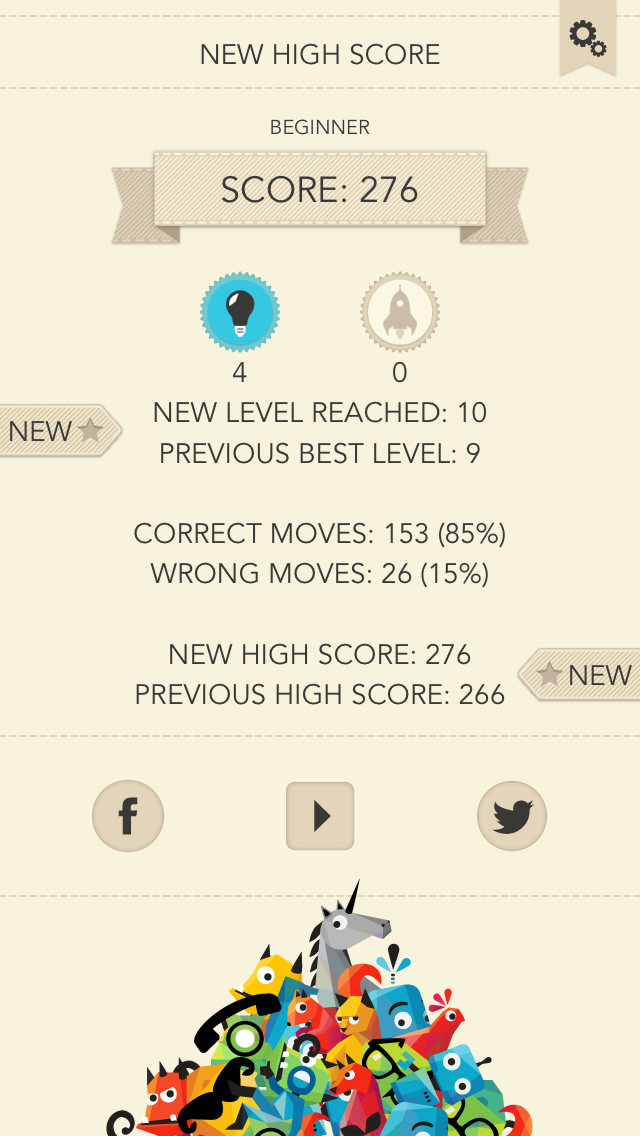
There are three game modes: Beginner, Expert, Timeless (i.e., no countdown clock). The scoring rewards you for speed and accuracy:
The need to memorize a host of rules in order to do well caused me to lose interest more quickly with Rules! than I have with other iOS games.
But Rules! especially excels in two areas: (1) its accompanying music is pretty, well-written, and good for focusing, and (2) its layout and design is gorgeous. Even the fail screen looks good:
So, for $1.99 in the App Store, if you’re up for a mental challenge with good music and beautiful design, check it out and see if you can–as one player on Twitter recently did–get through all 100 levels.
Thanks to the makers of Rules! for giving me a download for the review. Check out the app’s site here.
Accordance Bible Software has recently released a bunch of N.T. Wright resources, including his newly published and massive Paul and the Faithfulness of God. There are two bundles Accordance offers (here and here), and both are on sale this week.
I’ll be posting an extended book note on Wright’s new two-volume work before too long. Consider it a 2015 New Year’s resolution.
In the meantime, I commend to you Accordance 11, which I suspect will be a nice way to access and utilize Wright’s work.
It’s got to be the best tagline I’ve ever seen in the App Store:
Launch actions, not just apps.
If you are interested a free code for the paid app that does this, read on….
The “just” in that tagline is precisely placed, too, because Launch Center Pro can launch both apps and actions. But its ability to launch actions is what sets it apart. With minimal effort required for setup, I open up Launch Center Pro (hereafter, LCP) on ye ole phone to see these options:
Yes, that’s right. I can message (or call) my wife, text my whole family, post a selfie (I don’t really do that), enter a new Calendars 5 event, and much more with a single tap.
“It’s like speed dial for everyday tasks,” the app description rightly claims.
Already included in the app (though customizable) is a slew of app search options:
You can create your own actions via the Action Composer, which requires zero knowledge of Apple’s x-callback-url functionality, even though it utilizes it.
My phone allows me just four apps in the dock. LCP is so handy, I moved the Phone app to my home screen, and put LCP in its place in the dock. If that doesn’t speak to an app’s utility—that I use it more than I place calls on my phone—I don’t know what does.
I can’t recommend it highly enough. It’s not just a five-star App (though it is that, too), but LCP is a really smart innovation that will simplify repeated actions on your phone. See it in action in this short video.
It’s been priced as high as $4.99 recently. Right now it’s $2.99 for iPhone in the App Store. There is a separate iPad version, too, which can sync with the iPhone LCP.
But you want a chance to get the app free, you say? You came to the right place. Thanks to good folks at Contrast, who make the app, I’ve got a promo code for the iPhone version to give away.
Just comment here (and make sure you type in your email address, which goes undisplayed) for a chance at winning the code… share this post (and comment where you did) for a second entry. I’ll announce the winner some time this weekend. Leave your comment where it says, “What do you think?” below.
Last week Accordance released two new IVP “black dictionaries.” Both cover the Old Testament. There is Wisdom, Poetry & Writings and Prophets.
Here’s a screen grab from the Accordance page–they’re on sale through midnight EST tonight, and still reasonably priced after that.
Prophets (click image below for product page):
Wisdom, Poetry & Writings (click image below for product page):
These IVP dictionaries are really good. I usually use whatever volume I own when preparing sermons.
And Accordance 11 (just released this fall) is a nice way to use these dictionaries. You can try especially sophisticated searches with them in Accordance, like this one.
If you’ve used either of these dictionaries, I’d love to hear your thoughts in the comments. So far, I’ve really appreciated everything else from this series.
I’ve finally seen what all the Evernote fuss is about: It’s more impressive than almost any other productivity app I’ve used, and a basic account is free.
The company claims a lot for its app:
Evernote makes modern life more manageable by letting you easily collect and find everything that matters. From work notes and to-do lists to recipe collections and travel plans, add everything to Evernote to help you get organized without the effort.
But it’s so easy to access from any other app on any device, and so well-organized that it really can help you remember (or, rather, access) everything.
For example, do you want to file away the information in an email in a safe place, but not lose it among hundreds of email folders? Email it to your custom-created Evernote address, and it automatically files in your default notebook.
Do you want to make a simple shopping list with check marks and tap them as you go? Evernote can do that.
Do you have a bill you need to pay, and want to remind yourself of that unfortunate reality, but also have the relevant info at hand? Just take a picture of your bill with Evernote, add in a few comments, and it all saves in one place. You can even set a time-basd reminder to a note.
Are you trying to make sense out of that stack of recipe notecards, and want to have it all in one easily accessible location for next time you cook? You can take photos of everything and file it in a “Recipes” notebook in Evernote. You can even tag your recipes with primary ingredients or nutritional details, so that pulling up your “Protein” tags gives you some good ideas for dinner.
There are at least a dozen more ways I’m using Evernote now every day to organize myself. I highly recommend it.
If you want to try it, you can register for free here. Going to that link also gives you and me both a free month of Premium, which adds some nice features like (get ready): keyword searching the three pages of text you just photographed from your favorite textbook. Yes, Evernote can do that.
But you don’t really need Premium to get a lot of utility out of it. It’s free, no strings attached.
It’s not perfect, of course. But I have yet to run into a limitation for the many ways I’ve already put it to use. Check it out and see what you think.
I’m not sure how the actual St. Nick would feel about iTechnology, but App Santa offers a surprisingly large selection of excellent iOS (and Mac) apps for sale, starting today.
And a few apps that I haven’t reviewed (but will soon) that look sweet:
Drafts 4 ($4.99, from $9.99), “where text starts on iOS”
Launch Center Pro ($0.99, from $4.99), the tag line of which is, “Launch actions, not just apps”
Screens ($13.99, from $19.99). This morning after having it installed for less than a minute, I was using a tiny little phone to control a big desktop computer. Amazing!
MindNode ($4.99, from $9.99): a smooth mind mapping app, which I’ll post about more in coming months

















 Words on the Word