Apple’s iOS 8 is Live (Just Make Sure You’ve Got Room for It)

iOS 8


With the iPhone 6 now shipping, iOS 8 has just gone live.

MacRumors has two really great roundups that detail the features of the new operating system for iPad and iPhone. Here is their main roundup page. And here they note “some of the more interesting but smaller additions and refinements made to Apple’s mobile operating system throughout the beta testing period.”

A couple highlights from the article:

Identify songs – Siri now includes Shazam integration. If you ask Siri, “What song is playing?”, it will cause her to listen to the ambient sound, using Shazam to identify music.

Find which app is using the most battery life – iOS 8 includes a new Settings option that allows you to view battery usage by app, monitoring the battery drain of specific apps so those that draw a lot of power can be shut down. As of beta 2, it also displays how much battery is drained when there’s no cellular coverage.

Also, there is an improved keyboard:

Described as Apple’s “smartest keyboard ever,” QuickType is designed to offer word suggestions while typing. As a user is typing, the keyboard will provide words and phrases that a user is likely to choose next, even taking into account the different writing styles a person might use in different apps like Mail and Messages.

I’m especially curious to check out the Health app.

Just make sure you’ve got plenty of room for the install:
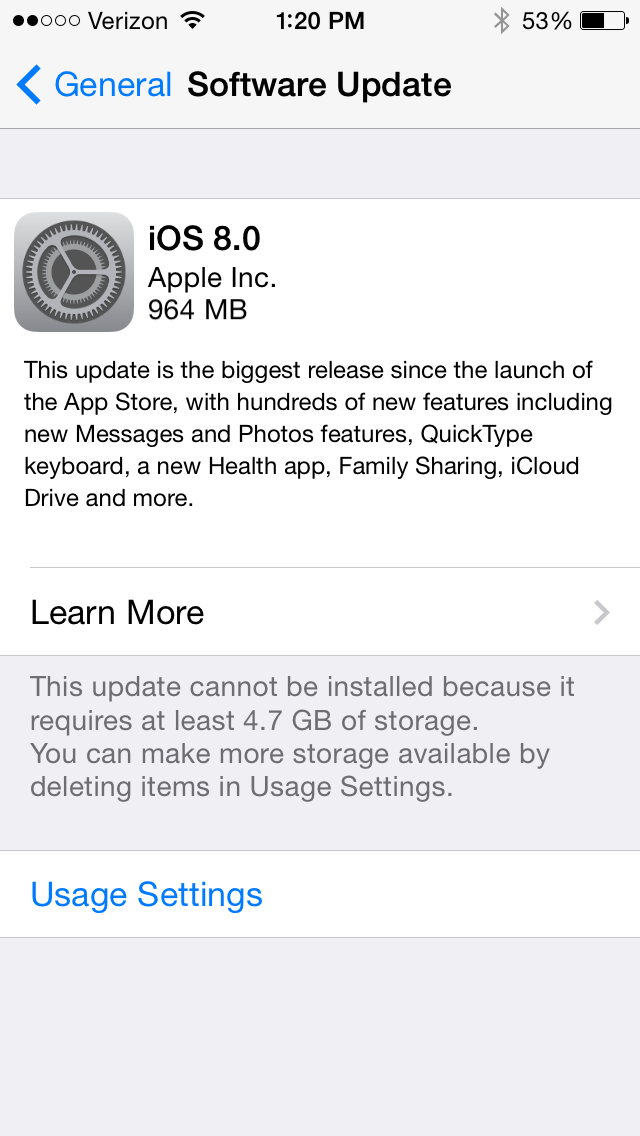
 

iOS 8 install


UPDATE: A friend on Twitter clarifies that you can download the new iOS if your device is connected to a computer, in which case you don’t need to clear up all the space required for the installation.

Size Comparison of iPhone 6 vs. iPhone 6 Plus

iPhone 6 sizes

The iPhone 6 just set a new pre-order record for Apple phones. The biggest question folks who are in the market will probably have is: How big is the iPhone 6? vs. How big is the iPhone 6 Plus?

There’s a handy printout you can download here to see what an iPhone 5, iPhone 6, and iPhone 6 Plus all look like next to each other.

Or you could do what this guy did.

And the Winner Is…

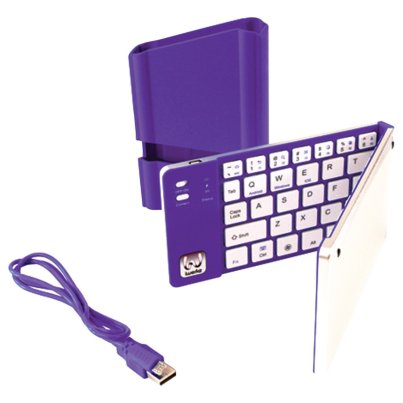
iWerkz Keyboard Folded

Congratulations to Rick Mansfield, winner of the MyWerkz foldable Bluetooth keyboard. I used a random number generator to select the winner. Way to go, Rick, and enjoy! (P.S. See his nifty blog here.)

I’ll post my review of the keyboard soon. Until then, see my gathered tech gear posts here. Thanks to all who entered and shared. 

Comment Here for a Chance to Win a Foldable Bluetooth Keyboard

iWerkz Foldable Bluetooth Keyboard


If you are looking for a bluetooth (wireless) keyboard to pair with your mobile device or tablet, and would like a chance to win one for free, you’ve clicked on the right link.

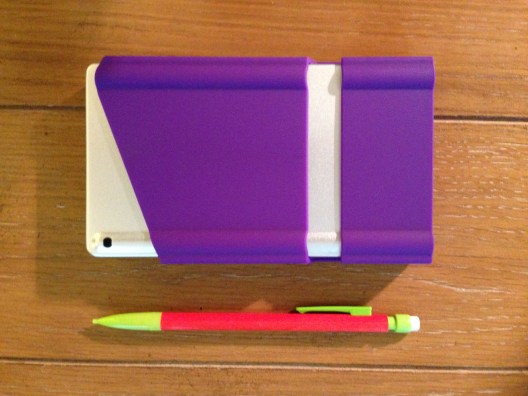
I recently engaged in more than 20 hours of classroom lecture, using just an iPad mini and the bluetooth keyboard pictured above for note-taking. Everything I needed for the class could fit in my pocket:


iWerkz Keyboard Folded


I’ll post a full review of the keyboard soon. It was a welcome time-saver with a strong battery life, and easy to pair with my device.

It also, according to its product page, works with iPhone and Android devices.

The folks at iWerkz have offered me an additional keyboard (purple, as shown above) for giveaway here at Words on the Word.


Here’s how you can enter:


Simply comment on this blog post with a short sentence on how you’d use the keyboard. Or you can just say hi. For a second entry, share the link to this post on your Facebook, Twitter, via mind meld, etc., and let me know in the comments section that you did.

I’ll select the winner using a random number generator.

If you don’t want to wait for the results of the giveaway, you can find the keyboard on sale at Amazon here.

The giveaway is open through Monday, August 18, 11:59 p.m. EDT. On Tuesday I’ll notify the winner and post about it both here and in the comments below. (fine print: free shipping of keyboard to U.S. address only)

The Best Case You Can Get for Your iPad Mini

My favorite iPad mini case has been replaced with another one from the same company.

INVELLOP now has a slightly heavier-duty leatherette case for iPad mini that works with both the first-generation and the retina mini model.

Usually when I review gear I list pros and cons. INVELLOP’s new case, however, has really only one slight drawback, which I note below.

I find the case to be just about the perfect combination of protection and slimness.

This is what it looks like, in a few views:

In viewing mode
In viewing mode
Front of case, closed
INVELLOP 3
Back of case, closed
INVELLOP 4
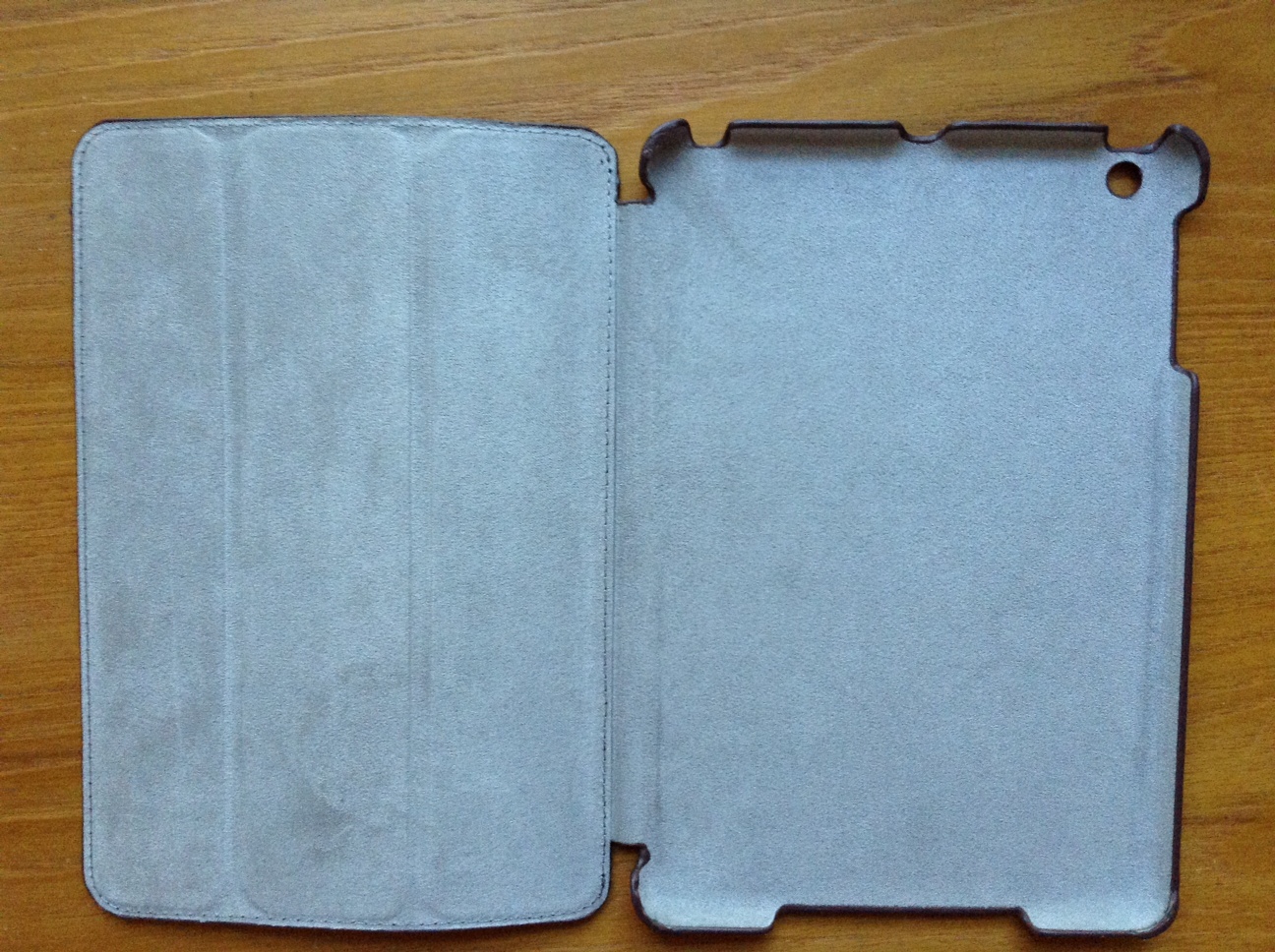
Inside of the case

Here’s why I haven’t put any other case on my iPad since getting this one:

  • The cutouts (headphone jack, volume control, camera lens) are perfectly sized
  • The case covers both front and back of the iPad; it’s all one piece
  • Though I still sometimes take the case off for extended periods of reading or watching, it’s really easy to hold the iPad in one hand with the case folded back
  • I actually have dropped the iPad a couple times (on the carpet, thankfully) since getting this case… and it’s been fine (phew!)
  • After a few months of use, there is just the slightest bit of wear on the case, but it’s holding up very nicely
  • Closing the screen flap puts the device to sleep; opening it wakes it–this functions perfectly
  • At the time of this post, you can get the case for about $20 at Amazon (affiliate link to help fund ye ole blog)
  • The inside of the screen cover has microfiber, which has not scratched the screen at all
  • The screen cover is in thirds so that you can put your iPad upright (in landscape mode) in two different positions (for viewing or typing)
  • There are magnets that keep the front cover secured in place when you fold it back

The only minor critique I have is that it’s slightly heavier (by a couple ounces, maybe) than the previous iteration of this case. But that’s a small price to pay for the greater protection and classier feel. Two thumbs up. This feels like everything you’d want an iPad mini case to be.

Thanks to INVELLOP for the review sample. The case reviewed above can be found at Amazon hereYou can find my other gear reviews here.

Review of Bear Motion iPhone 5c Case

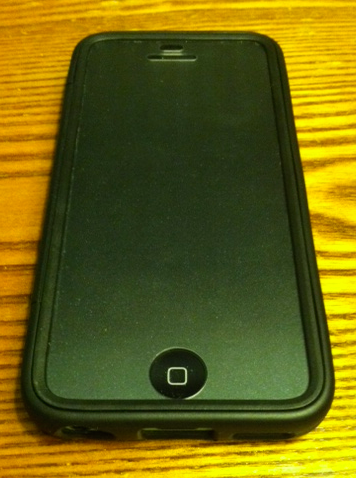
Time for some tech talk. At Words on the Word I’ve reviewed software, as well as aspects of iOS and its apps. I’ve done gear reviews, too. This post is my review of Bear Motion’s Full Housing Case for iPhone 5c.

Here’s what it looks like:

Back of the case
Back of the case
Front of the case
Front of the case
Empty case
Empty case

Here are the pros and cons of this case:

Pros

  • Though it looks a little cheap (and the cost is, indeed, low), it seems to be, in fact, fairly well-made
    • The holes (to access camera, headphone jack, home button, etc.) are cut out just right
    • I may or may not have dropped my phone a couple times in this case, and it was well-protected
    • It protects the screen; it protects the body; it protects the whole phone (and the case is all one piece)
  • It’s not very bulky; doesn’t add much to the phone
  • The fit is secure and snug, but it’s still easy to get the phone in and out
  • The price is currently $6.99, which is a good deal
  • I’ve taken it on a bunch of runs–it has performed well in this setting, both gripping to my hand without sliding out and keeping my phone from getting sweaty

Cons

  • The screen cover has a speckled or slightly filmy look to it, which is fine in regular light, but in the sunlight it makes the screen noticeably darker than it would be without the cover and, therefore, almost impossible to read
  • It isn’t the most stylish iPhone case I’ve ever seen, but that’s not a huge deal
  • On rare occasion the thick plastic screen compromises the touch sensitivity of the device

Though I don’t exactly have a plethora of cases from which to choose, this is the case that is currently housing my phone, and has been since I got it. That’s its own testimonial, I think. Especially for the price, Bear Motion’s case is a quite solid option.

Thanks to Bear Motion for the review sample. They make plenty of other cases for various devices, too. The case reviewed above can be found at Amazon here (affiliate link). Bear Motion’s brand page at Amazon is here.

RIP, Sony Bluetooth Wireless Speaker: Splash-Proof, but Not Highway-Proof….


side and input
R.I.P.

Remember the Sony Bluetooth Speaker I reviewed? Want to hear a funny story about it?

After using the speakers for a Sunday morning class, I put them on top of our family van as I was strapping in one of the kids. I got my almost-two-year-old daughter strapped in, we were all happy, the kids had done great in church, and we were going out to eat–a rare treat on a Sunday afternoon. The sun was even shining.

So with everyone strapped in and on our way to family lunch, about 10 minutes into our drive–when we were on the highway, of course–I heard a loud thud at the top of the car and saw in my peripheral vision a blur of pink and purple bouncing around behind me as I sped away.

WHAT WAS THAT?

Oh. The speakers. That I had left on top of the van.

I had received the speakers gratis as a review sample, but I had become fond of them. They were quite convenient for toting around and using in various settings. It was especially nice to amplify music without any wires.

I quickly decided that, yes, I did want to go back to get these speakers. But being on the highway, I would have to exit, get on the highway going the other direction, exit again, and go back the way I came.

By the time we neared the spot of the incident, it had been about 8 minutes. Surely some car–or multiple cars–had by now demolished my precious pink-and-purple players of Passion Pit, Pavement, and Petra.

But, no.

THEY WERE STILL THERE.

I slowed down and turned on my hazards to get off to the shoulder to (carefully, only when there were no cars) walk into the highway to retrieve my speakers.

They were right there, miraculously between the two lanes. A hundred cars must have passed them, leaving them mercifully in tact.

As I pulled over and slowed to a stop, the car behind me obliviously moved across the lane divider to pass me and…

Yep.

RAN OVER MY SPEAKERS.

Well, not just ran over. CRUSHED them.

They broke into a hundred pieces, and the car just cruised on by.

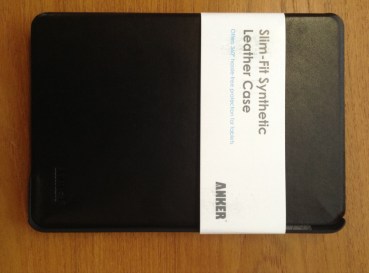
Review of Anker Slim-Fit iPad Mini Case

Anker 1

I’ve recently had the chance to try another iPad mini case–the Slim-Fit Synthetic Leather Case from Anker. It’s a decently made case, but it won’t replace my current go-to. I’ll jump right in and break it down into Pros and Cons:

Pros

  • Even though it’s fake leather, it seems to be built well
    • There is no visible stitching that could unravel
    • The cut-out holes (to access camera lens, earbuds, volume switches, etc.) are sized perfectly, as one would expect
    • The wake/sleep function works as it should–shutting the case puts the iPad to sleep, and opening it wakes it up
  • I am able to hold the iPad, with the case front folded back, in one hand
  • The fit of iPad into case is secure and snug
  • It is a classy-looking case
  • It is slim and lightweight

Here’s how it looks–the grey material at left is designed to be scratch-free:

Anker 2

Cons

  • I had a hard time getting the iPad mini out of the case–on the one hand, it’s good that it’s secure, but I was worried something would snap as I tried to remove the iPad (even according to instructions)
  • Won't really stay in this position once iPad is in
    Won’t really stay in this position once iPad is in

    It is possible to use the case in its prop-up mode, but it often slides and doesn’t stay in place, especially if you have it in the typing position

  • It’s pricey (retails at $29.99, slightly cheaper on Amazon), given the cons above
  • It is difficult to access the camera lens for photo and video with the iPad in the case. Since the cover is not a tri-fold, it doesn’t bend back enough to be able to easily take a picture–you’d have to hold the case with two hands or let the cover dangle open

The cons in this case outweigh the pros. Future iterations of the case ought to have some way for the iPad to lock in or not slip when propped up in landscape mode. And a tri-fold front would allow for easier camera access when the case is on. As for protection, the Anker case will get the job done, but there are better options on the market at present.

Thanks to Anker for the review sample, offered for my honest impressions of the case. They make plenty of other cases and products, too. The case reviewed above can be found at Anker’s site here and at Amazon here.

Review of INVELLOP Leatherette iPad Mini Case

As a friend and I were geeking out over iPad mini cases lately, he recommended his to me. Since its arrival in my mailbox, I’ve rarely taken the mini out of this case. It’s got just the right combination of slim and sturdy for my tastes. It’s by INVELLOP, which I had never heard of. Here it is, closed, with no iPad mini in it:

The case closed, in landscape orientation

Here is what the inside looks like:

The inside of the case

The cutouts for earbuds, volume buttons, camera, etc. are all measured well. The material is “leatherette,” but smells fine and has held up well for the six or more weeks I’ve used it. The stitching is all still firmly in place. You can see in the above that the hard plastic back is connected to the front cover. When the screen flap closes, it puts the device to sleep; when it opens, it wakes it up. This function works just as it should (and is standard with these sorts of cases).

Here are a few more things I like about it:

  • This is the easiest time I’ve had holding my encased device with one hand–the case covers the device but does not extend past it much, so it’s low on bulk
  • The price on Amazon is at the moment $19.95, which is worth it for the quality
  • Good craftmanship
    Good craftmanship

    The screen flap is split into thirds so that you can set your iPad upright (in landscape mode) in two different positions (viewing or typing)

  • It has magnets that help the front cover snap even more securely onto the back case
  • The plastic back is stronger than other cases of this size
  • The inside’s microfiber has protected (and not scratched) the iPad
  • It’s easy to manipulate the front screen flap to take photo or video (it folds back quickly)
  • It’s thin and light, yet not at the expense of protecting a device (though I haven’t done a test drop)

There is really not much to critique. For the first few weeks the front cover didn’t lay flat very well. It still doesn’t lay flat perfectly, but that’s improved a good deal over time. And the magnets make sure the sleep/wake function isn’t compromised by this.

Most significantly, even though I’ve reviewed other iPad mini cases I could house my device in, this one is my go-to.

Thanks to INVELLOP for the review sample. The case reviewed above can be found at Amazon hereYou can find my other iOS and gear reviews here.